CALREC Putting Sound in the Picture 105
VCA group interrogation
Interrogation works in a similar way
to the routing interrogation feature. It
provides a clear way of indicating group
assignment using the path assign buttons.
As with creating a group, interrogation is
performed by holding the assign button of
the path to be interrogated. A number of
different situations exist:
• The interrogation of a master will
illuminate all the assign buttons of its
slaves. If any intermediates exist which
are controlled by the selected master,
their assign buttons will strobe slowly.
The slaves of the intermediate will not
be lit.
• The interrogation of an intermediate
will illuminate all the assign buttons
of its slaves. The assign button of its
master will strobe quickly.
• Interrogating a slave of a master will
cause the master’s assign button to
strobe quickly.
• The interrogation of a slave of
an intermediate will strobe the
intermediate’s assign button slowly
and the intermediate’s master’s assign
button quickly.
While holding an assign button, only the
assign buttons relevant to the VCA group
will illuminate or strobe. The rest will be
unlit for clarity.
Masters and slaves on the same
fader
Masters can be created on a faders which
do not contain a path. They can also be
created on faders which already have a
path attached to them. In this case, the
path on the fader becomes a slave of the
master. The master and the new slave
beneath it can be accessed and controlled
in different ways.
Normally any changes to the fader level,
cut or APFL status will apply to the master
and subsequently all slaves in the group.
If the fader assign button is held down,
then the changes will apply to the slave
beneath the master.
If the fader is assigned but the button
not held down, any alterations to EQ,
dynamics and routing for example
will apply to the slave only as normal.
Processing outside of fader level, cut
and APFL status does not apply to VCA
groups.
Fader level indicator
Touching a fader will display its level in
the screen above. This indicator will
disappear after a short period of time.
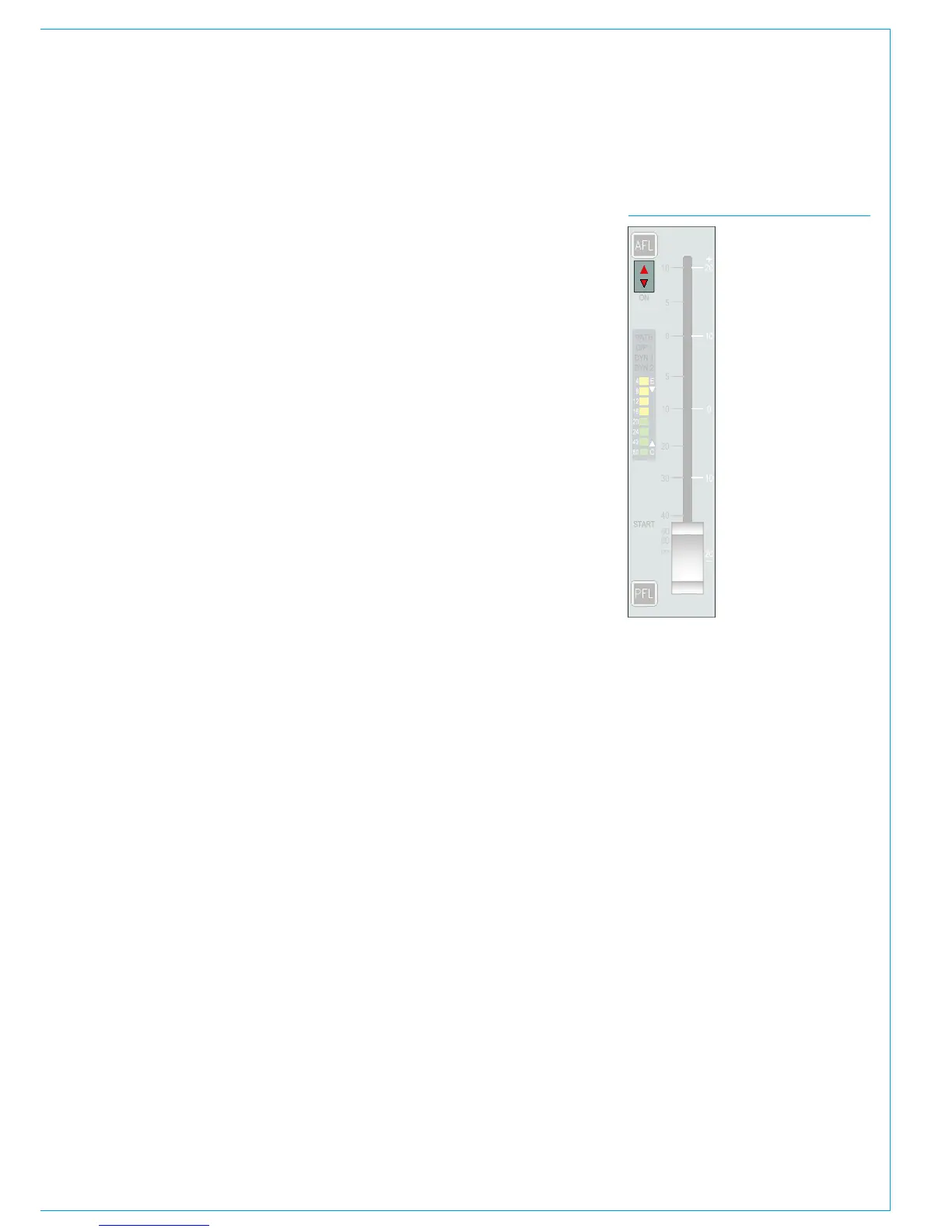
Nulling indicators
If the combined level of a master and
slave is greater than +10dB or less than
-100dB, the slave fader will remain at
the appropriate end of its travel and the
relevant up or down nulling indicator will
be illuminated. The nulling indicators are
shown in Fig 3.
Preserving balance of slaves at low
levels
When a master is set to a level below
-50dB, its slaves cannot be altered.
Altering the levels of slaves when the
master is turned down to this degree
would most likely produce inaudible
results. To preserve the balance of the
group and to prevent any signals being
turned up excessively when the master
is raised, this restriction has been put in
place. In this case, both nulling LEDs on
the slaves will illuminate.
5.1 Surround channels
If a surround master is part of a VCA
group then the VCA primary and
secondary master levels, cut settings
and APFL settings affect all of its spill
legs. It is not possible for the spill faders
themselves to be masters or slaves of a
VCA group.
VCA group protection
Within the TOOLS menu under MISC
there is a VCA GROUP EDIT DISABLE
option. The default status of this option is
off but it can be switched on to stop any
changes being made to VCA groups.
FIG 3 - NULLING INDICATORS
VCA groups created before this option
is turned on will still be operational but if
changes to VCA group organization are
attempted a VCA EDIT DISABLE warning
will be displayed in the corresponding
fader label display.
VCA Slaves move with VCA Masters
By default slave and secondary master
faders move along with their masters
to show their individual, relative levels.
This feature can be disabled if preferred:
Within the main application, navigate to
>Show Settings>General Settings.
The last option is to enable or disable
‘VCA Slaves move with VCA Masters’.
If the feature is disabled, slaves and
secondary master faders will no longer
move in-line with their masters but their
nulling indicators will light appropriately
to show whether the actual level is above
or below that being shown by the fader
position.



 To Next Page