Getting Signals into Apollo
76 APOLLO
Digital Broadcast Production Console
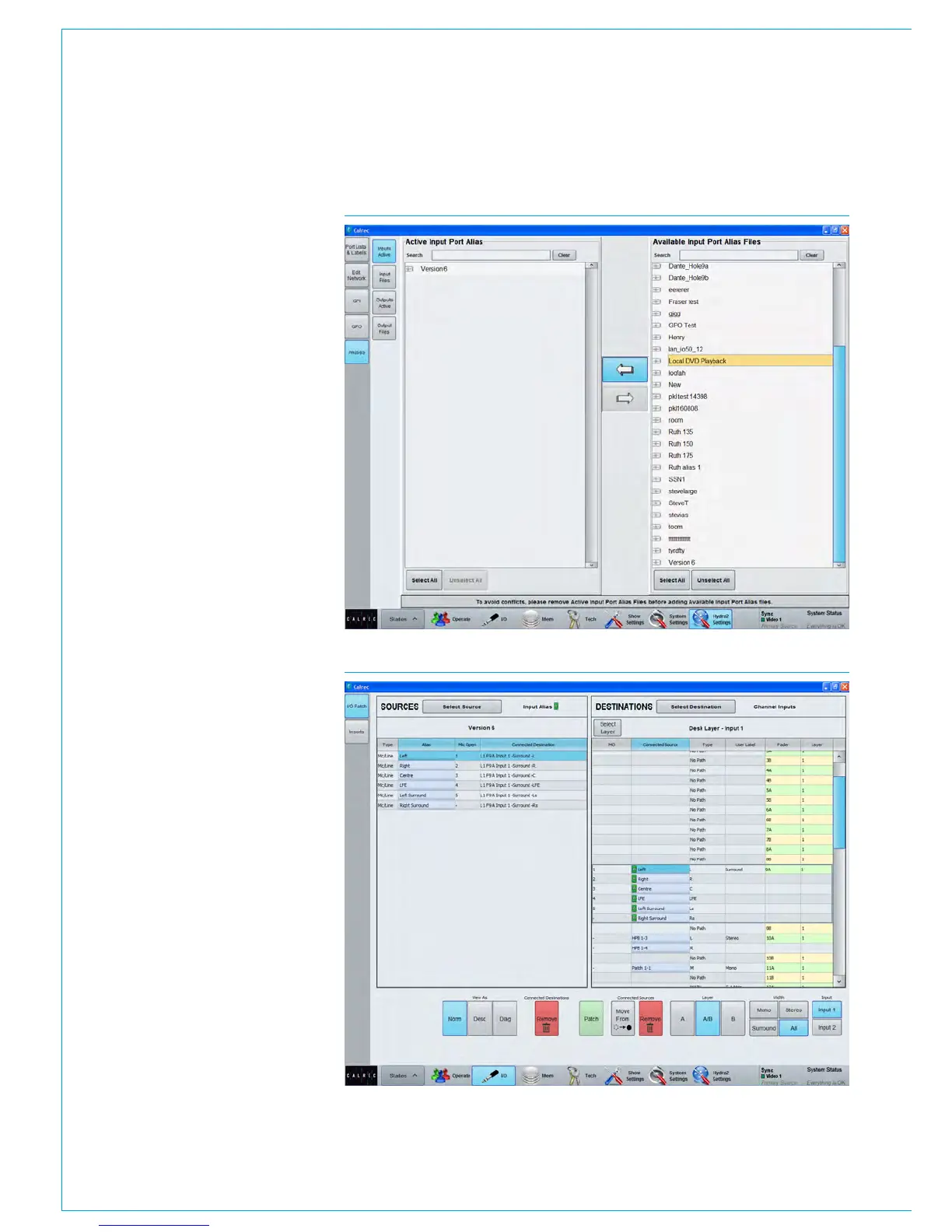
FIG 3 - ALIAS ENABLING
Alias groups
The display order is alphabetical so to
ensure related are adjacent in source lists,
ALIAS GROUPS can be created.
These can be thought of as performing
a function similar to input sets and within
the group, the term SET is again used.
First select the alias file for which groups
are going to be assigned and then
select the first port that is to belong to
that group. Touch ‘Create Group’ and 1
appears in the SET column. Other ports
can then be chosen as in Fig 2, either to
be added to an existing group, or for a
newly created group. This grouping is only
of the ports within the alias file and should
not be confused with any other form of
grouping that may be in use on a console.
Alias mic bus
‘Alias Mic Bus’ allows the ports to be
assigned to one or more of the console’s
five mic open buses so that studio
speaker muting is correctly assigned
when the production changes studios.
Enabling an alias file
To make an input alias file active and
ready for use, go to ‘Inputs Active’ and
using the arrows, placed the required
file(s) into the left window of active alias
files as in Fig 3. Only files that contain
valid input patching can be made active.
When output alias files have been created,
they should also be enabled to make them
available for use.
Alias patching
To use the routes defined in the input alias
file, go to the I/O patching screen.
When filtering the Sources, as shown in
Fig 4, all the currently active Input Alias
files will be shown, as well as available
inputs ports and desk outputs. Output
aliases are used in a similar way.
FIG 4 - USING AN INPUT ALIAS



 To Next Page