Processing Audio
90 APOLLO
Digital Broadcast Production Console
DYNAMICS 2
Every channel / group / main
path has two dedicated dynamics
processing units that are always
available to them. Dynamics 2
shown right provides a second
Compressor / Limiter or can be
retasked to provide AutoMixer
Processing
Dynamics 2 controls
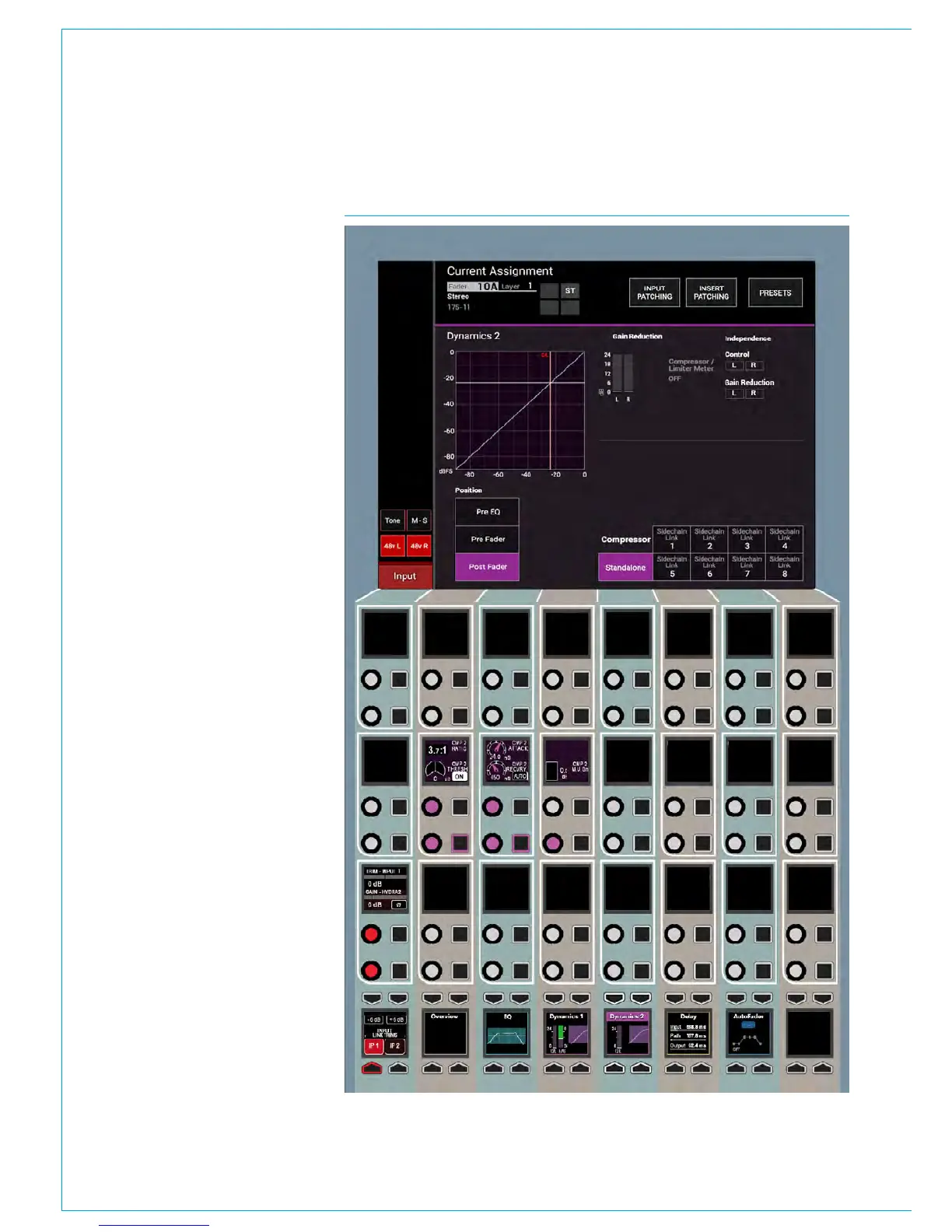
The Dynamics 2 controls and
related displays are all located in the
PROCESSING-DYNAMICS 2 panel
mode, as shown in Fig 1.
Dynamics controls and displays
are all colour-coded purple. The
controls are arranged in 1 block:-
Compressor /Limiter controls for ON,
Threshold, Ratio, Attack, Recovery and
Gain Make-up.
The TFT screen displays a graph of
input level versus output level along with
switchable gain reduction meters, the
position of the Dynamics 2 processing in
the Signal Path and switches for control
and gain reduction independence of legs
for stereo and 5.1 path legs. Note in this
image a Mono Path is being displayed so
no independence controls are on show.
Also shown are the 8 Dyn Links selector
which this path can be linked to or can be
left as No Link for independent operation .
Mono paths also allow the Dynamics
2 process to be replaced with 1 of 8
Automixers which are selected from the
TFT screen.
FIG 1 - DYN CONTROLS ON THE PROCESSING-DYN2 ASSIGN MODE LAYOUT



 To Next Page