CALREC Putting Sound in the Picture 167
Controlling Loudness Meters
Once Loudness meters have been set up
in the main application, controls for each
Loudness meter can be accessed from
the surface.
In the Layers row of any panel, select
TOOLS, then METERS. The top section
of the top right hand button cell on the
functions row shows the LOUDNESS
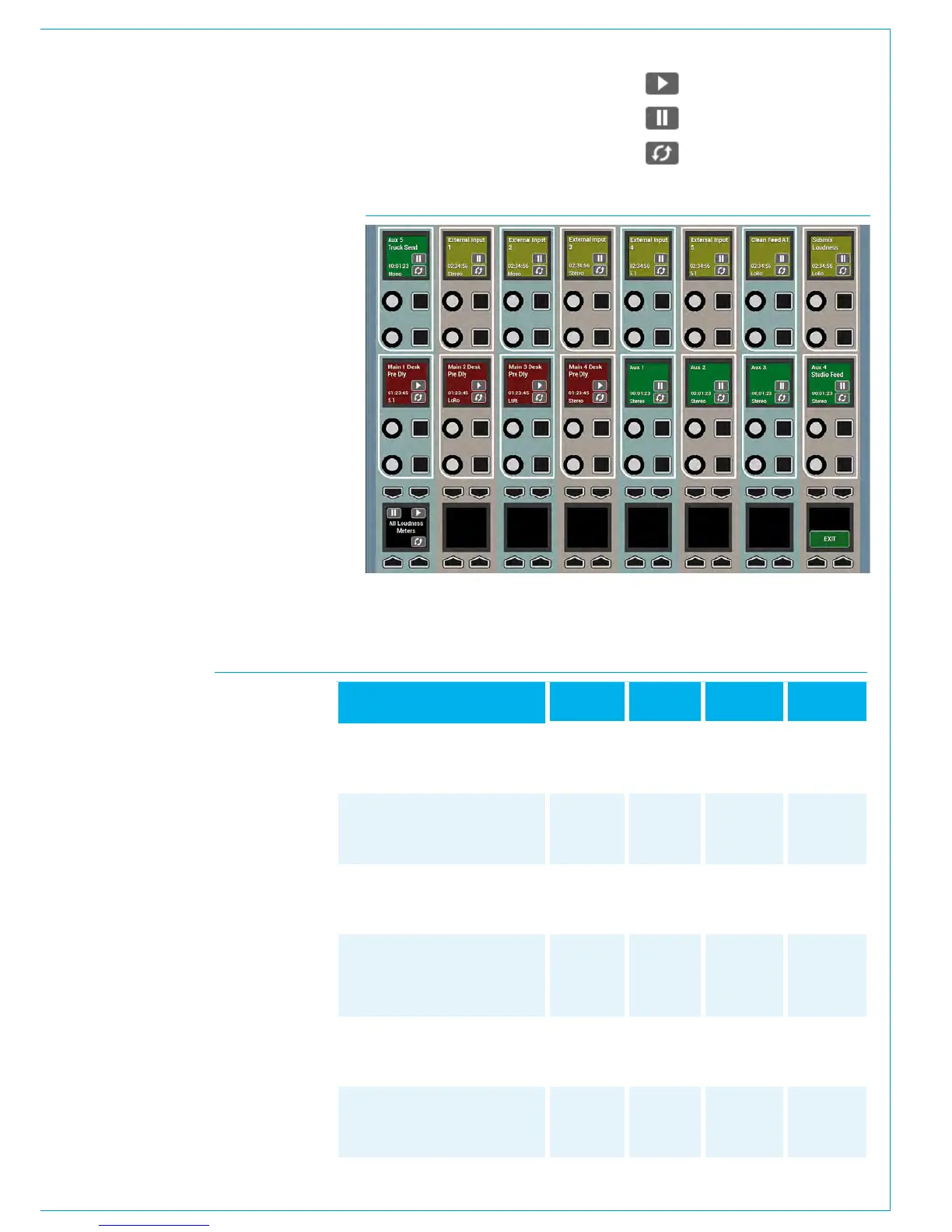
option. Pressing this puts that panel into
Loudness Meters mode and populates
the Wild Assign panel control cells with
individual controls to start, pause and
reset each individual loudness meter. See
Fig 2. The path width, path label and time
since last reset are also displayed.
As well as individual control cells for each
meter, there is a global control cell within
the wild assign row which starts, pauses
and resets all loudness meters together.
This global control cell is duplicated on the
Monitor/Spill panel, and the Joystick/Spill
panel.
Scale
Target
Loudness
Target
Variance
Max True
Peak
Relative
Gate
EBU Mode
+9...-18 LU (EBU +9 relative)
+18...-36 LU (EBU +18 relative)
-14...-41 LUFS (EBU +9 absolute)
-5...-59 LUFS (EBU +18 absolute)
0LU
(-23 LUFS)
+/- 1 LU -1 dBTP -10.0 LU
ATSC A/85:
2011 (BS1770-1)
+9...-18 LU (+9 relative)
+18...-36 LU (+18 relative)
-15...-42 LKFS (+9 absolute)
-6...-60 LKFS (+18 absolute)
0LU
(-24 LKFS)
+/-2 LU -2 dBTP N/A
ATSC A/85:
2013 (BS1770-3)
+9...-18 LU (+9 relative)
+18...-36 LU (+18 relative)
-15...-42 LKFS (+9 absolute)
-6...-60 LKFS (+18 absolute)
0LU
(-24 LKFS)
+/- 2 LU -2 dBTP -10.0 LU
ARIB TR-B32
+9...-18 LU (+9 relative)
+18...-36 LU (+18 relative)
-15...-42 LKFS (+9 absolute)
-6...-60 LKFS (+18 absolute)
0LU
(-24 LKFS)
+/- 1 LU -2 dBTP -10.0 LU
DPP Live
+9...-18 LU (EBU +9 relative)
+18...-36 LU (EBU +18 relative)
-14...-41 LUFS (EBU +9 absolute)
-5...-59 LUFS (EBU +18 absolute)
0LU
(-23 LUFS)
+/-2 LU -1 dBTP N/A
DPP Non-Live
+9...-18 LU (EBU +9 relative)
+18...-36 LU (EBU +18 relative)
-14...-41 LUFS (EBU +9 absolute)
-5...-59 LUFS (EBU +18 absolute)
0LU
(-23 LUFS)
+/- 1LU -1 dBTP N/A
FIG 3 - LOUDNESS METERING MODES
FIG 2 - LOUDNESS METER CONTROLS
Start Loudness Meter
Pause Loudness Meter
Reset Loudness Meter
• Loudness meter controls shown within the wild assign row and the bottom row of the
wild assign panel



 To Next Page