Routing Audio
118 APOLLO
Digital Broadcast Production Console
Snap to audio
Should the joystick be in a physically
different position to the audio position,
it can be snapped to the audio position
by pressing the TO AUDIO button to the
lower right of the controls.
Note that output pan controls are only
available on mono & stereo paths.
Surround paths are made up of mono
and stereo channels which default to
the correct pan positions to provide the
surround output. If required, panning can
be changed on the individual legs of the
surround master, either by use of rotary
controls or the joystick.
To change the parameters of the elements
that make up a surround path, first select
the assign button for the surround path,
then select the element to be adjusted
by pressing the relevant assign button
on the surround spill faders. For more
information on accessing the elements
that make up a surround path, see
“Stereo/Surround Spill” on page 96”.
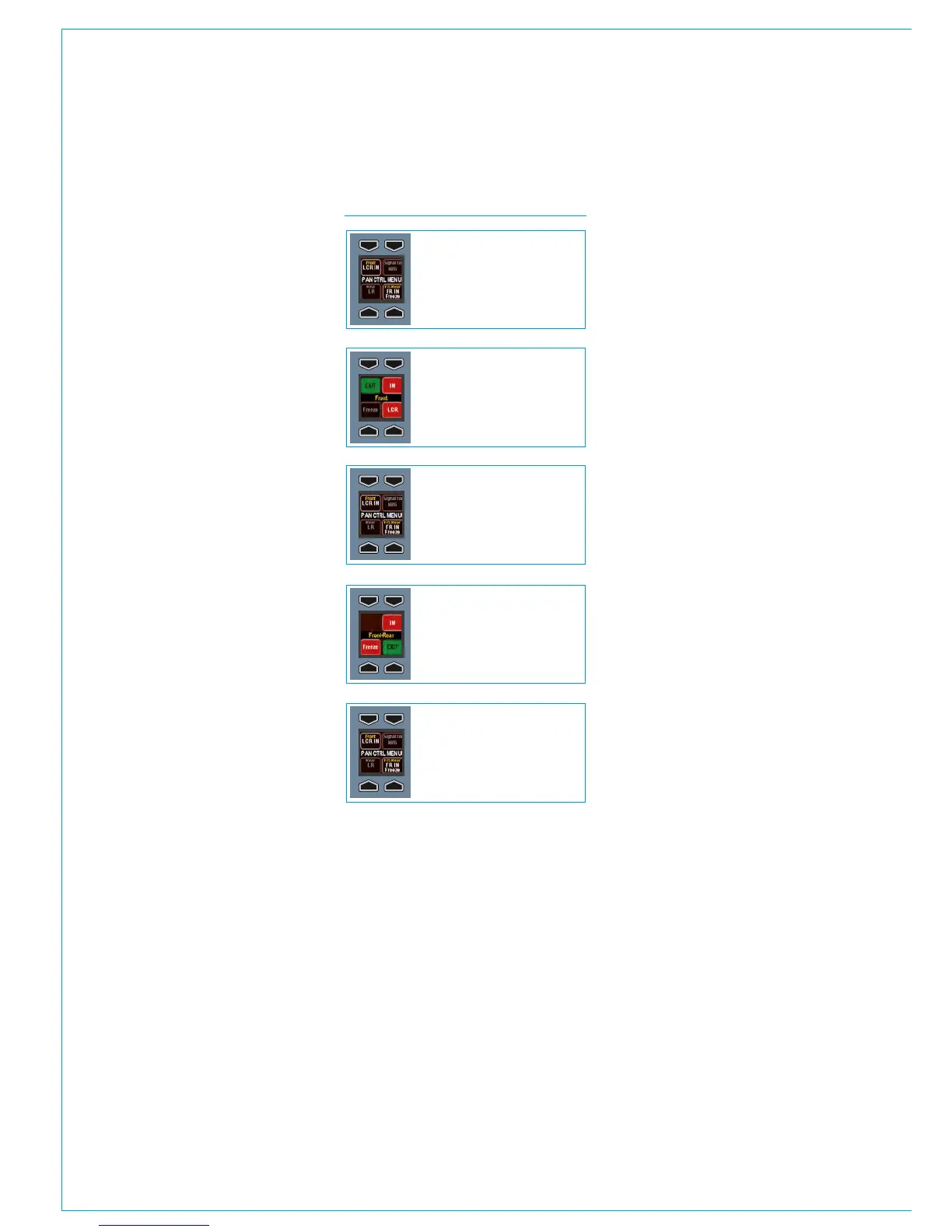
Pan control menu
The PAN CTRL MENU display allows
certain pan settings to be configured. It
allows front-rear pan to be switched in
and the axis to be frozen. It also allows
left-right pan to be switched in, optionally
set to LCR pan and to freeze the left-right
axis. The operation of the menu is shown
in Fig 2.
Freezing axes
The freeze controls, for example FREEZE
LR and FREEZE FB, stop the joystick
from affecting the pan position in the
frozen axes. If the left-right axis is frozen
by selecting FREEZE LR, then the audio
will remain in a constant position along
that axis, regardless of the physical
joystick position.
FIG 2 - PAN CONTROL MENU
The menu is in its default state
The menu is in its default state
Press the upper left FRONT button
Press the lower right FRT-REAR button
Press the EXIT button
The menu is in its default state
Press the EXIT button
The menu is now editing settings for
front pan. Three options exist; IN,
FREEZE and LCR. They switch front
pan in, freeze the front axis and set it
to LCR instead of LR respectively.
Press EXIT to return to the default
state.
The menu is now editing settings for
front-rear pan. Two options exist; IN,
and FREEZE. They switch front-rear
pan in and freeze the front-rear axis
respectively. Press EXIT to return to
the default state.



 To Next Page