CALREC Putting Sound in the Picture 19
TOUCH OVERVIEW
Apollo makes great use of touch
technologies to provide direct
interaction with on screen controls.
The configuration display, surface displays
and wild assign TFTs are all touch
sensitive and should be used with a finger
rather than any other pointing device
(such as the top end of a pen) which
may damage the surface of the displays.
Certain aspects of the software have
been designed to be accessed primarily
through touch and so some terms should
be defined to aid in reading this document.
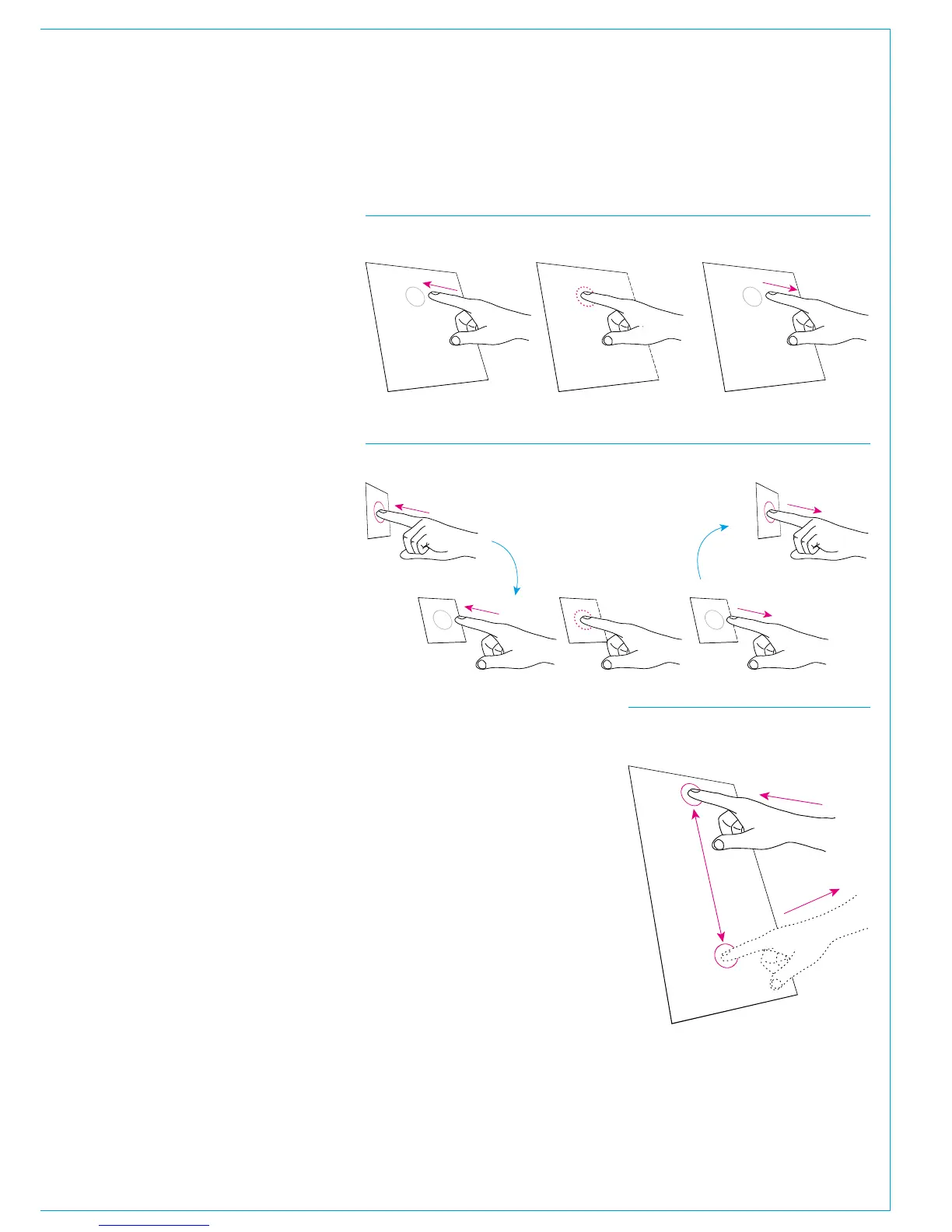
Touch/Tap
The main interaction between operator
and touch control is the touch (or tap).
The operator should touch the desired
control on the display then immediately
release without changing position.
See Fig 1.
Multiple touches (Hold and Touch)
In some cases it is necessary to combine
touch controls to achieve the desired
result. One control will normally be held
w h i c h t o u c h i n g o t h e r c o n t r o l s . F i g 2
demonstrates this process. This is
normally only required between control
cell displays on the surface. Combinations
between configuration PC and the surface
will not be used.
Swipe
The swipe motion may be used to scroll
through a list of items or page through
a number of views. Touch the control
and straight away swipe in the required
direction. Remove the at the end of the
swipe. This motion is shown in Fig 3.
FIG 3 - SWIPE
Touch the display, swipe a nger to
another position then release
FIG 1 - TOUCH/TAP
Touch the screen momentarily and then release in the same position
FIG 2 - HOLD AND TOUCH
Touch an area of a mini-TFT and hold while touching another area
Hold
Touch
Release



 To Next Page