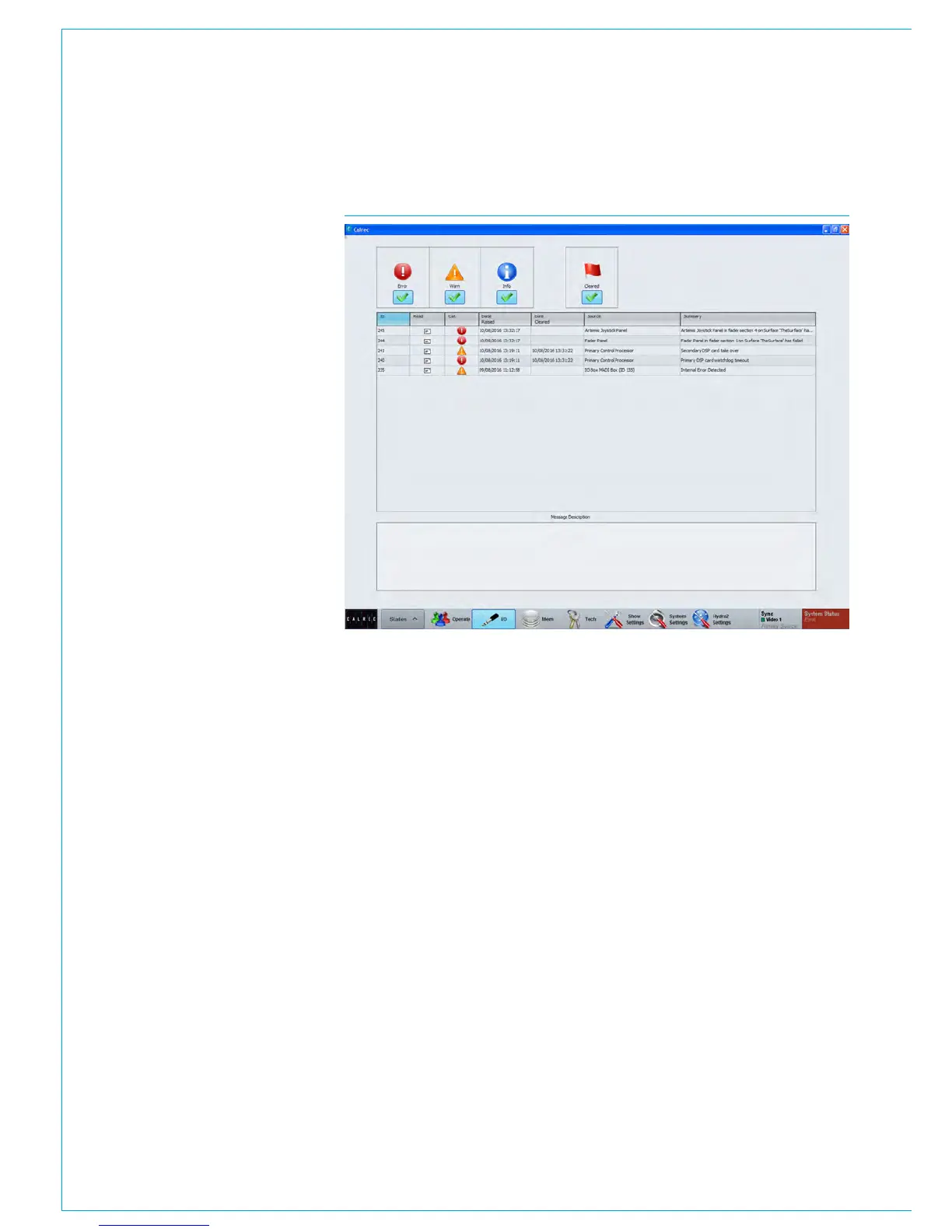
System Status
200 APOLLO
Digital Broadcast Production Console
SYSTEM STATUS
Apollo features System Status
which reports warnings, faults and
information to the user.
System status monitors all system
components and connections.
System status notifications
Under normal operating circumstances,
the system status notifications area to the
far right of the menu bar at the bottom of
the main application will show ‘Everything
is OK’.
In the event that a message needs to
be displayed, the notifications area will
display the relevant colour depending on
whether there is information, a warning or
an error message to be viewed. Touching
this notification area will bring up the
system status screen as shown in Fig 1.
Message types
Three types of message are reported by
system status:
• Information Messages - Inform the
user when certain actions take place.
They do not report errors, and no action
needs to be taken to respond to them
• Warning Messages - Indicate where
the system has located a fault or
failure, but will still operate without
intervention from the user. The
message should be checked as
the system may be running on its
secondary components.
• Error Messages - Report a serious
error that could cause, or has caused
the system to fail. Normally requires
user intervention to correct the problem
before operation can continue.
The messages are reported in a list, as
shown in Fig 1. Each message in the
list has an associated icon shown in the
left column. This identifies the type of
message to the user. Message types can
be filtered using the buttons above the list.
Selecting a message in the list will update
the MESSAGE DESCRIPTION area below
to show the message in greater detail.
Status messages at different
sample rates
Messages are produced for I/O boxes and
Hydra2 Patchbays that are in the required
list but are not at the same sample rate as
the desk.
Clearing messages
Information messages can be cleared
by selecting them and then leaving the
system status screen.
Warning and Fatal Error messages can
only be cleared by correcting the error
and restoring the system to its normal
operational state.
Surface indication
In addition to the main application
displaying a system status indicator when
a message is created, the FAIL WARNING
button on the broadcast facilities panel
will also flash. This is shown in Fig 2.
Pressing this button when it is flashing
will cause it to stop flashing and remain
illuminated. This will let the system know
that the user has acknowledged the error
but has not necessarily cleared it.
External indication
It is also possible to set an external
indicator to flash when an error message
is reported. The FAIL WARNING GPO
function should be patched to the relevant
GPO port to which the required indicator
is connected.
For a more detailed explanation of the
GPIO functions of the system, see
“GP I O ” on page 190 .
FIG 1 - SYSTEM STATUS SCREEN



 To Next Page