CALREC Putting Sound in the Picture 85
EQ AND FILTERS
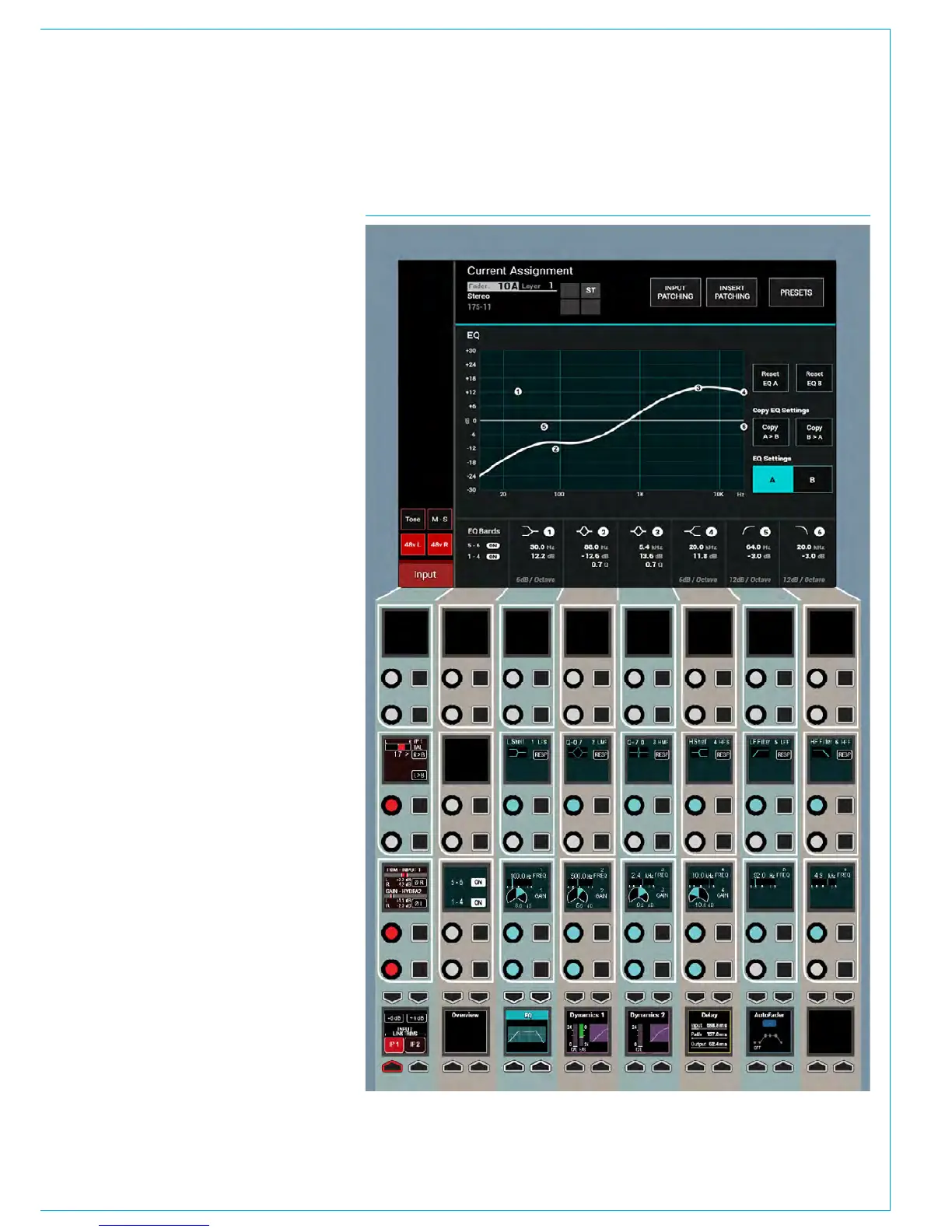
EQ is available on all paths without
restriction. Each path has access
to six full range, fully parametric,
switchable response EQ bands.
Each EQ band has a frequency range
from 20Hz to 20kHz and can have either
a high-pass filter, low shelf, notch, bell,
high shelf or low-pass filter response.
See Fig 1.
Given the flexible and configurable
nature of the surface, the EQ control
layouts used here are available on both
the PROCESSING-OVERVIEW mode
which was briefly described in the
CONTROL PANEL MODES section and
the PROCESSING-EQUALISER mode
as shown and described here in greater
detail. These controls would only affect
the currently assigned path.
On/Off
Buttons in the left button cell switch all
bands 1-4 on or off together and bands 5
and 6 on or off together.
A & B alternate EQ Settings
Two EQ curves can be created per
channel using the EQ Settings A & B
buttons on the TFT screen. Tapping these
flips between the two EQ curves for quick
EQ changes or comparisons. The Copy
EQ Settings buttons on the TFT screen
copies EQ A > EQ B or EQ B > EQ A.
Reset EQ A and Reset EQ B
Holding the Reset EQ A or Reset EQ B
buttons for a second will reset the gain,
frequency and response (and Q where
applicable) for all EQ bands.
Gain
The left column of Control cells contains
gain controls (where relevant) for all six
bands.
FIG 1 - EQ CONTROLS ON THE PROCESSING-EQUALISER ASSIGN MODE LAYOUT



 To Next Page