Getting Signals into Apollo
70 APOLLO
Digital Broadcast Production Console
REPLAY
The Replay feature allows easy
switching between inputs 1 and 2 for
a pre-determined set of paths.
The primary use of replay is to provide a
quick way to play back multitrack content
over the same fader paths used for
recording. This is achieved by patching
each live audio source to a path’s input 1
and the corresponding recording device
output to the path’s input 2. All paths
being used with the multitrack recorder
should then be added to the replay set,
allowing their inputs to be switched
between 1 and 2 with a single button
press.
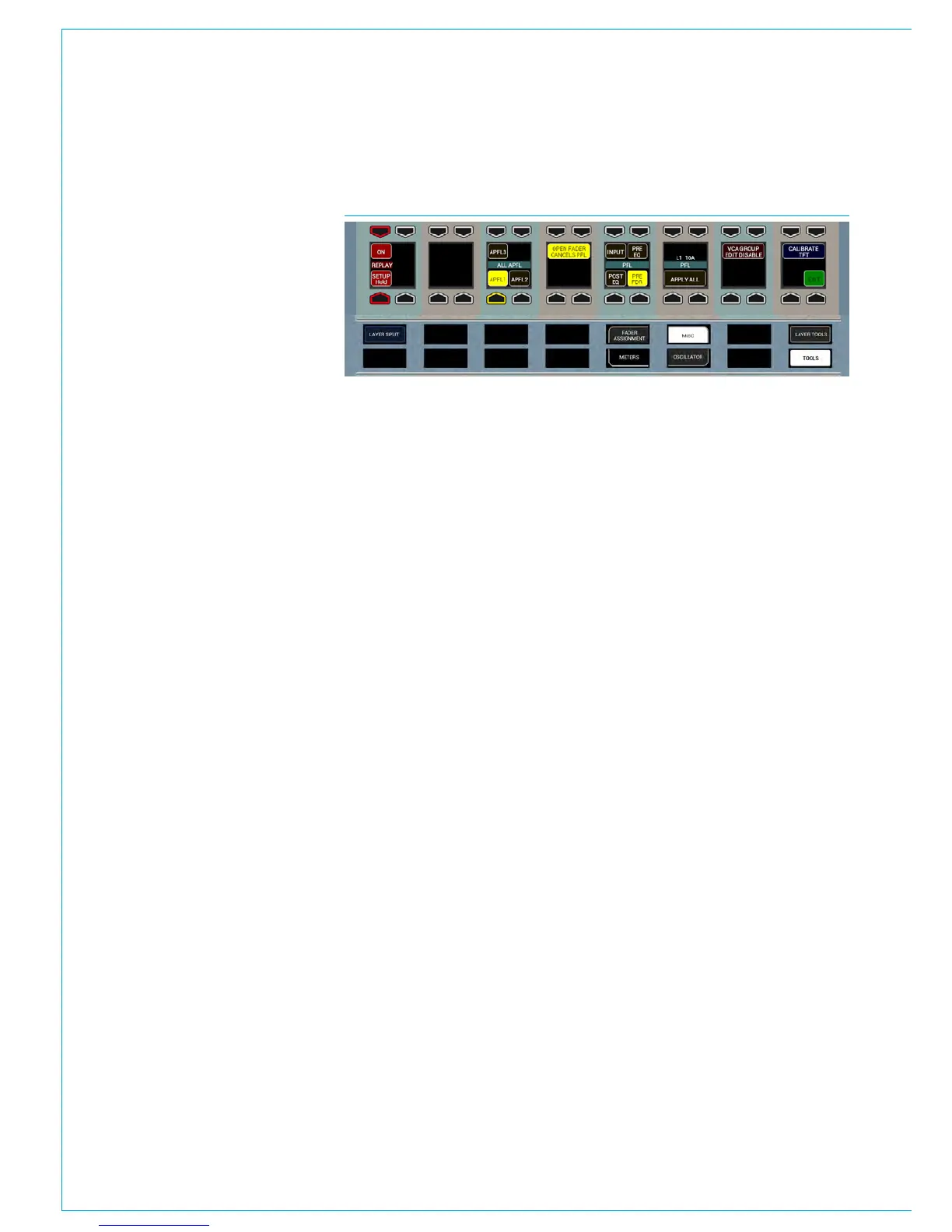
Replay control buttons can be accessed
by selecting TOOLS and then MISC from
the Layers row. On the far left of the
functions row above there are two buttons
associated with replay: ON and SETUP.
Adding Paths to the Replay Set
Paths can be added or removed from
the Replay Set by pressing their ASSIGN
button whilst holding the Replay SETUP
button down, as indicated in Fig 1 above.
Whilst holding down Replay SETUP,
notice that all paths currently in the Replay
Set are indicated by strobing ASSIGN
buttons.
Activating Replay
Pressing ON in the replay button cell
activates Replay, switching all paths within
the Replay Set to input 2, regardless of
which input they were previously assigned
to. Pressing ON again will deactivate
Replay and switch all paths in the Replay
Set to input 1, see Fig 1.
FIG 1 - REPLAY CONTROLS



 To Next Page