Monitoring
148 APOLLO
Digital Broadcast Production Console
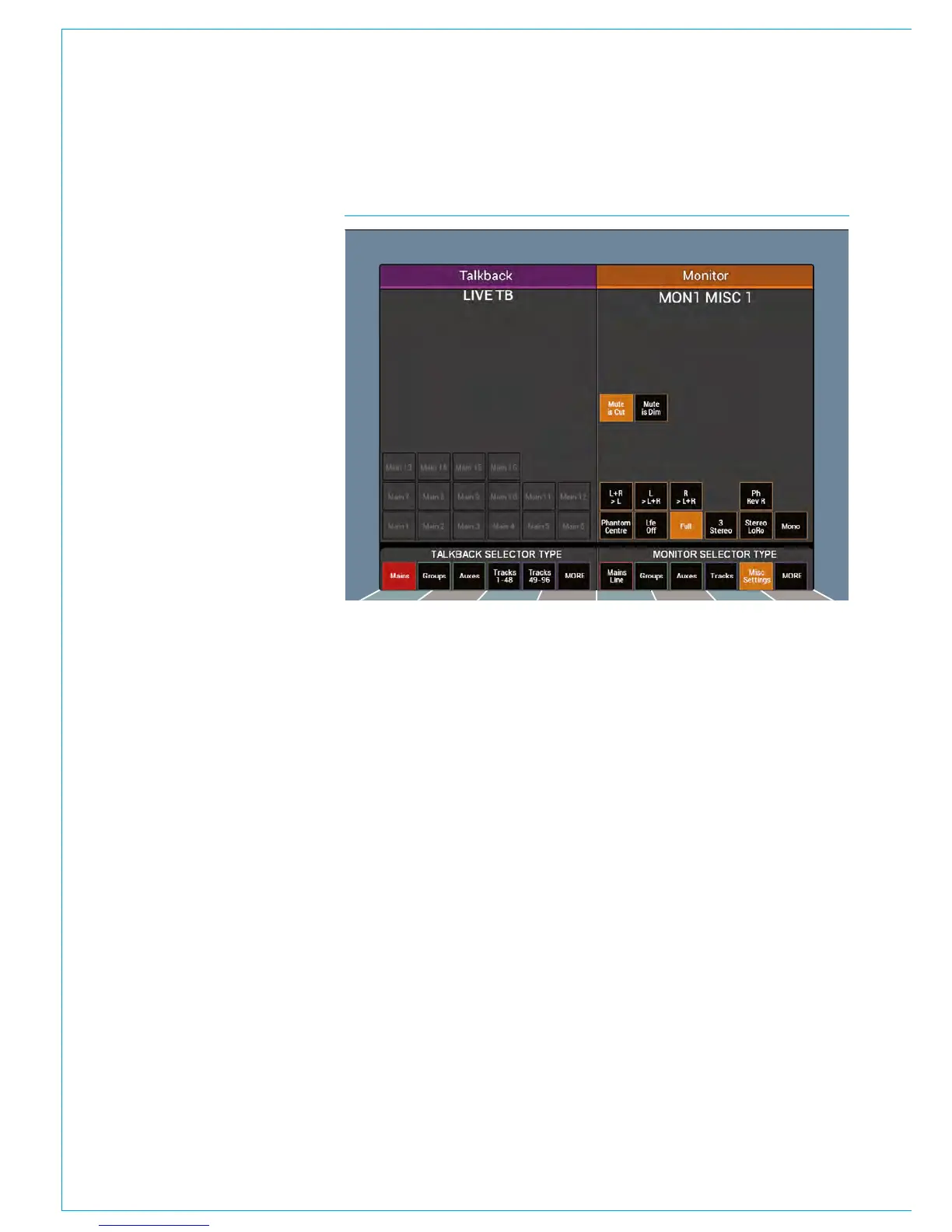
FIG 3 - MISC LS SURROUND OPTIONSMonitoring controls
The lower area of the touchscreen
contains controls over individual legs
and downmixes of the signals sent to the
monitoring outputs.
L+R > L - toggles the sending of both left
and right signals to the left speaker.
L > L+R and R > L+R - send the left and
right signals to either the left speaker or
right speaker respectively.
Ph Rev R - reverses the phase of the right
speaker.
Phantom Centre - mutes the centre
speaker and sends the centre information
to the left and right speakers to create a
phantom centre image.
Lfe Off - mutes the Lfe signal to the
speakers.
Full - sends the full surround signal out to
the speakers. It removes any speakers
cuts that may be in place.
3 Stereo - downmixes the monitored
signal to LCR stereo.
Stereo LoRo - performs a stereo downmix
when monitoring a surround path, or
outputs the full signal and removes any
speaker cuts when monitoring a stereo
signal.
Mono - performs a mono downmix on the
monitored signal.
APFL controls
The upper section of the Main LS screen
containing APFL controls is explained
in the AFL and PFL section of this
document.



 To Next Page