CALREC Putting Sound in the Picture 31
Broadcast Facilities Panel
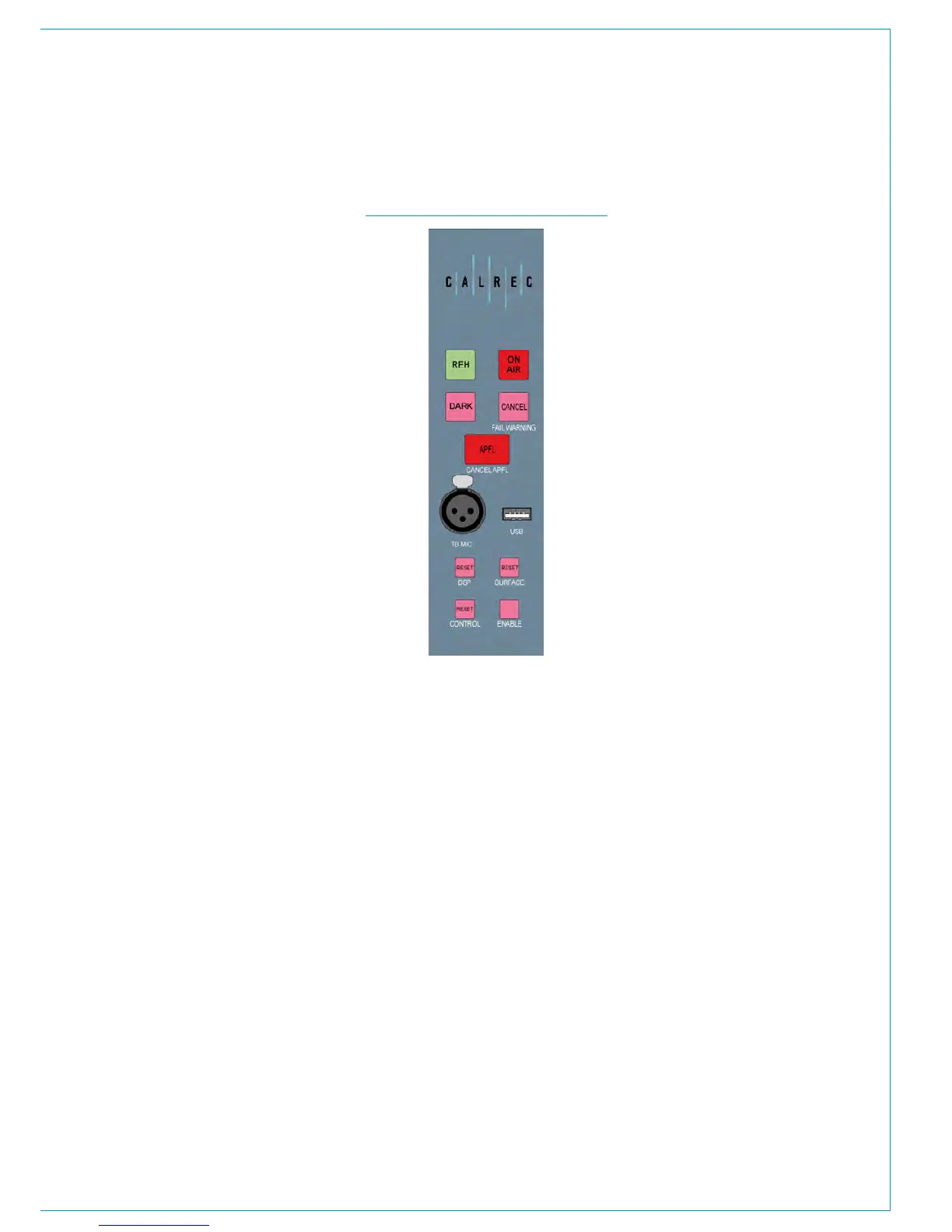
The Broadcast Facilities panel is shown in
Fig 10.
The top two buttons provide switching
and indication for On Air and Rehearse
states. The Fail Warning Cancel button
acknowledges any failures in the system.
Under these is an APFL indicator which
lights if the main monitoring is being
overridden by AFL or PFL. This is also
used to clear any latched AFL and PFL
when pressed.
A Talkback Mic XLR connector is provided
on this panel and also a USB connector
which allows you to plug in a USB
memory stick which can be used to load
and store console configurations from
the configuration PC in the body of the
console.
At the bottom of the panel are the reset
switches. Each of these can be pressed
together with the Enable button to reset
the Surface, DSP module or Control
Processor independently.
The Dark button switches on the surface
screensaver. This turns off all control
cell displays and LEDs and displays a
screensaver graphic on the TFT displays.
Simply touching any fader or control on
the surface will disable the screensaver
and switch on all displays. Dark mode
does not affect audio.
FIG 10 - BROADCAST FACILITIES PANEL



 To Next Page