CALREC Putting Sound in the Picture 191
Assigning GPOs
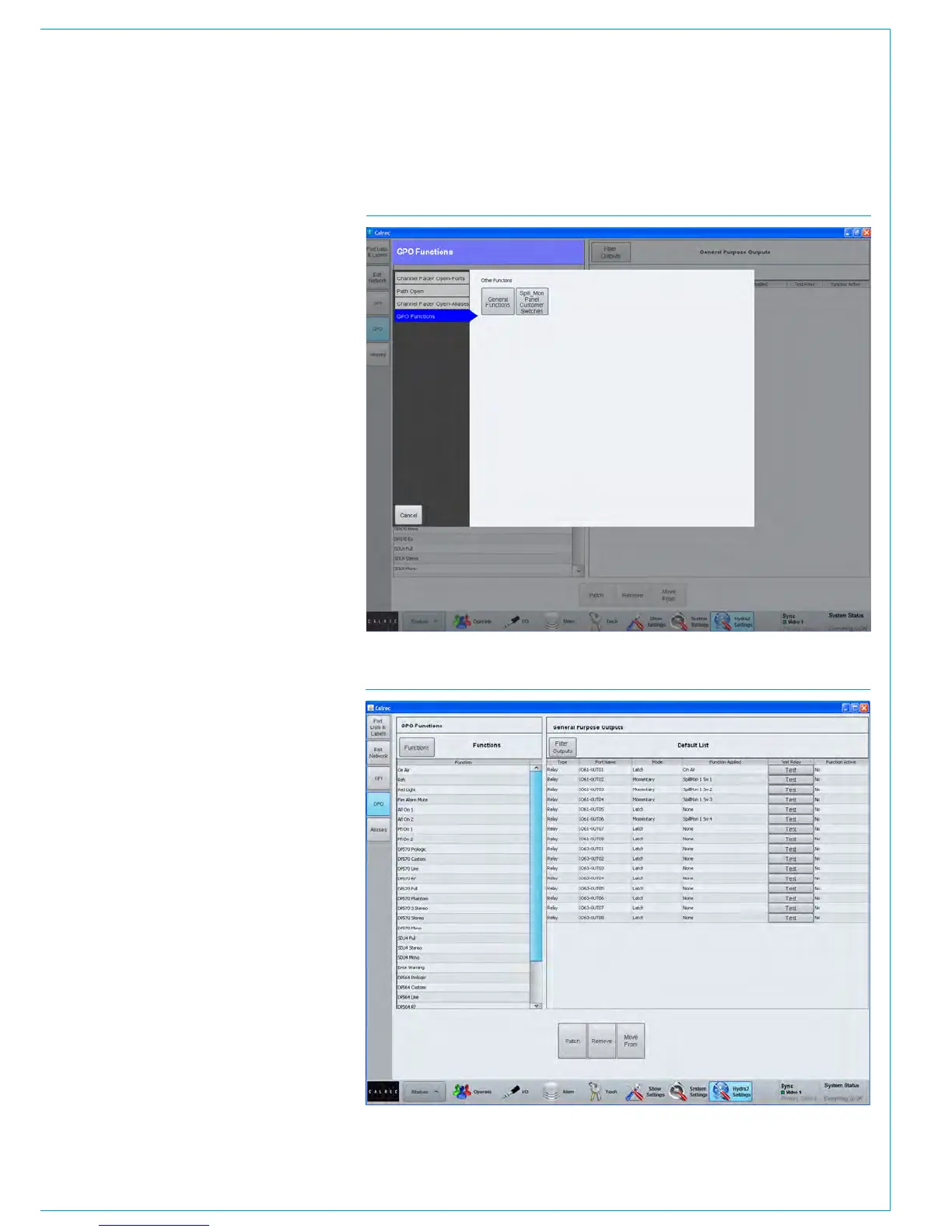
>Hydra2 Settings>GPO provides a
similar method of assigning console
functions to a General Purpose Output
relay. The list of console functions is
shown in Fig 3 on the left of the screen
and is again organised into various
sections. The GPO Functions button
selects between General Functions and
the Customer Switches accessing the
General Functions accesses a range of
functions that can be associated with a
GP Output as shown in Fig 4.
Common Console Functions
A range of console functions are available
to trigger GPO. In addition to these
general functions, are Fader Open and
Path Open.
Fader Open and Path Open are port-
based functions and will be triggered by
any fader where that port is in use.
Channel Fader Open function is
commonly used for Fader Starts. Path
Open is similar, but requires the path is
On/Not Cut to trigger the GPO.
In addition to general console functions
and fader opens, the hardware user
buttons at the bottom of the dedicated
monitor panel can also be assigned to
trigger GPO relays.
GPO signal type
When patched from most control outputs,
GPO signals are set to ‘Latch’ mode.
Latch mode causes the relay to remain
activated indefinitely. For example, a relay
controlled by a fader open function will
remain activated the entire time that fader
is open.
When assigning GPOs to the customer
switches the relay is only activated while
the button is pressed.
Test GPO
A test button is present on every GPO
output to manually trigger the GPO signal.
FIG 4 - ASSIGNING CONSOLE FUNCTIONS TO GPO RELAYS
FIG 3 - ASSIGNING GPO RELAYS TO CONSOLE FUNCTIONS SELECTOR



 To Next Page