Control Overview
32 APOLLO
Digital Broadcast Production Console
Dual Fader Panel
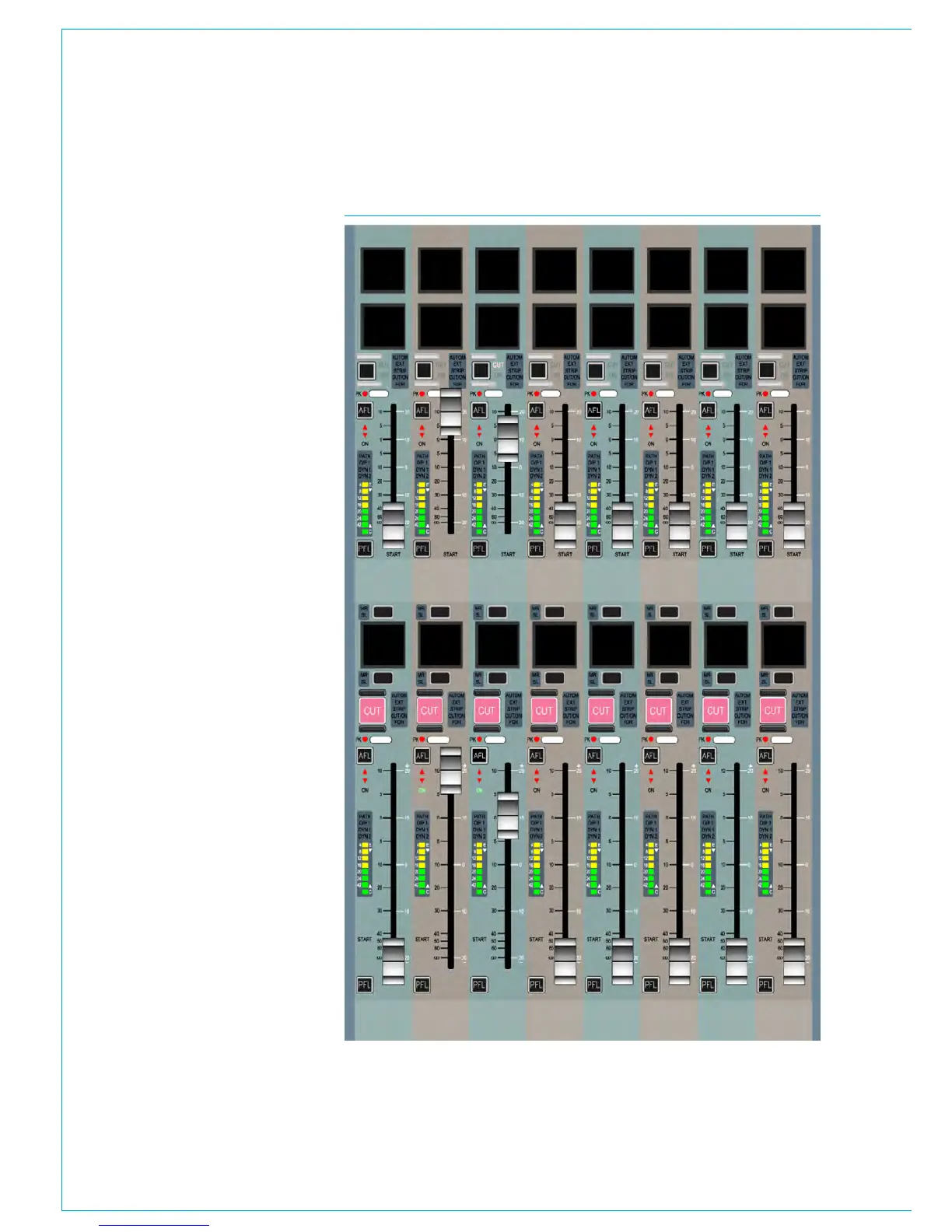
The Apollo dual fader panel is shown in
Fig 11. This panel is the same size as -
and can be used in place of - the standard
fader panel.
The panel contains eight 100mm and
eight 60mm motorised faders with
overpress. The functionality of these
faders and controls around them are as
described in the fader panel section.
The 60mm faders on the dual fader panel
take the place of the control cells and
button cells which are present on the
standard fader panel.
Modes and Layers rows
The Layers row and Modes row from the
standard fader panel remain in place but
are both situated at the top of the panel
as shown in Fig 12. Both rows are touch
sensitive as on the standard fader panel.
The controls in the Tools and Layer Tools
functions of the standard fader panel are
also accessible on the dual fader panel.
They are accessed in the same way using
controls on the Layers row, but instead
of appearing on the button cells of the
standard fader panel, the controls appear
on the Modes row control cell displays.
While accessing these functions, the
standard controls of the modes row are
inaccessible.
Path access
Where the standard fader panel has
two paths available per fader (in each of
the 12 layers) using the A and B assign
buttons, the dual fader panel associates
only one path per fader (in each of the 12
layers). The B paths are presented on the
upper 60mm faders and the A paths are
presented on the lower 100mm faders.
This is the opposite way to the orientation
on the standard fader panels.
FIG 11 - DUAL FADER PANEL



 To Next Page