CALREC Putting Sound in the Picture 79
Tone Patchable to Output Ports
Tone can be selected to multiple points
throughout the DSP from channel inputs
to bus outputs, and is also available to be
patched directly to output ports for use
by others. This makes the tone oscillator
available as a externally available source
without using the DSP.
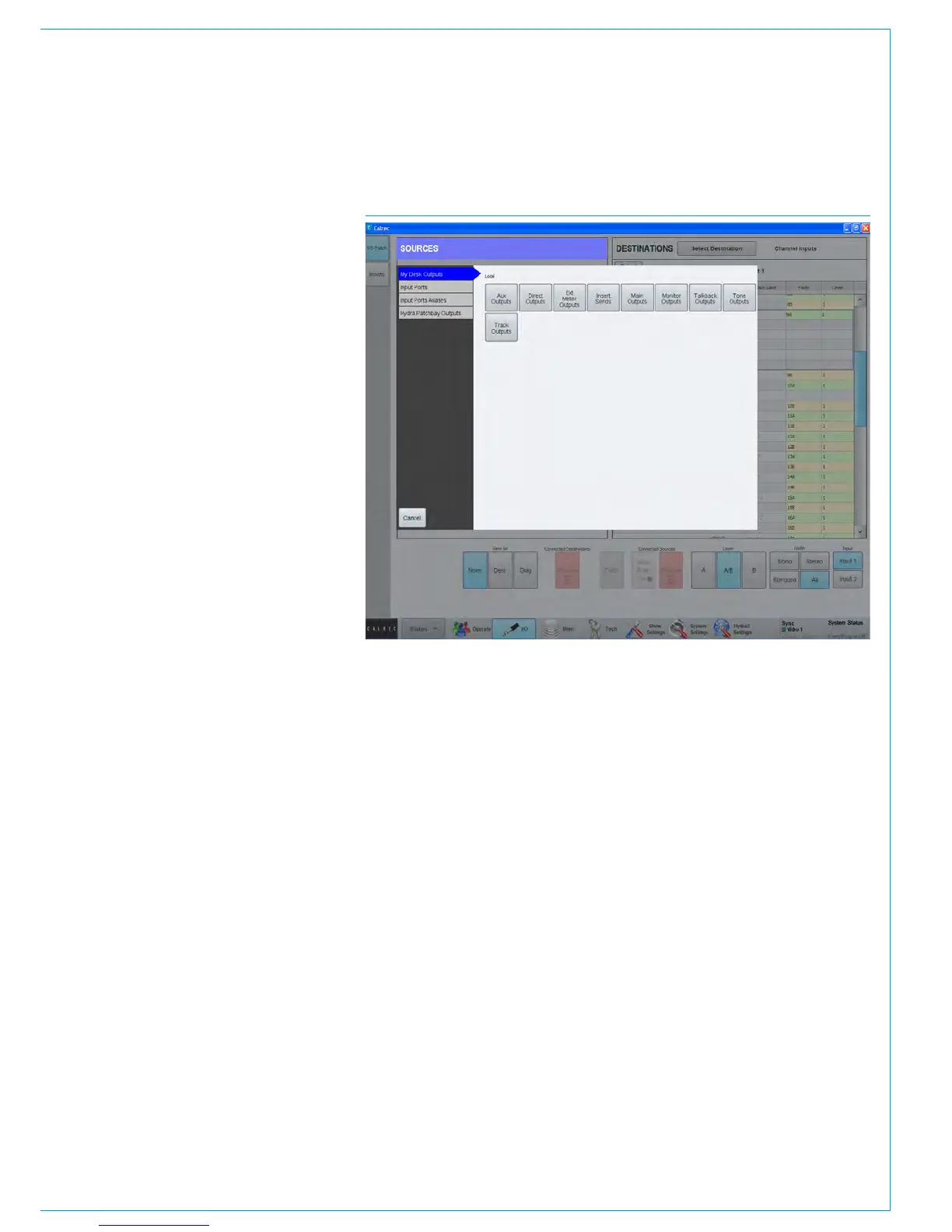
Tone is available as a source to be
patched to output ports from
>My Desk Outputs>Tone Outputs.
See Fig 3.
Tone Troubleshooting & FAQs
No tone present when selected
Selecting external tone will replace the
console oscillator whether external tone
is present or not. If internal tone is not
present when expected, check it is not set
to external.
If using external tone, check the correct
input ports are patched to the external
input (and that the tone generator is
connected, on and set correctly)
Also check that the oscillator level and
frequency are set to suitable values.
Tone on stereo downmixed / encoded
outputs lower than expected
When selecting tone to a surround output
bus, it is also applied to that buses’
LoRo/LtRt outputs at the same level.
This is because tone is being applied at
the final output stage. With tone to line
selected the signal on LoRo/LtRt is NOT
derived from a downmix or encoding of
the surround channels. The same level
of tone is applied to both the 5.1 and the
downmixed output.
Tone on stereo downmixed/encoded
outputs higher than expected
If tone is fed from a surround channel /
path which is in turn routed to a surround
output, the LoRo/LtRt of that output will
generally be of a higher level than that
on the surround legs as the LoRo/LtRt
output is derived from a downmix of the
content on the surround legs as per the
downmix settings.
Tone not present or low on Lfe
channel of outputs
If tone is routed from a channel to
surround main output and signal is not
present on the Lfe leg of the output, this is
likely due to the default state of surround
Main outputs having a high frequency
filter switched in on their Lfe leg.
Reduce the frequency of the oscillator to
around 50Hz to see (and hear) the Lfe
channel.
If desired, the filter can be switched out or
adjusted by selecting the Main output as
assigned, then selecting the Lfe channel
from the surround spill panel and adjusting
the filters from an EQ panel.
FIG 3 - PATCH TONE TO OUTPUT PORTS



 To Next Page