CALREC Putting Sound in the Picture 97
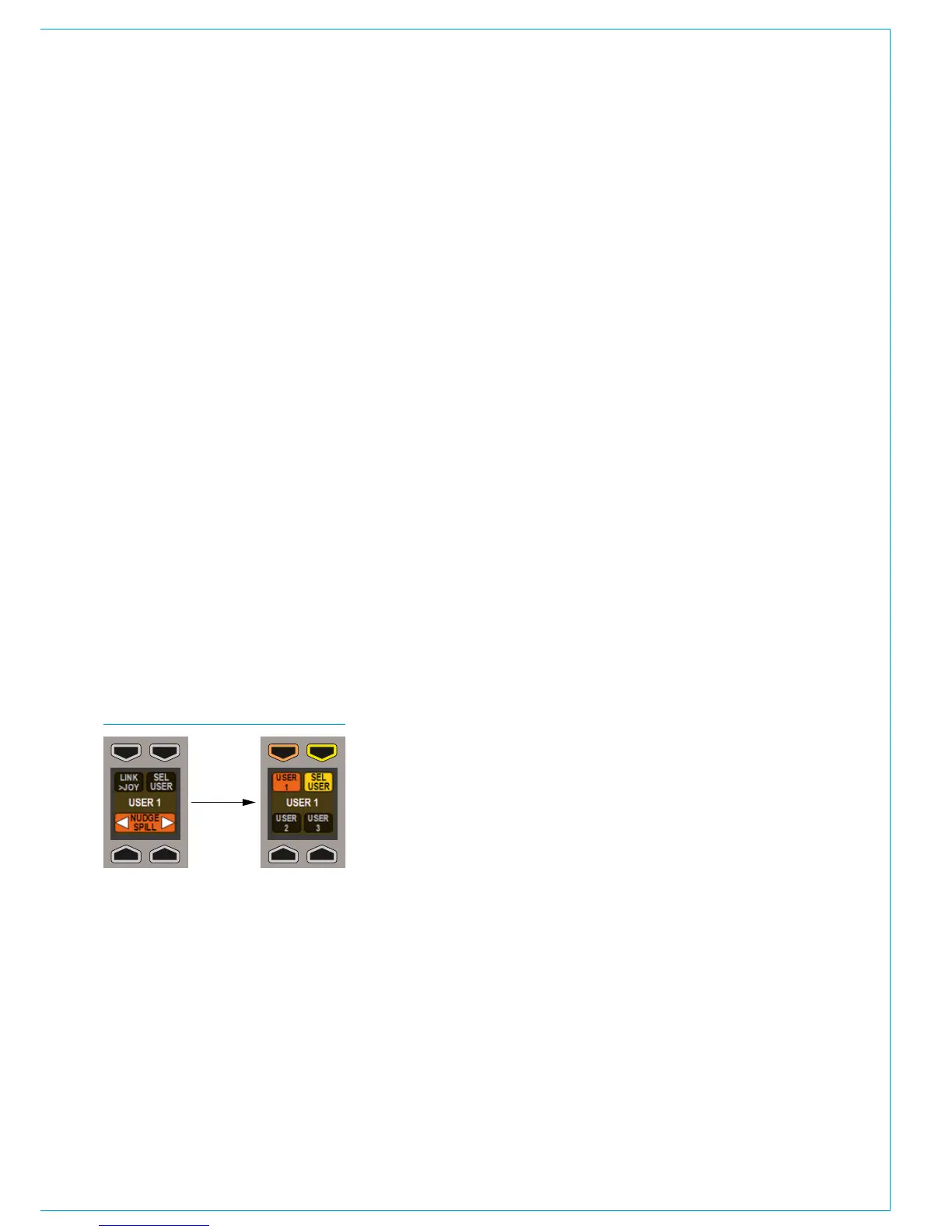
FIG 2 - SEL USER
Nudge
The spill controls contain a function that
will nudge the current path assignment
along the surface in either direction.
Pressing the right nudge button changes
the fader assignment to the fader on the
right of the currently assigned fader. The
left button moves the assignment to the
left along the surface.
Changing the user section
When multiple operators are using the
surface, it is possible for any of them
to access the spill controls for paths
assigned in their own user sections.
Press the SEL USER button in the lower
button cell of the spill control area as
shown in Fig 2 below. This will update the
rest of the control cell display to display
the three user sections. Press the button
corresponding to the required user section
that the spill controls should respond to
and then press the SEL USER button
again. The chosen user section should
now be shown in the middle of the display
and the spill faders should respond to that
users path assignments.
Assigning paths on the spill panel
When a stereo or surround path is
accessed on the spill panel, each leg of
the signal may have processing applied
to it individually. Individual legs may be
assigned using the assign buttons above
each spill fader in the same way that paths
on the normal faders are assigned.
When a path on a spill fader is assigned,
the assign button of the parent stereo/
surround path will still appear blue but will
also strobe. This indicates that any assign
modes will affect a single component of
the stereo/surround signal, rather than the
whole signal.
Main paths on Monitor/Joystick
panel
When the faders on the Monitor or
Joystick panels are switched into ‘Mains’
mode (rather than Spill or Downmix mode)
and a Main path on one of these faders is
assigned, it is not possible to switch the
mode of the faders on the same panel
and use them to alter the spill legs of
the assigned main. The function of the
faders cannot be switched unless a path
from a normal fader or another Monitor
or Joystick panel is assigned. This is
intended to avoid the confusion of having
a single fader indicate the assigned path
and the relevant spill leg at the same time.



 To Next Page