CALREC Putting Sound in the Picture 157
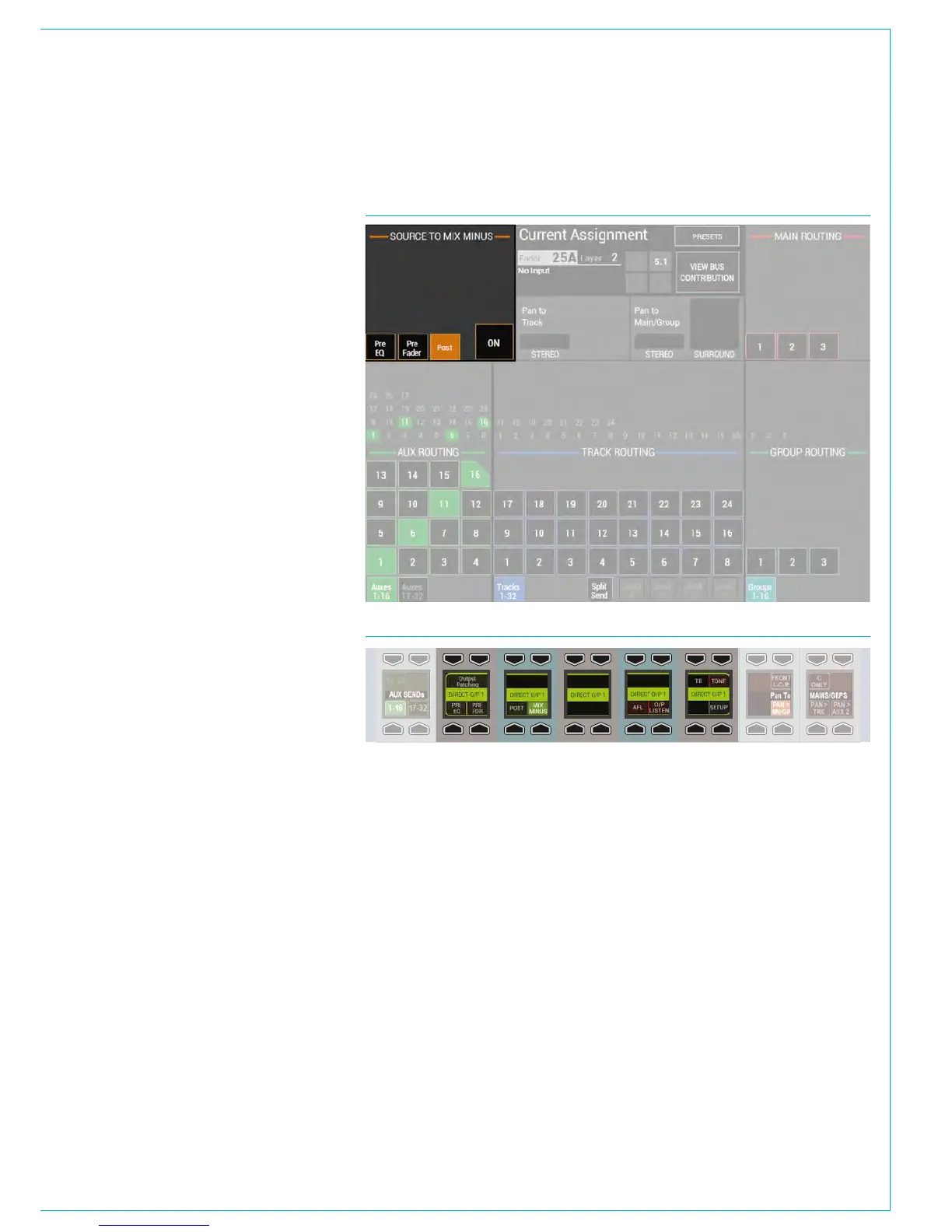
To send a signal to this bus, first assign
the chosen path and press the ON button
in SENDS-ROUTES mode as seen in
Fig 2. Signals can be sent pre/post fade
using the buttons to the left.
Assigning a direct output
Each path on the surface has a number of
direct outputs associated with it. These
direct outputs can be assigned to any
output port which can then be used to
feed the foldback back to that path’s
source.
To assign a direct output, go to the
> I/O>I/O Patch page in the main
application. Touch the ‘Select Source’
button and select ‘Direct Outputs’ from
the popup that appears. Select the fader
where the source that is to be fed the mix
minus signal appears. Press the ‘Select
Destination’ button and select from the
lists of output ports. Select an output port
and then press ‘Patch’.
For more details, including how to
allocate direct out resources, please see
“Direct Outputs” on page 135.
Monitoring a mix minus signal
Assign a path on the surface that is being
fed by the source you wish to send a mix
minus signal to. Select a direct output bus
in SENDS-ROUTES mode by pressing the
relevant rotary control. The bus selection
area in the button cells will update to show
the selected bus as shown in Fig 3. Press
the MIX - button to route the mix minus
signal to the selected direct output.
The mix minus signal sent to the required
source will be the contents of the mix
minus bus, with the source’s contribution
(if any) removed.
FIG 2 - SENDING SIGNALS TO THE MIX MINUS BUS
FIG 3 - MONITORING A MIX MINUS SIGNAL



 To Next Page