CALREC Putting Sound in the Picture 141
DEDICATED MONITOR CONTROLS
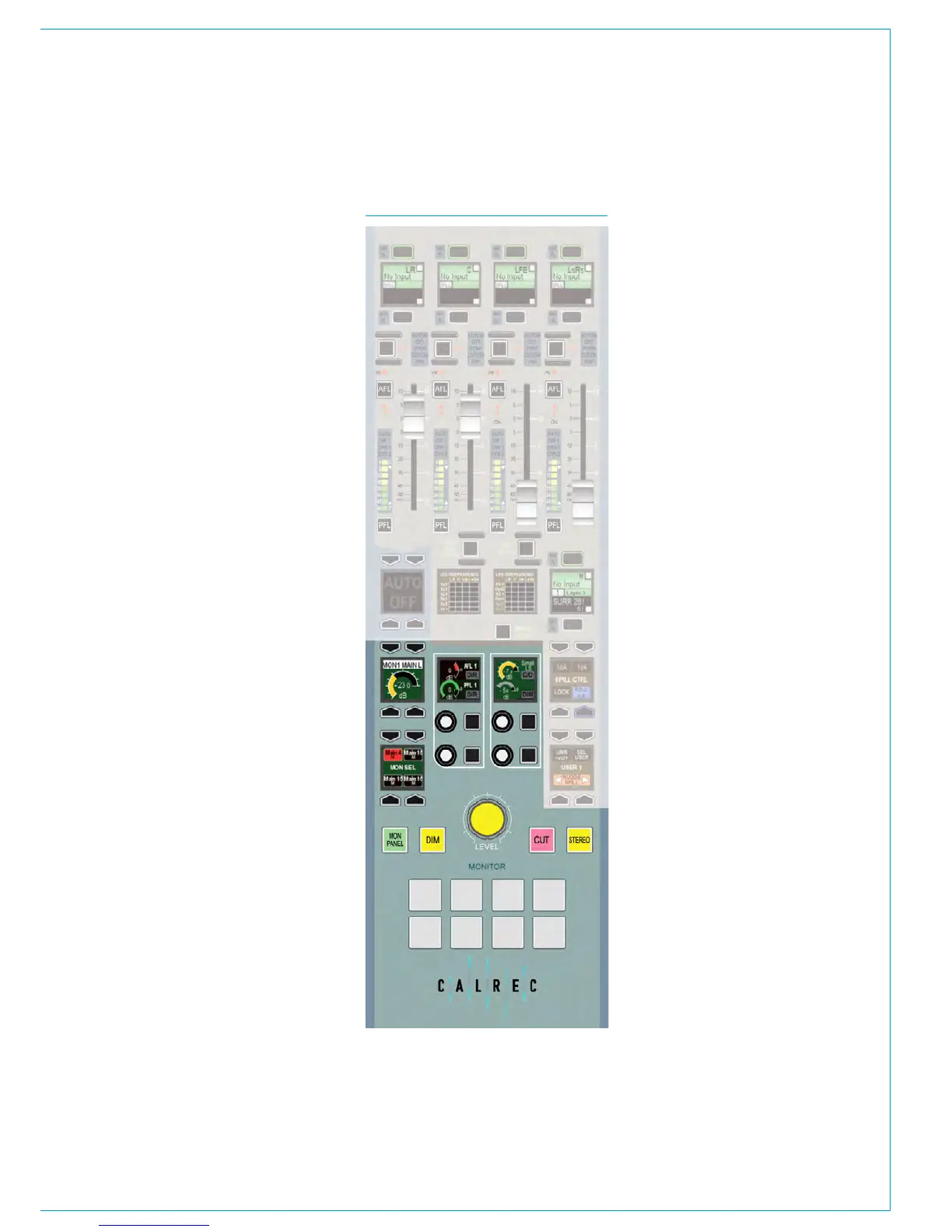
A subset of monitoring controls
can be accessed on the dedicated
monitor panel. See Fig 1.
The panel features hard controls for main
loudspeaker level, Dim, Cut and Stereo.
The display in the upper left button cell
shows the control room monitor level.
In the two control cells are master AFL
and PFL level controls, small loudspeaker
level control and changeover switch, and a
control to vary the amount of attenuation
applied by the dim function.
The MON SEL button cell allows you
to listen to any of the four control room
monitor pre-selectors. The pre-selectors
cannot be defined on the dedicated
monitor panel, this must be done in
Monitor mode using the Pre selectors.
FIG 1 - APOLLO MONITOR PANEL
Eight general purpose customer
buttons and indicators are located at
the bottom of the monitor panel for
customer use.
The configuration and operation of these
is described in the section External
Interfacing, see “Mon-Spill Panel
Customer Switches” on page 190.



 To Next Page