Printing Specic Pages onto Different Paper
0X7U-01Y
You can print specic pages of a document, such as when you want to print the cover
of a booklet on colored paper. In this case, load colored paper for the cover in the
multi-purpose tray and load plain paper for the body pages in the paper drawer, and
then specify the paper settings on the printer driver.
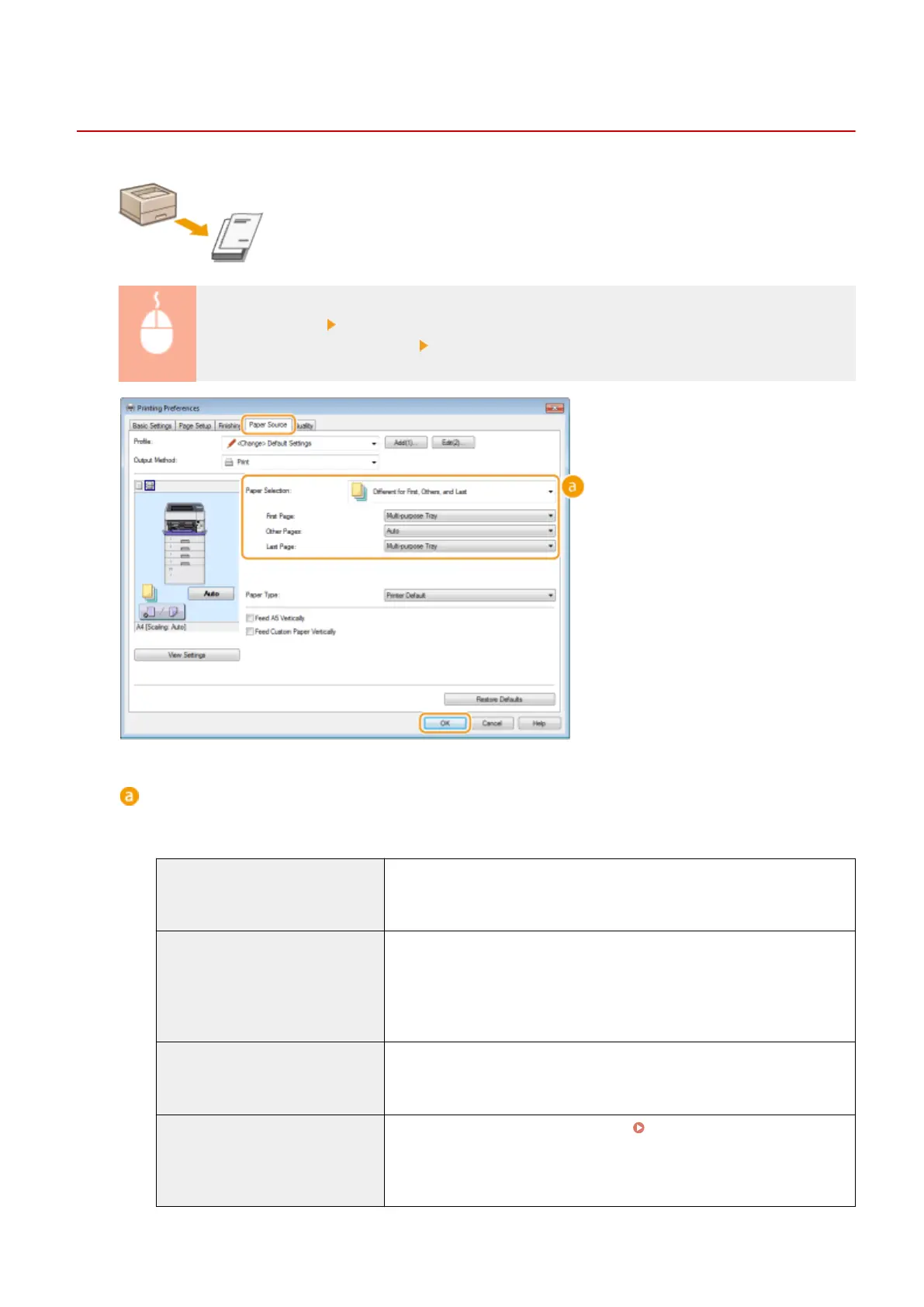
[Paper Source] tab Select the pages to print on different paper and the paper source loaded with
the paper from [Paper Selection] [OK]
[Paper Selection]
Specify which pages should be printed on different paper, and select which paper source should be used to
feed paper for each page.
[Same Paper for All Pages]
Prints all of the pages on the same paper, and does not print any specic
pages on different paper. All the pages are printed on paper specied in
[Paper Source].
[Different for First, Others, and Last] You can use different paper for the rst page, body pages, and last page,
respectively. For example, you can specify the paper in the multi-purpose tray
for [First Page], the paper in the paper drawer for [Other Pages] (body pages),
and the paper in the multi-purpose tray for [Last Page]. You can also print by
specifying the paper type in [Paper Type].
[Different for First, Second, Others,
and Last]
You can also specify the paper for the following page of the cover as well as
specifying the paper in [Different for First, Others, and Last]. You can also print
by specifying the paper type in [Paper Type].
[Different for Cover and Others] Specify the settings for booklet printing ( Printing Booklet(P. 96) ). You can
specify different paper for the cover and body pages, respectively. For
example, you can specify the paper in the multi-purpose tray for [Cover Page]
and the paper in the paper drawer for [Other Pages] (body pages).
Printing a Document
103



 To Next Page