Gradation
Color Tone
High Resolution
Graphics
Resolution
Gradation
Color Tone
High Resolution
Image
Resolution
Gradation
Color Tone
High Resolution
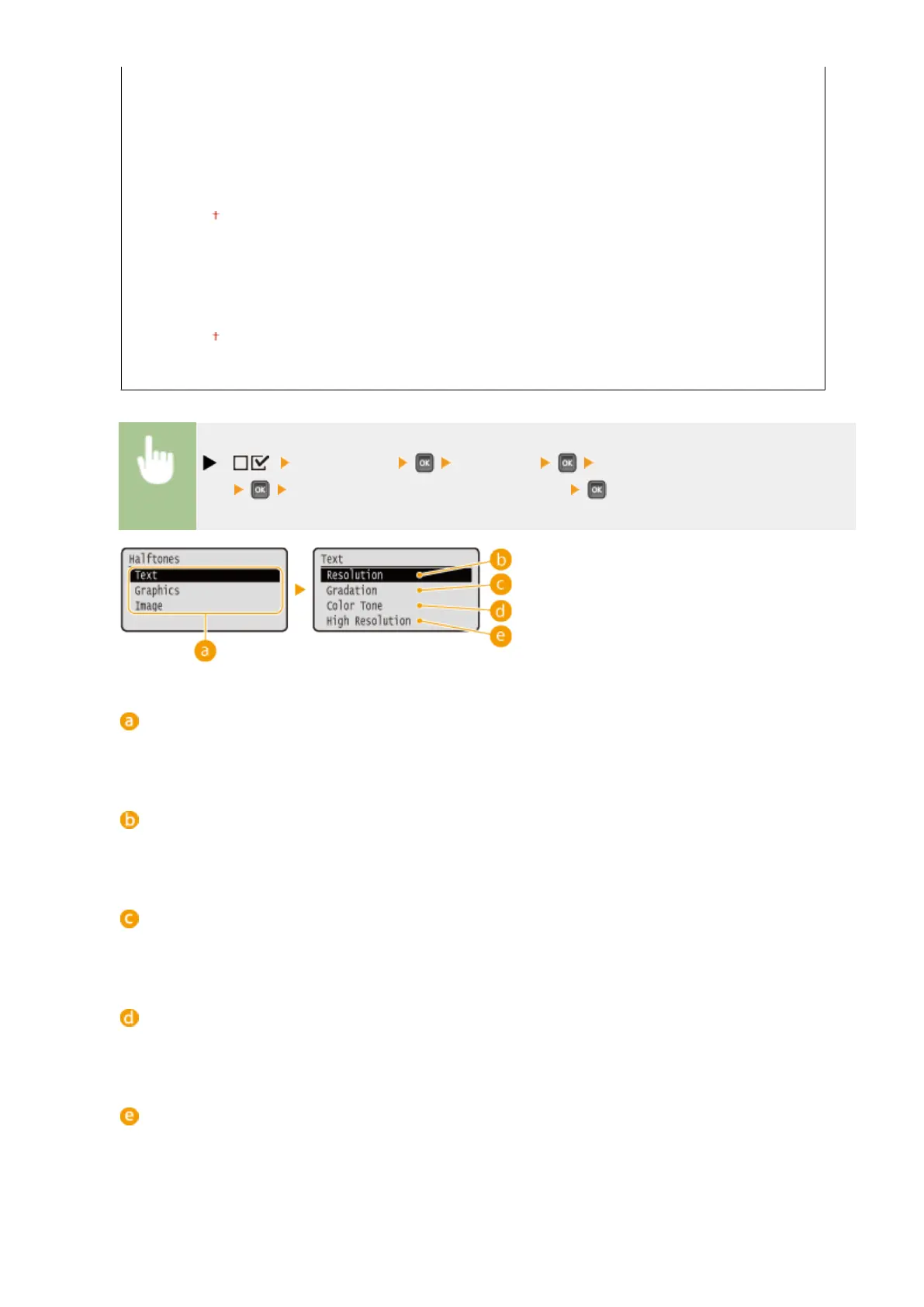
( ) <Print Quality> <Halftones> Select the image data
type Select the method to reproduce halftones
Image data type
Select the image data type for which the settings are changed. Select <Text> for characters, <Graphics> for
lines and gures, or <Image> for images such as photos.
<Resolution>
Performs ne printing by sharply reproducing the edges of characters. This print mode is suitable for
printing data of characters and thin lines with a clear nish.
<Gradation>
Prints gradation and lines with a smooth nish. This print mode is suitable for printing gures and charts
with gradation.
<Color Tone>
Prints vivid images with a tonal contrast effect. This print mode is suitable for printing image data such as
photos.
<High Resolution>
Implements higher denition printing than the <Resolution> setting, but is slightly inferior in stability of
texture. This print mode is suitable for sharply printing edges of data such as characters, thin lines, and CAD
data.
Setting Menu List
401



 To Next Page