Loading Envelopes in the Envelope Feeder (Option)
0X7U-00Y
You can load a large number of envelopes in the envelope feeder. This provides you convenience when you are
printing on many envelopes at a time.
Paper Orientation
See the table below to load available paper in correct orientation.
Paper Orientation
custom (portrait), envelope
custom (landscape)
1
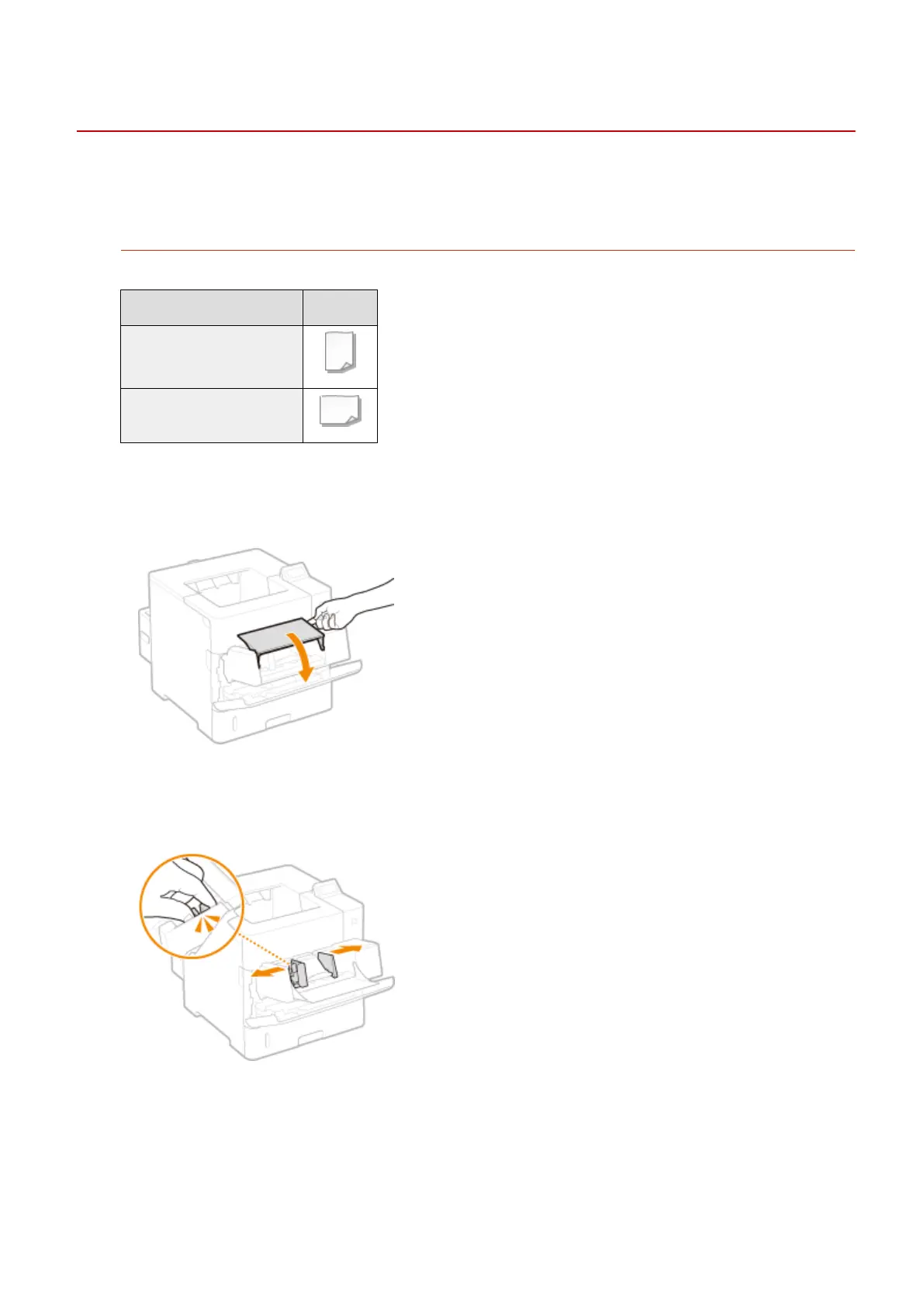
Open the cover.
● Hold the handle on the right side, and open the cover.
2
Spread the paper guides apart.
● Press the lock release lever to slide the paper guides outward.
3
Raise the envelope pressure plate.
Basic Operations
50



 To Next Page