Specifying Settings via FTP Client
0X7U-08C
You can specify settings, such as the network settings of the machine, from an FTP client via TCP/IP network. Check the
IP address set to the machine in advance ( Network Status Print(P. 536) ). If you are unsure of the IP address,
contact your network administrator.
1
Start [Command Prompt].
● Open the [Start] menu and select [All Programs] or [Programs] [Accessories] [Command Prompt].
For Mac OS users
● Start the Terminal.
For UNIX users
● Display the console screen.
2
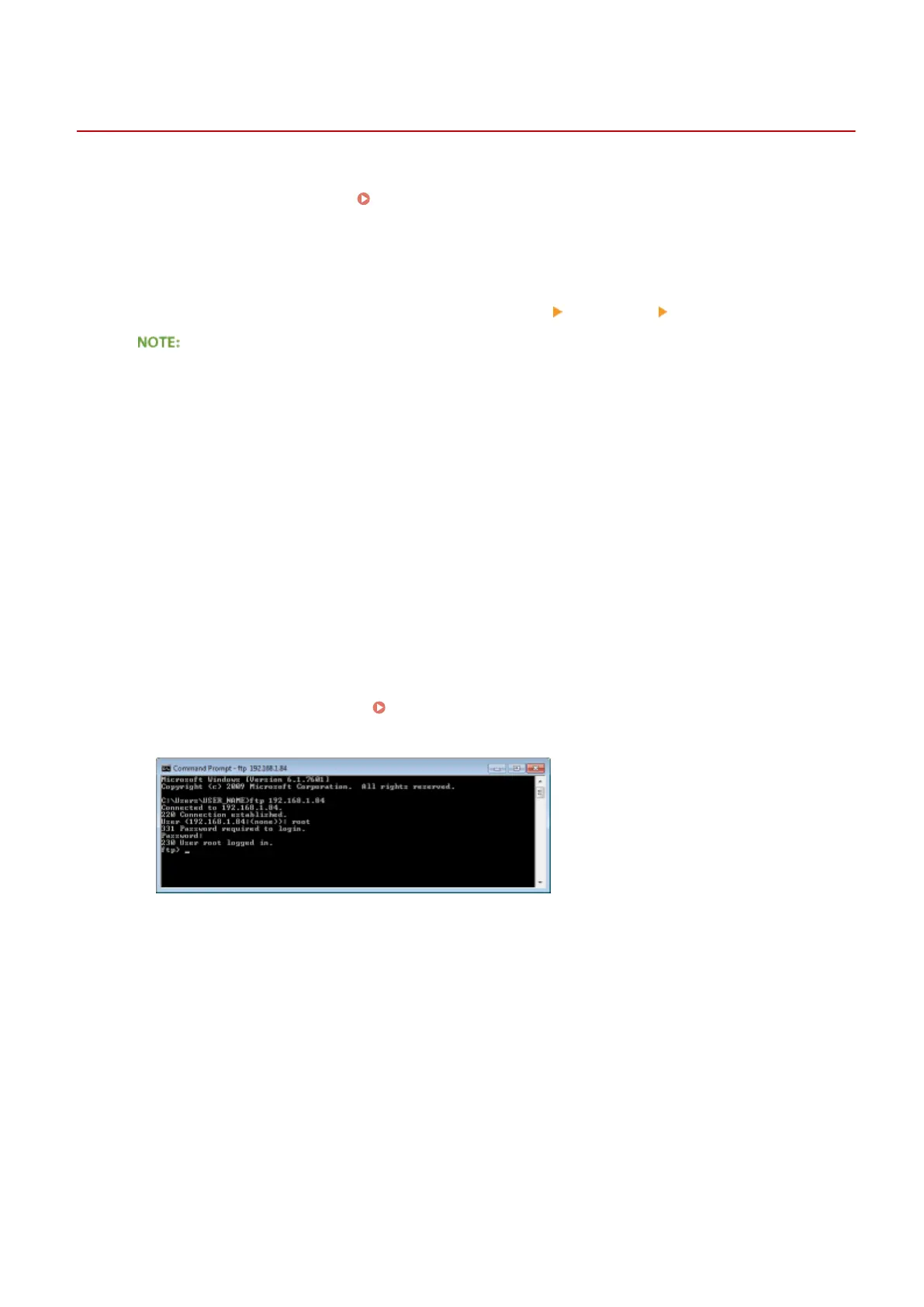
Enter "ftp <IP address of the machine>" and press the [ENTER] key.
● Example: ftp 192.168.1.45
3
Enter "root" for the user name and press the [ENTER] key.
4
Enter the System Manager password and press the [ENTER] key.
● The default password is "7654321". Setting the System Manager Password(P. 253)
➠
"230 User root logged in." is displayed.
5
Enter "cd cong" and press the [ENTER] key.
6
Enter "get CONFIG <le name>" and press the [ENTER] key.
● "CONFIG" must be all uppercase.
● Any characters can be used in <le name> (example: get CONFIG Setting.txt).
➠ The setting le is downloaded to the directory that is displayed when Command Prompt is started. In an
example of a screen, the le is downloaded to the "USER_NAME" folder in [Users] on drive C:.
Appendix
608



 To Next Page