Setting a Name or PIN to a Box
0X7U-02F
You can set a name for a box and a PIN to open the box. If you set a friendly name for the box, you can easily identify
the box when selecting the place to store documents by using the printer driver. If you set a PIN, the stored
documents can be accessed by only limited users, enhancing the security.
1
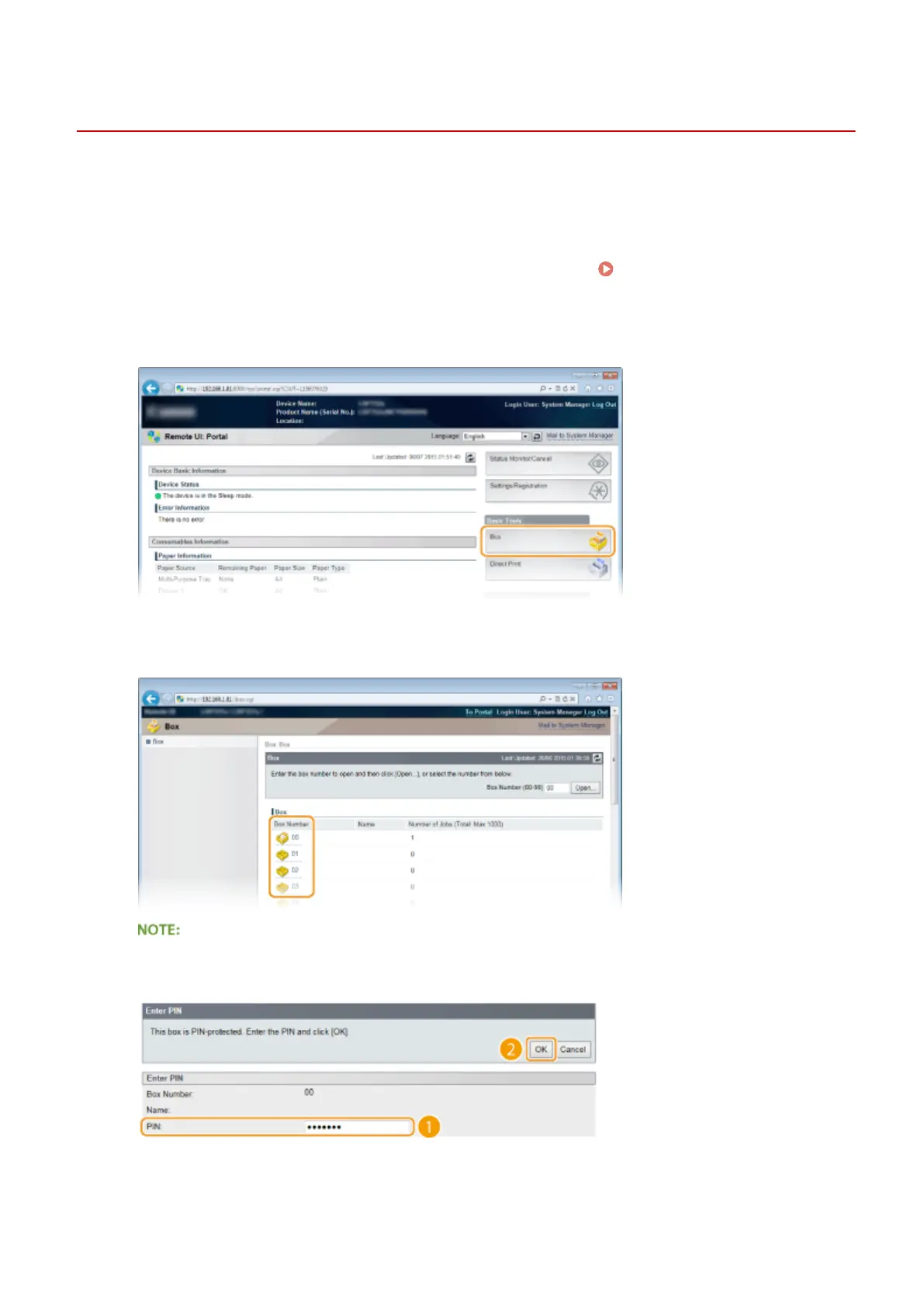
Start the Remote UI and log on in Management Mode. Starting Remote UI(P. 333)
2
Click [Box].
3
Click the number of the box for which you want to specify the settings.
If the box is protected by a PIN
● When the screen shown below is displayed, enter the PIN and click [OK].
4
[Settings].
Printing a Document
144



 To Next Page