3
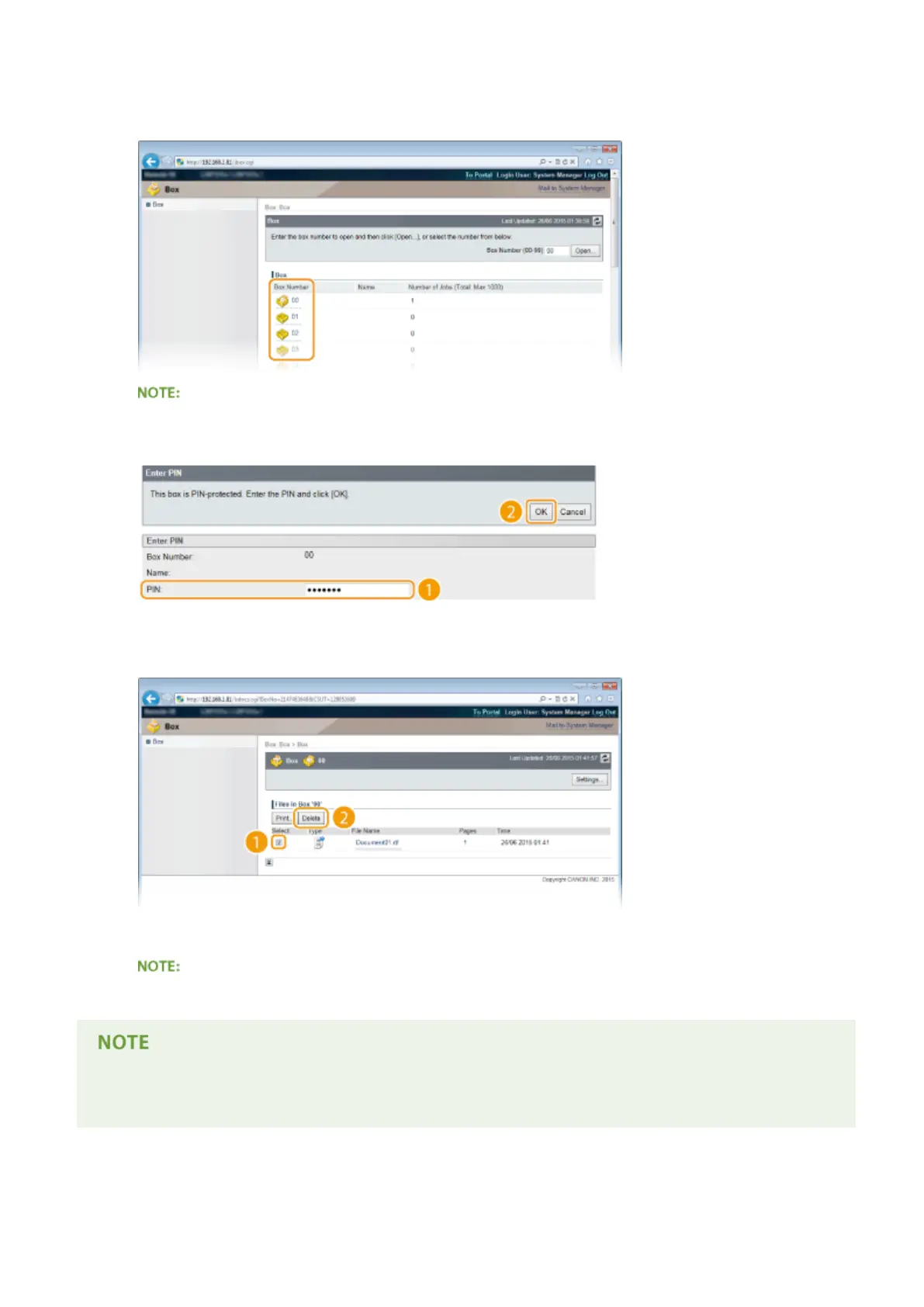
Click the number of the box where the document to delete is stored.
If the box is protected by a PIN
● When the screen shown below is displayed, enter the PIN and click [OK].
4
Select the check box of the document to delete, and click [Delete].
➠ The selected document is deleted.
● You can click the text link under [File Name] to check the details of the document.
● It may take some time until the free space of the SD card is increased because the stored data is erased in
the background.
Printing a Document
143



 To Next Page