Managing Documents and Checking the Machine
Status
0X7U-04Y
Checking Current Status of Print Documents(P. 342)
Checking History of Documents(P. 343)
Checking Error Information(P. 345)
Checking Device Specications(P. 346)
Checking System Manager Information(P. 346)
Checking Print Total Counter(P. 347)
● The document le name displays only 128 characters. The printed application name may be added to the le
name.
Checking Current Status of Print Documents
You can check the print status (currently being printed or waiting to be printed) of the documents designated to be
printed from a computer, and delete or interrupt documents.
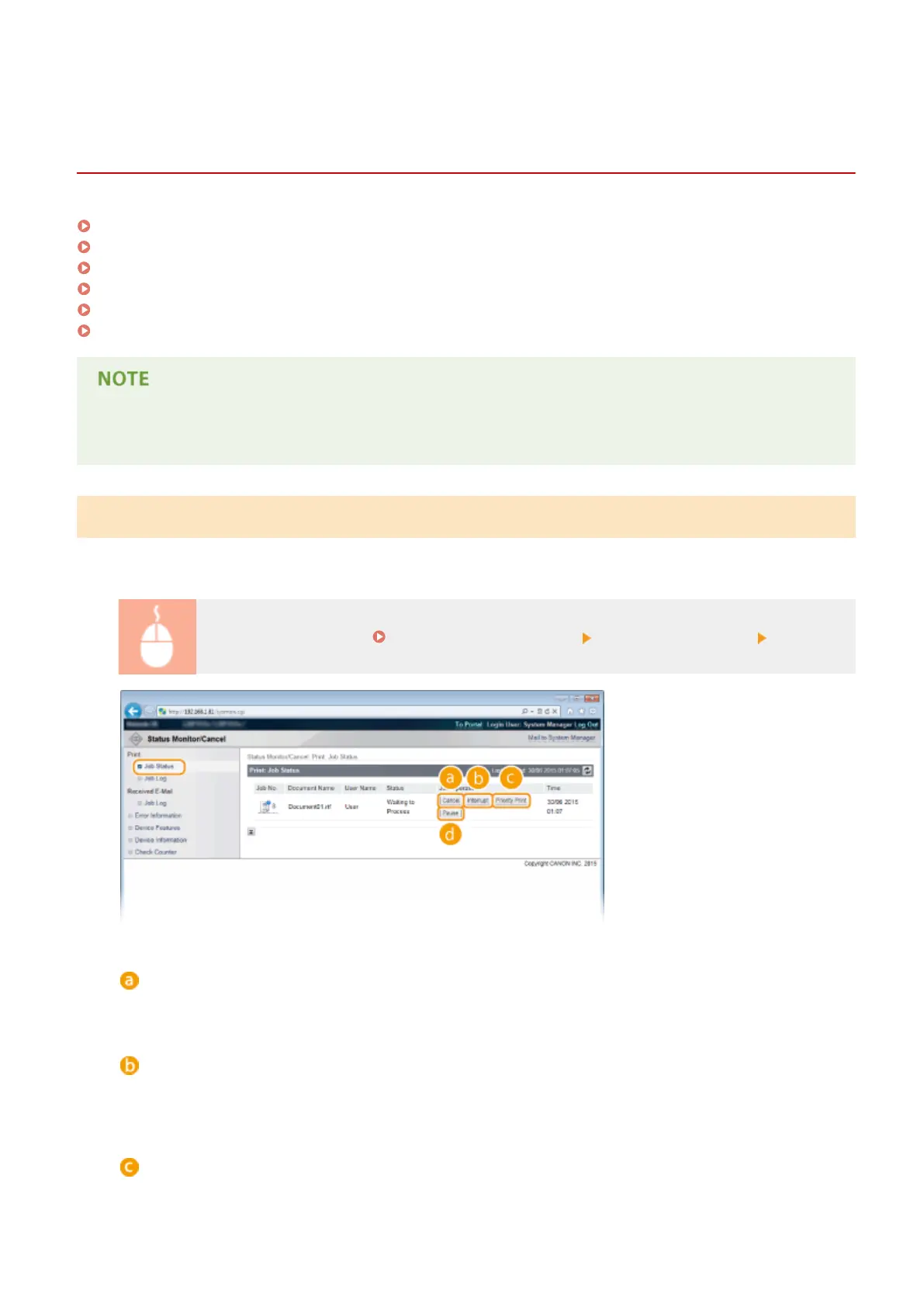
Log on to the Remote UI ( Starting Remote UI(P. 333) ) [Status Monitor/Cancel] [Job Status]
[Cancel]
You can delete documents that are being printed or waiting to be printed.
[Interrupt]
*
Temporarily stops the current print job in progress and starts a specied print job. For the interrupted print
job, printing of the remaining pages is started as soon as the interrupting print job is nished.
[Priority Print]
*
Moves up the print order of a document waiting to be printed by one.
Using Remote UI
342



 To Next Page