Canceling Prints
0X7U-01E
You can cancel printing from your computer or on the operation panel of the machine.
From a Computer(P. 83)
From the Operation Panel(P. 84)
From a Computer
You can cancel printing from the printer icon displayed on the system tray on the desktop.
1
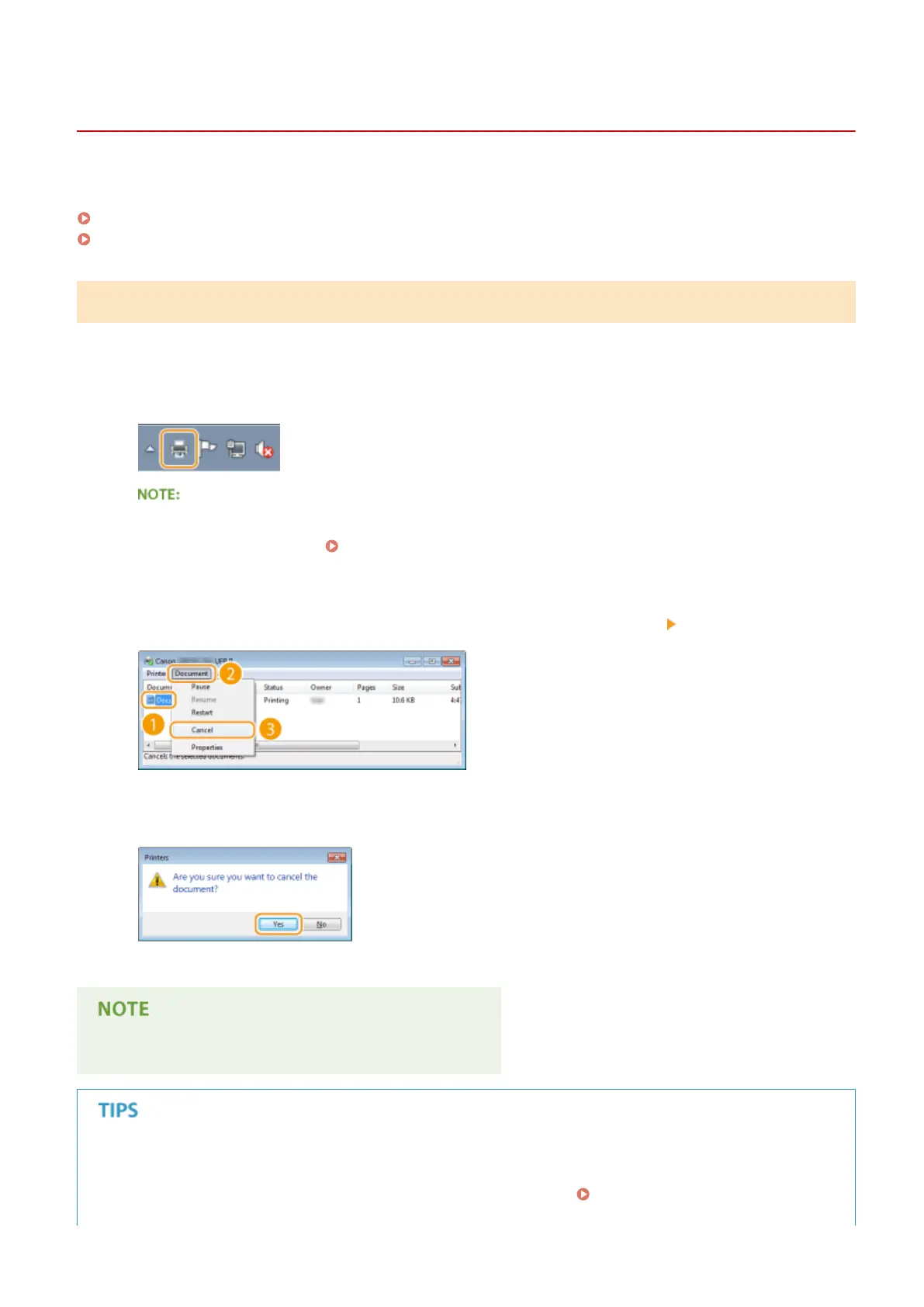
Double-click the printer icon.
When the printer icon is not displayed
● Open the printer folder ( Displaying the Printer Folder(P. 616) ), right-click your printer icon, and click
[See what's printing] (or double-click the icon of the printer driver for the machine).
2
Select the document you want to cancel, and click [Document] [Cancel].
3
Click [Yes].
● Printing of the selected document is canceled.
● Several pages may be output after you cancel printing.
Canceling from the Remote UI
● You can cancel printing from the [Job Status] page on the Remote UI: Checking Current Status of Print
Documents(P. 342)
Printing a Document
83



 To Next Page