Loading Paper in the Paper Deck (Option)
0X7U-00X
You can load a large amount of A4, Letter or Legal size paper in the paper deck. It will be convenient if you use the
paper deck to hold paper you use frequently.
1
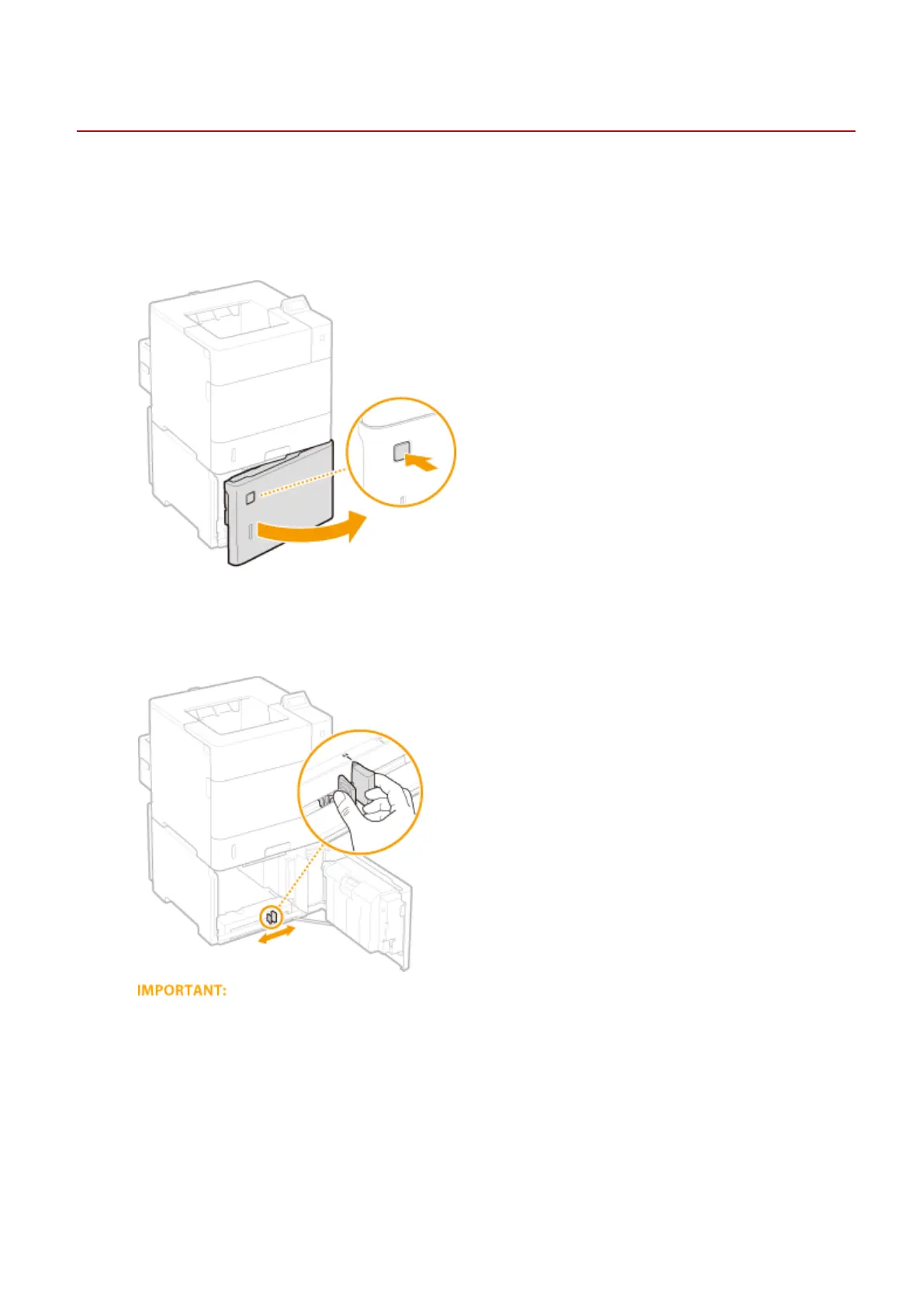
Press the button to open the door.
2
Slide the paper guide.
● Adjust the paper guide to the position for the paper size you are using.
Adjust the paper guide to the exact position for the paper size
● If the guide position adjustment is not exact, it may cause paper misfeeds or paper jams.
3
Load the paper so that the far edge of the paper stack is in close contact with the
rear side of the paper deck.
● Insert the paper with the print side face down.
● Fan the paper stack well, and tap it on a at surface to align the edges.
Basic Operations
47



 To Next Page