<Off>
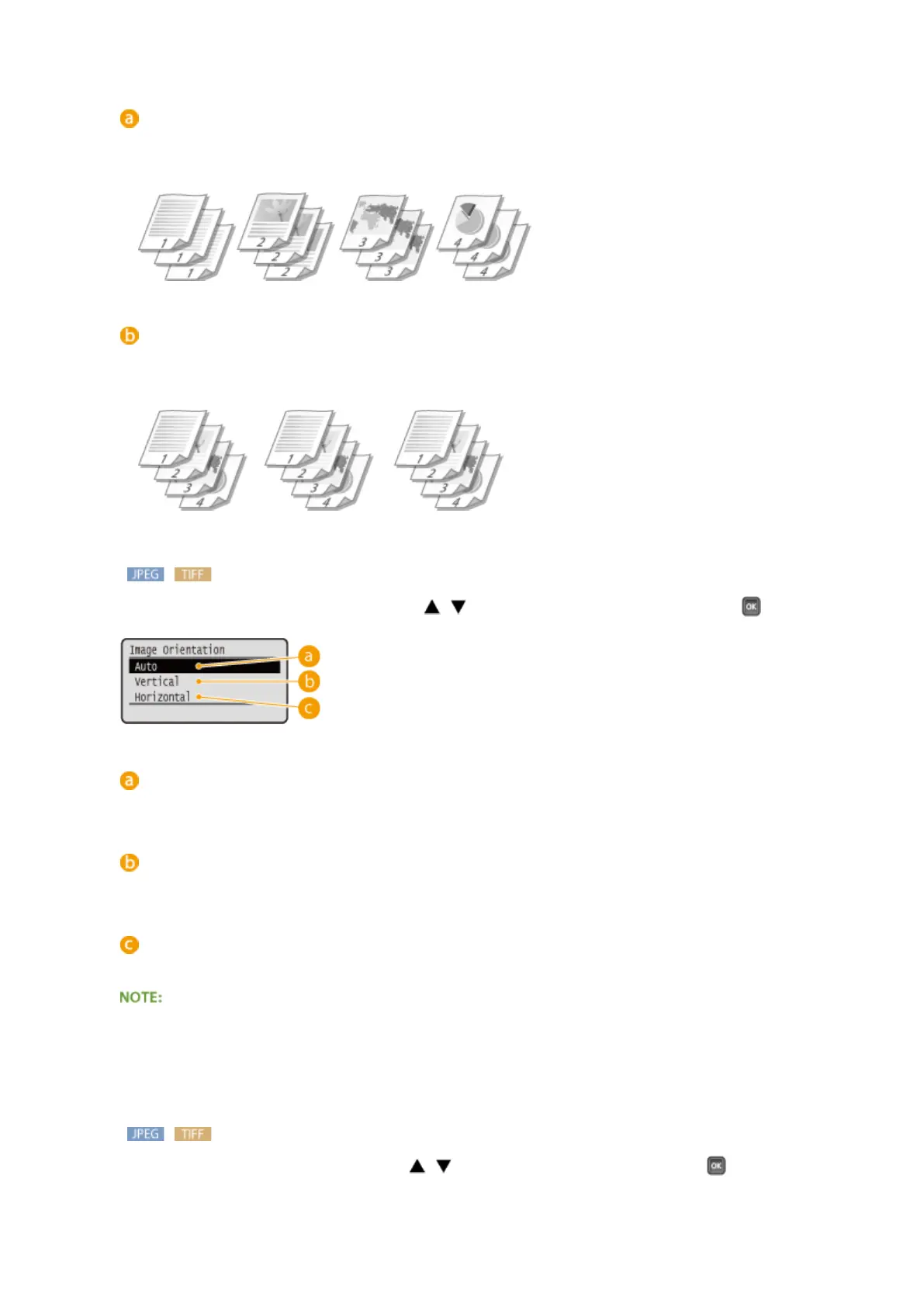
The printouts are not collated. The specied number of copies are printed for each page. For example, if you
are printing three copies of a four-page document, the printouts will be arranged in the following page
order: 1, 1, 1, 2, 2, 2, 3, 3, 3, 4, 4, 4.
<Collate>
The printouts are grouped into complete sets in sequential page order. For example, if you are printing three
copies of a four-page document, the printouts will be arranged in the following page order: 1, 2, 3, 4, 1, 2, 3,
4, 1, 2, 3, 4.
<Image Orientation>
Specify the print orientation of an image. Use / to select the print orientation, and press .
<Auto>
Automatically determines the print orientation based on the width and height of the image.
<Vertical>
Select when printing a vertically-long image.
<Horizontal>
Select when printing a horizontally-long image.
● If the specied setting of <Vertical> or <Horizontal> does not match the orientation of the image, the
reduced image is printed.
<Print Position>
Specify the position to print the image. Use / to select the print position, and press .
Printing a Document
127



 To Next Page