3
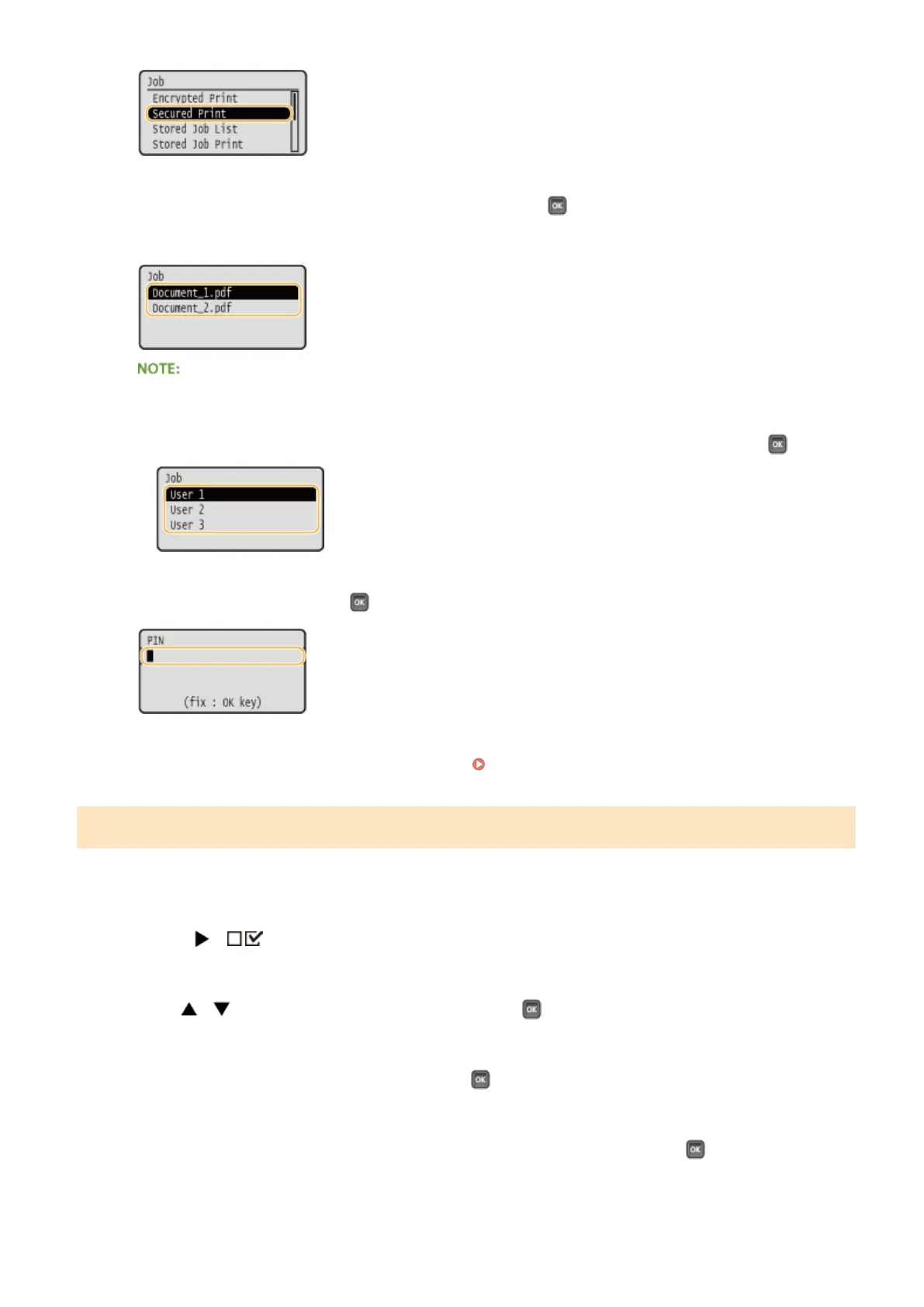
Select the secured document to print, and press .
● If the SD card contains only one secured document, this screen is not displayed.
If the user name is displayed
● If secured documents from two or more users are being held in the SD card, the user selection screen as
shown below is displayed prior to the screen shown above. Select your user name, and press
.
4
Enter the PIN, and press .
➠
Printing starts.
● To cancel print jobs, use the operation panel. Canceling Prints(P. 83)
Changing the Valid Time Period for Secured Documents
By default, the machine is set to delete secured documents one hour after receiving them unless they are printed. You
can change this time value within a dened range.
1
Press ( ).
2
Use / select <Control Menu>, and press .
3
Select <Sec. Print Del. Time>, and press .
4
Select how long the SD card holds secured documents, and press .
● The secured document is erased from the SD card when the time selected here elapses.
Printing a Document
134



 To Next Page