Conguring IPv4 DNS
1
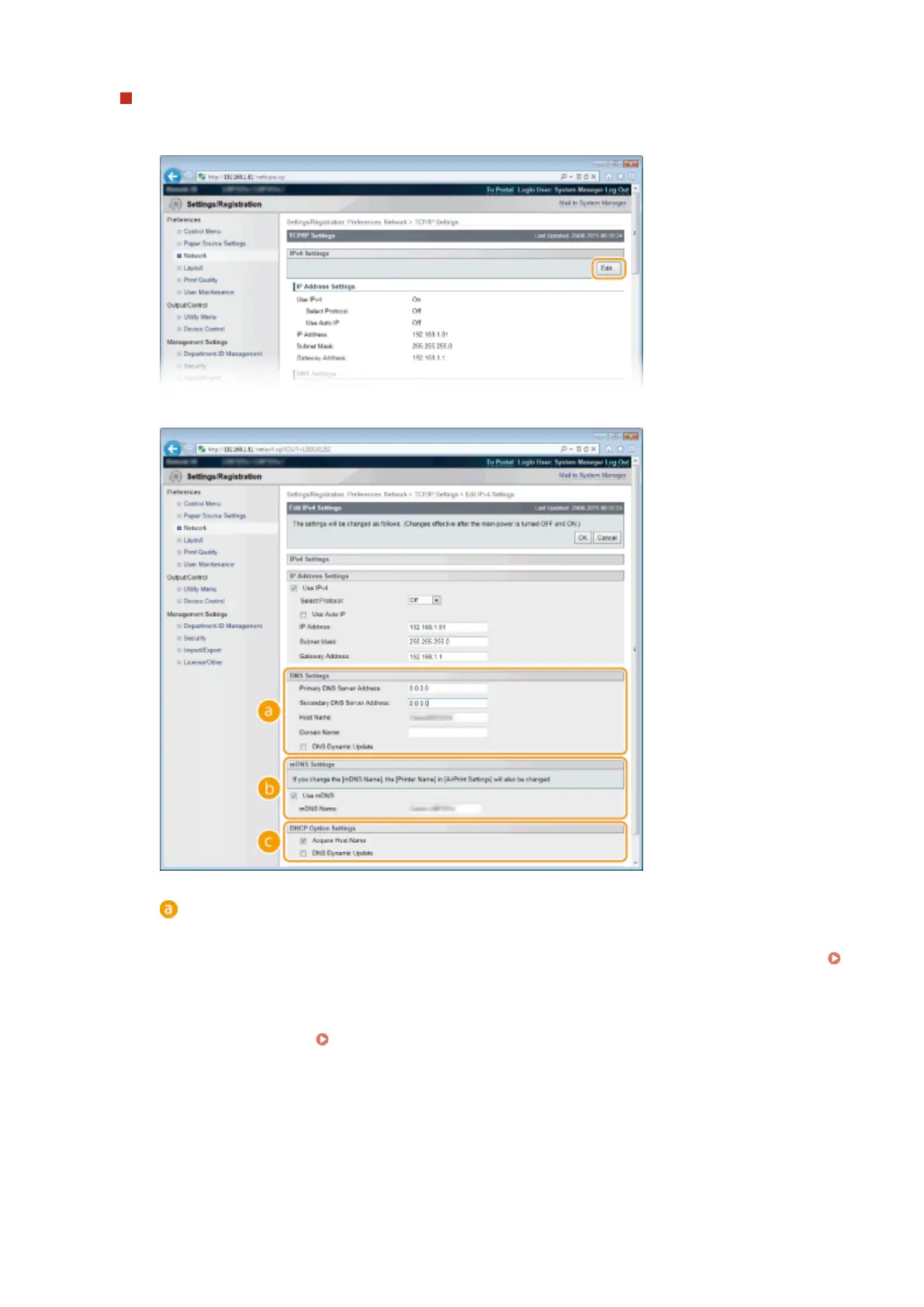
Click [Edit] in [IPv4 Settings].
2
Congure IPv4 DNS settings.
[DNS Settings]
[Primary DNS Server Address]
Enter the IP address of a DNS server. You can also set the IP address from the operation panel (
IPv4 Settings(P. 375) ).
[Secondary DNS Server Address]
Enter the IP address of a secondary DNS server, if any. You can also set the IP address from the
operation panel (
IPv4 Settings(P. 375) ).
[Host Name]
Enter up to 47 alphanumeric characters for the host name of the machine that is to be registered to
the DNS server.
[Domain Name]
Enter up to 47 alphanumeric characters for the name of the domain the machine belongs to, such
as "example.com."
[DNS Dynamic Update]
Network
221



 To Next Page