● You do not need to delimit the address with hyphens or colons.
Check for entry errors
● If MAC addresses are incorrectly entered, you may become unable to access the machine from the
Remote UI, in which case you need to set <Address Filter> to <Off>. Address Filter(P. 392)
When [Reject] is selected for an outbound lter
● Outgoing multicast and broadcast packets cannot be ltered.
Deleting a MAC address from exceptions
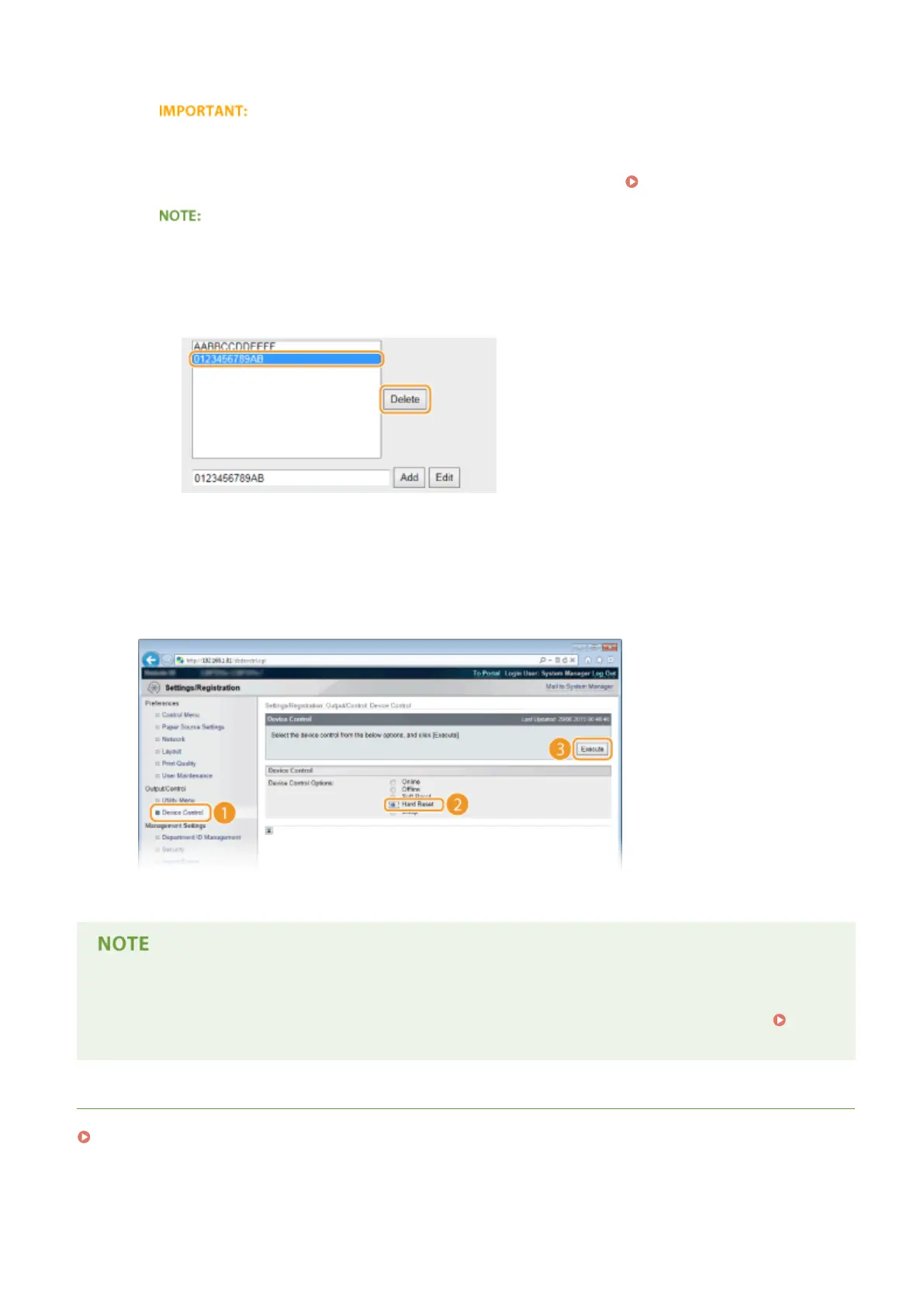
● Select a MAC address and click [Delete].
3
Click [OK].
6
Perform a hard reset.
● Click [Device Control], select [Hard Reset], and then click [Execute].
➠ The settings are enabled after the hard reset is performed.
Using the operation panel
● You can also enable or disable MAC address ltering from the setting menu of the operation panel.
Address Filter(P. 392)
LINKS
Specifying IP Addresses for Firewall Rules(P. 265)
Security
273



 To Next Page