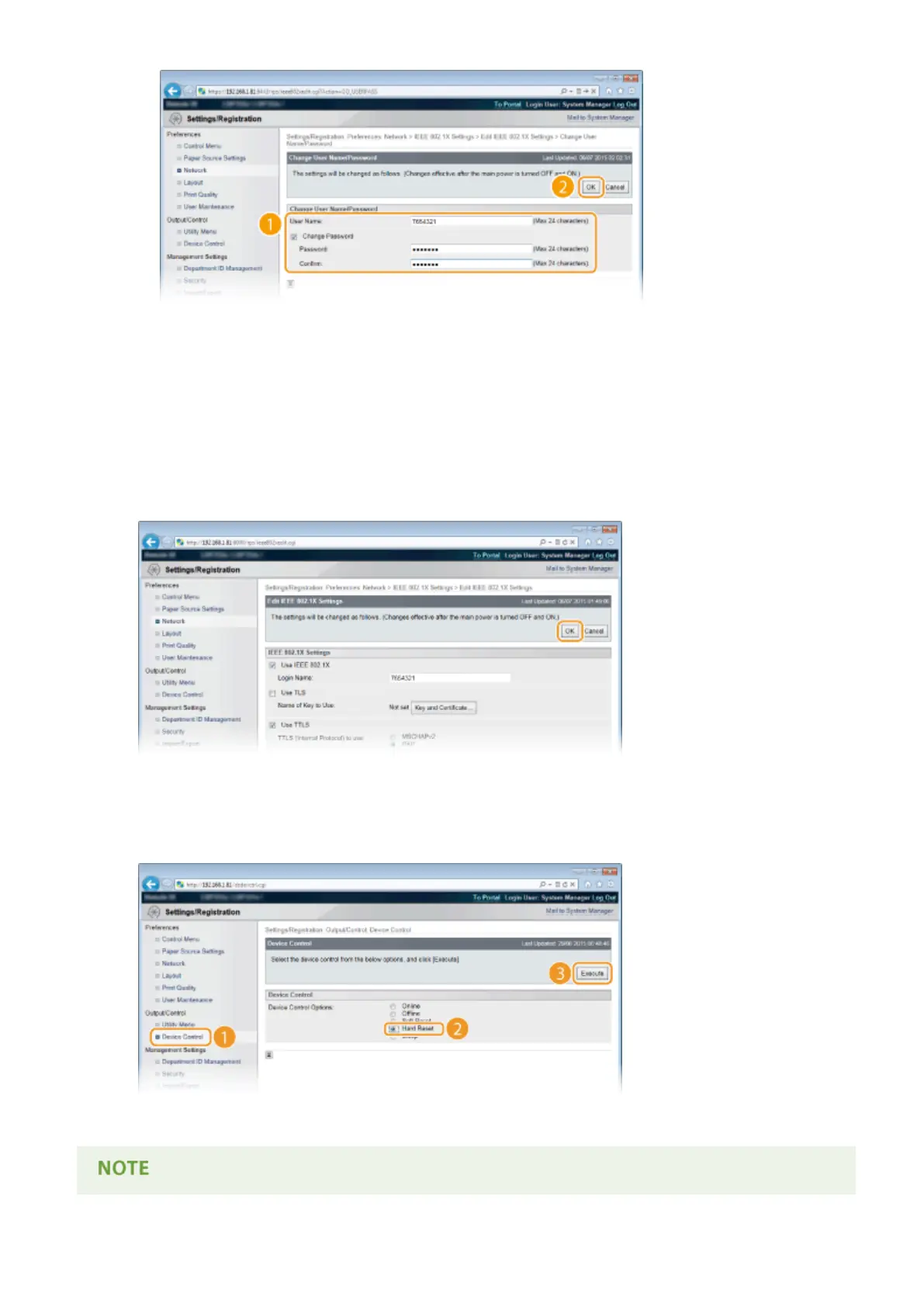
[User Name]
Enter up to 24 alphanumeric characters for the user name.
[Change Password]
To set or change the password, select the check box and enter up to 24 alphanumeric characters for the
new password both in the [Password] and [Conrm] text boxes.
6
Click [OK].
7
Perform a hard reset.
● Click [Device Control], select [Hard Reset], and then click [Execute].
➠ The settings are enabled after the hard reset is performed.
Security
313



 To Next Page