To perform IPPS Print from Windows Vista/7/8/Server 2008/Server 2012, the "IP address" or "<host
name>.<domain name>" that is used for connection via IPPS must be entered in [Common Name].
● Enter the "IP address" when it is xed.
● Enter "<host name>.<domain name>" when the DNS server is used. Enabling IPP/
IPPS(P. 203)
7
Click [OK].
● Keys for network communication may take approximately 10 to 15 minutes to generate.
● After a key pair is generated, it is automatically registered to the machine.
Generate Key and Certicate Signing Request (CSR)
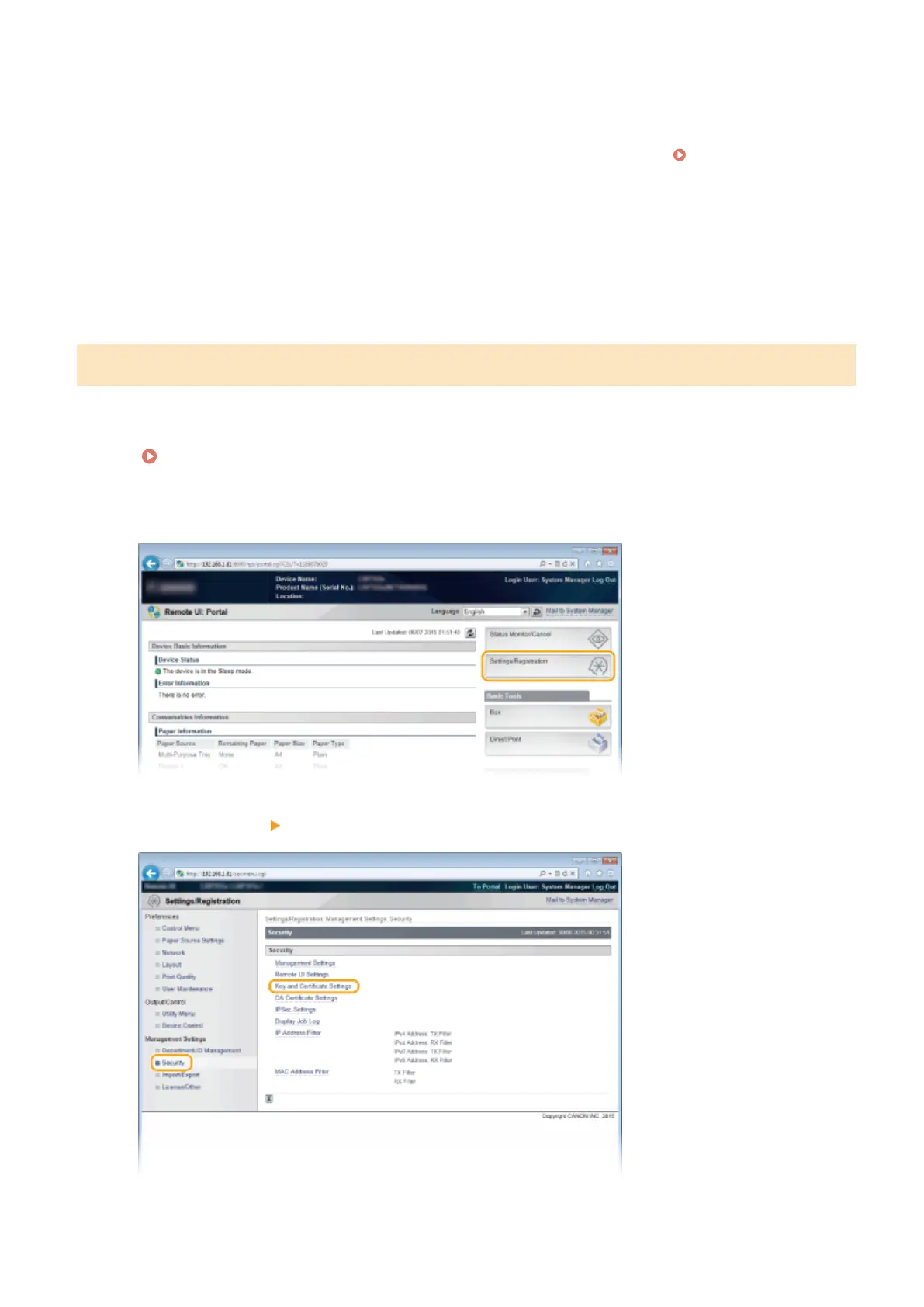
1
Start the Remote UI and log on in Management Mode.
Starting Remote UI(P. 333)
2
Click [Settings/Registration].
3
Click [Security] [Key and Certicate Settings].
Security
320



 To Next Page