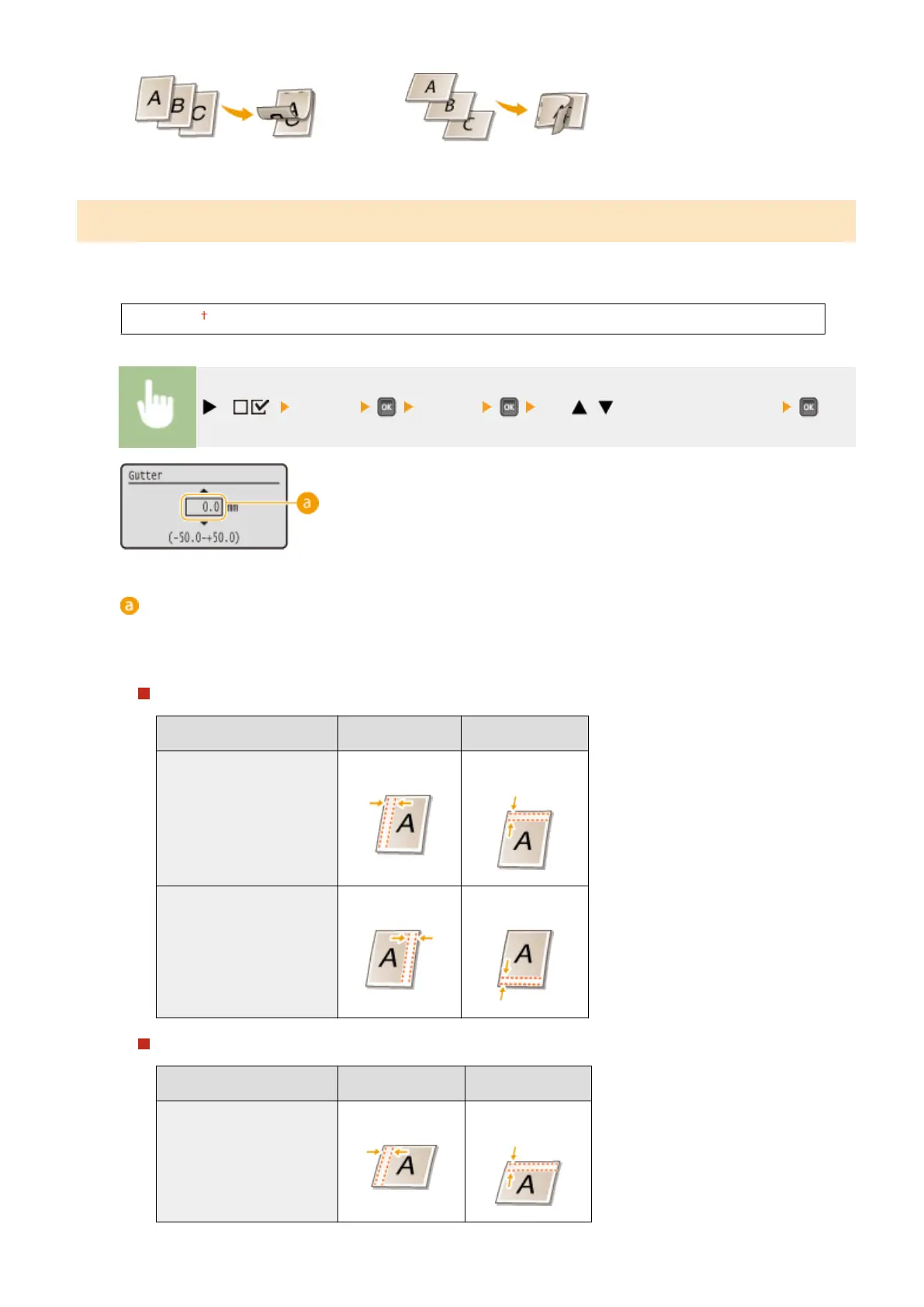
Gutter
Adjust the margin width of the edge specied in <Binding Location> by shifting the print position of the print data. If
you select "0.0", the margin will not be changed.
-50.0 to 0.0 to +50.0 (mm)
( ) <Layout> <Gutter> Use / to enter the offset value
Margin values
Specify the direction and width for shifting the print position of the print data. The edge where the margin is
changed varies depending on whether a "+" or "-" value is set. You can adjust the margin width in 0.5 mm
increments.
Portrait-oriented document
Setting Value
Long edge binding Short edge binding
"+" value Left end of paper
(for left binding)
Upper end of paper
(for top binding)
"-" value Right end of paper
(for right binding)
Lower end of paper
(for bottom binding)
Landscape-oriented document
Setting Value
Long edge binding Short edge binding
"+" value Left end of paper
(for top binding)
Upper end of paper
(for right binding)
Setting Menu List
397



 To Next Page