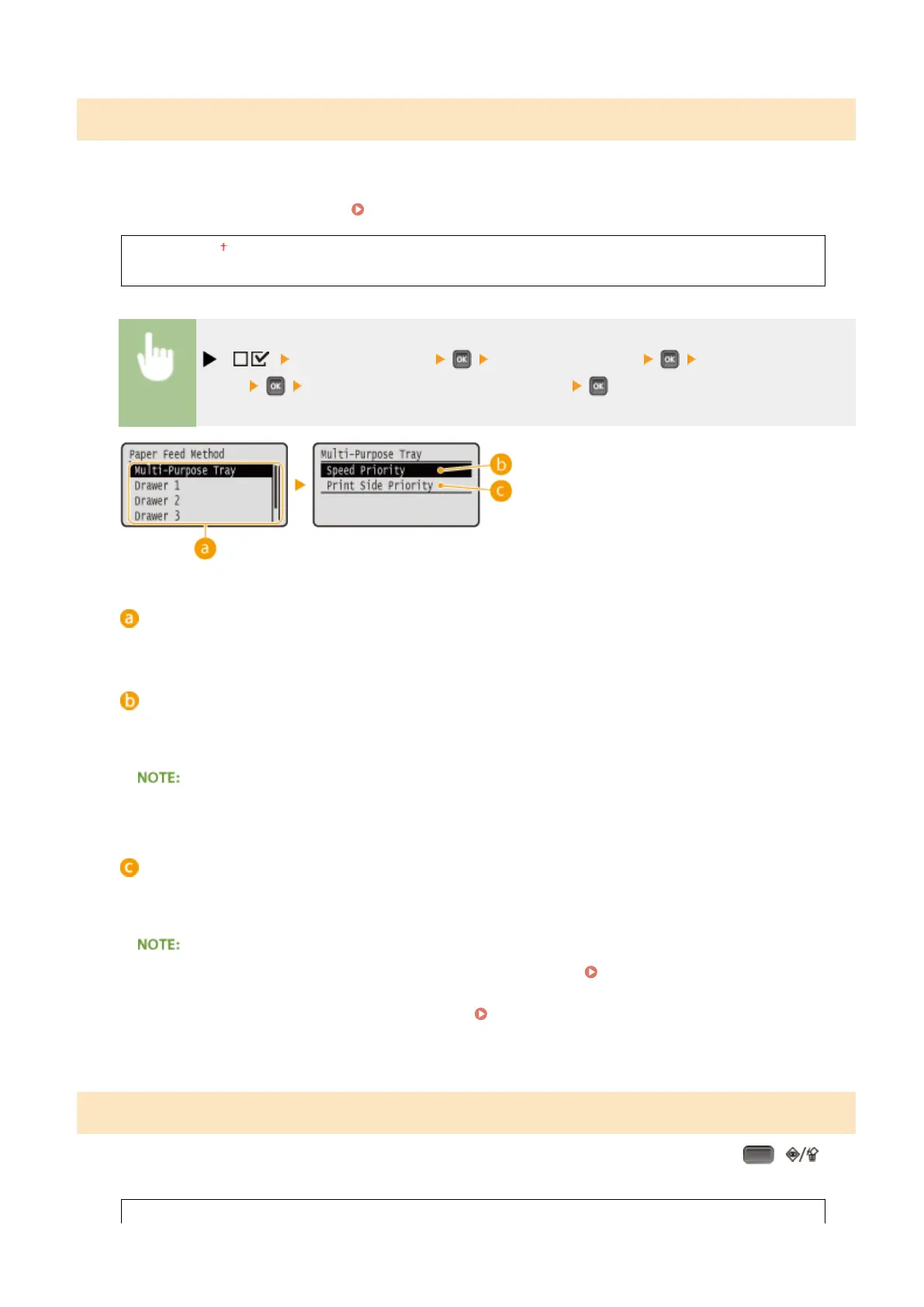
Paper Feed Method
Specify this setting when you print a document on paper with logos. To print on paper with logos, you need to change
how the paper loaded in the paper source is facing depending on whether you are performing 1- or 2-sided printing.
However, if you change the setting to <Print Side Priority>, you can just load the paper face down for both 1- and 2-
sided printing. For more information, see
Loading Preprinted Paper(P. 55) .
Speed Priority
Print Side Priority
( ) <User Maintenance> <Paper Feed Method> Select the paper
source <Speed Priority> or <Print Side Priority>
Paper source selection
Select the paper source for which you want to change the setting of Paper Feed Mode.
<Speed Priority>
When using paper that has been preprinted with a logo, you need to change which side is up depending on
1-sided or 2-sided printing.
● We recommend selecting <Speed Priority> if you do not need to consider which side to print on.
<Print Side Priority>
To print on a specic side of paper, you do not need to ip over paper in the paper source regardless of
whether 1- or 2-sided printing is selected.
● Even if <Print Side Priority> is selected for the paper source ( Paper(P. 569) ), it is disabled and the
machine operates in the same way as when <Speed Priority> is selected. In this case, load the paper in the
same way as when <Speed Priority> is selected ( Loading Preprinted Paper(P. 55) ).
● If you select <Print Side Priority>, 1-sided printing speed will be slower.
Show Job List
Select whether to display a list of data that is being printed and waiting to be printed when you press ( ) on
the operation panel.
Off
Setting Menu List
412



 To Next Page