3
Close the rear cover.
2
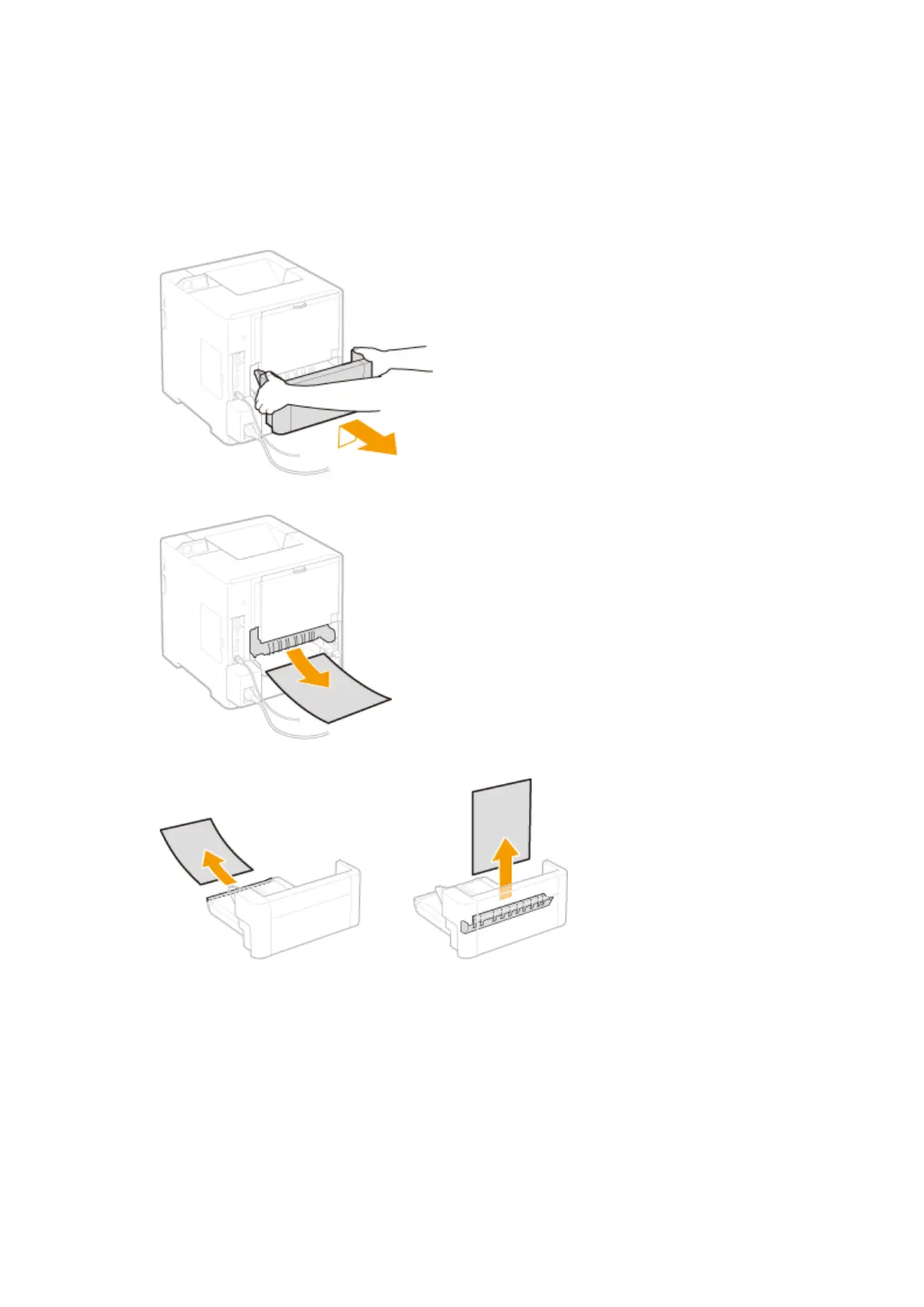
Remove the jammed paper in the duplex unit.
1
Pull out the duplex unit
● Hold the handles on the left and right sides, and pull out the duplex unit.
2
Gently pull out the paper.
3
Gently pull out the jammed paper from the duplex unit.
4
Replace the duplex unit back in place.
3
Remove the jammed paper inside the top cover.
1
Open the top cover.
● Hold the handle on the left side, and open the top cover.
Troubleshooting
468



 To Next Page