◼ Checking the Bit Architecture
If you are not sure whether your computer is running 32-bit or 64-bit Windows, follow the procedure below.
1
Display [Control Panel].
Windows Vista/7/Server 2008
[Start] select [Control Panel].
Windows 8/Server 2012
Right-click the lower-left corner of the screen
select [Control Panel].
Windows 8.1/Server 2012 R2
Right-click [Start]
select [Control Panel].
2
Display [System].
Windows Vista/7/8/Server 2008 R2/Server 2012
Click [System and Maintenance] or [System and Security] [System].
Windows Server 2008
Double-click [System].
3
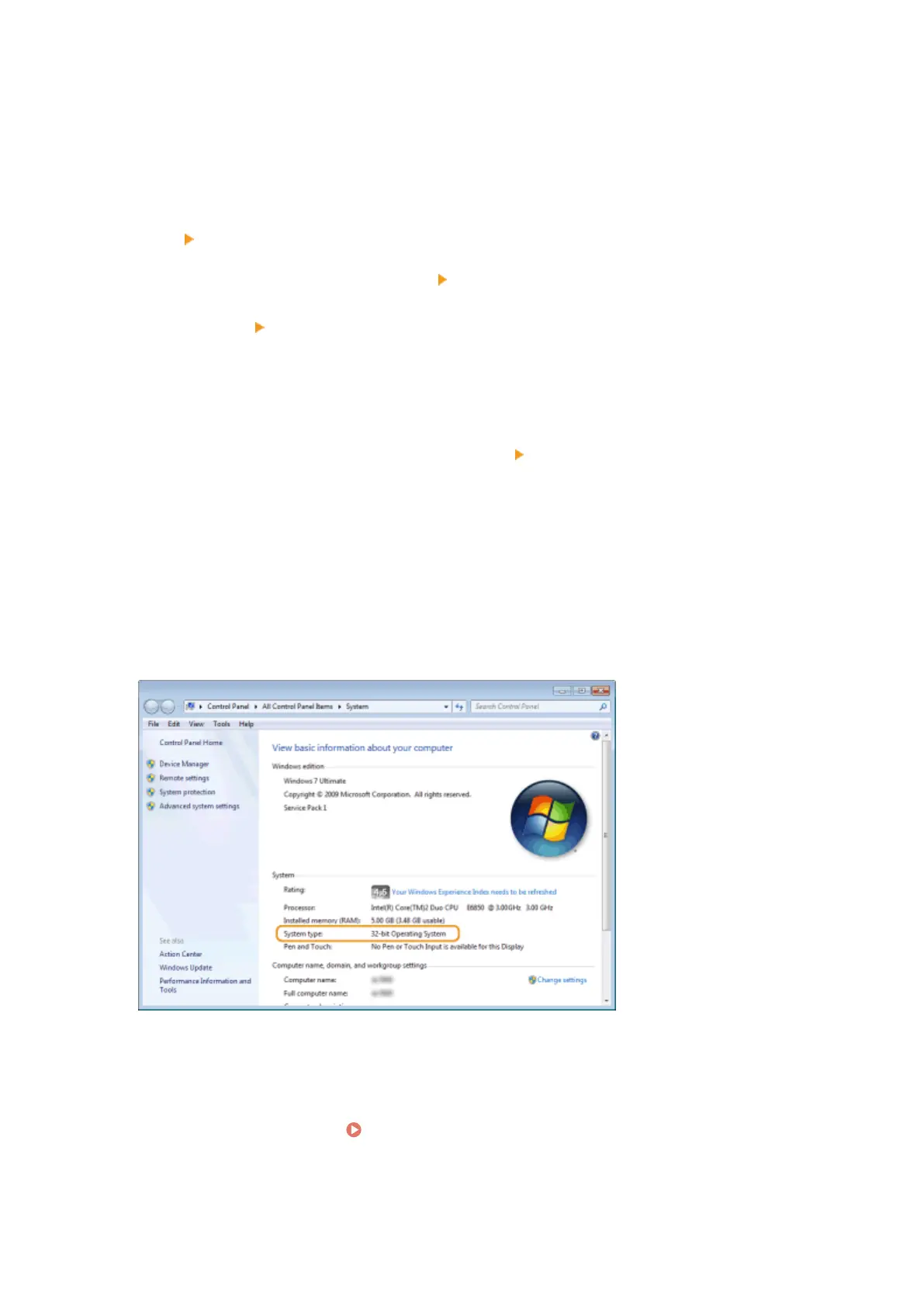
Check the bit architecture.
For 32-bit versions
[32-bit Operating System] is displayed.
For 64-bit versions
[64-bit Operating System] is displayed.
◼ Checking the Printer Port
1
Open the printer folder. Displaying the Printer Folder(P. 616)
2
Right-click your printer icon and click [Printer properties] or [Properties].
Appendix
619



 To Next Page