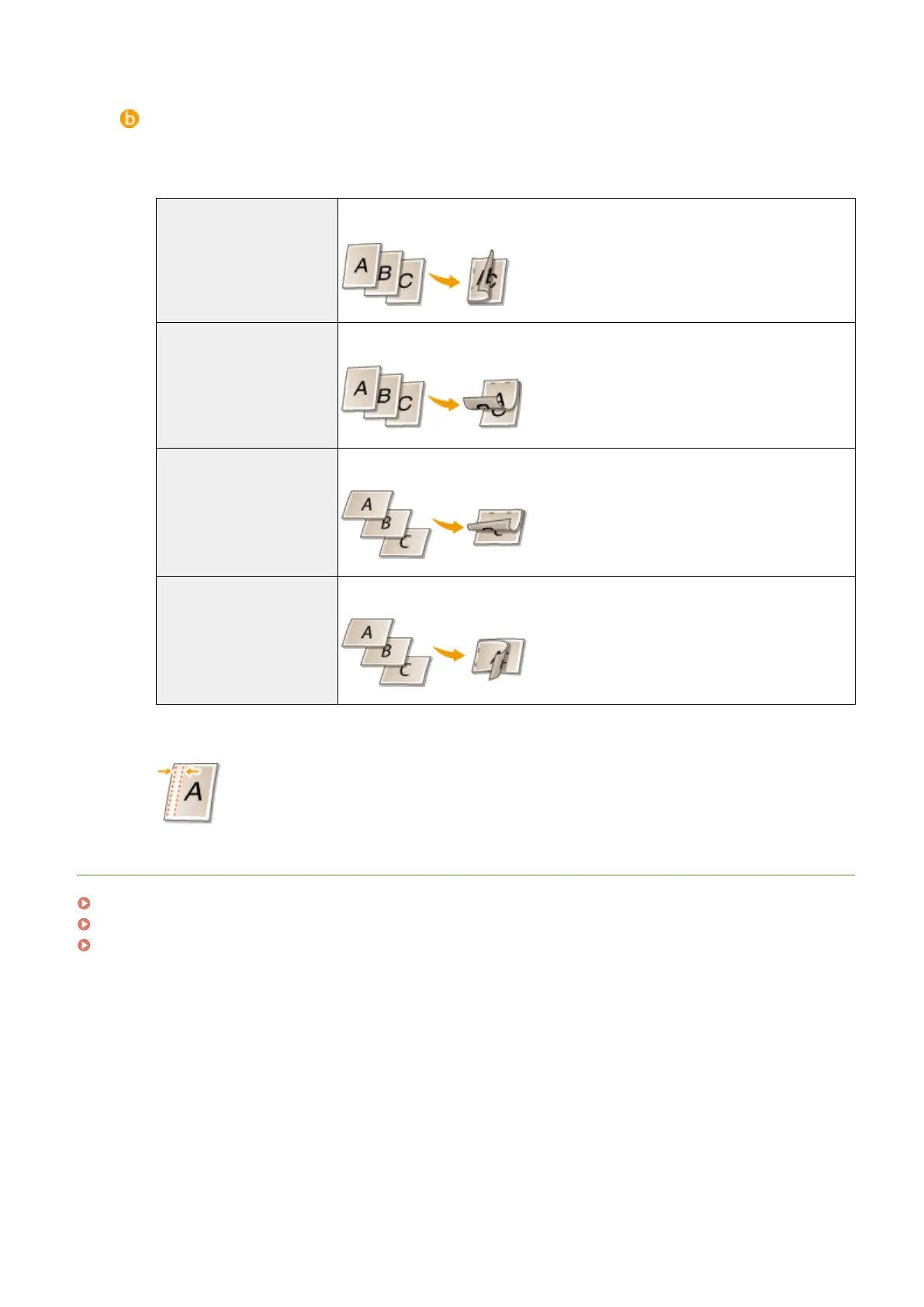
[Binding Location]
Specify the position to bind the printouts with a binding tool such as a stapler. Printing orientation will be
changed depending on the specied binding position. To specify the margin width for the binding position,
click [Gutter].
[Long Edge [Left]] Prints a document in such a way that the printed pages are opened to the left when
bound.
[Short Edge [Top]] Prints a document in such a way that the printed pages are opened to the top when
bound.
[Long Edge [Top]] Prints a document in such a way that the printed pages are opened to the top when
bound.
[Short Edge [Left]] Prints a document in such a way that the printed pages are opened to the left when
bound.
[Gutter]
Specify a binding margin.
LINKS
Basic Printing Operations(P. 78)
Printing Multiple Pages onto One Sheet(P. 93)
Printing Booklet(P. 96)
Printing a Document
90



 To Next Page