CDM-840 Remote Router MN-CDM840
Ethernet-based Remote Product Management Revision 3
6–20
• Link Configuration – Use the drop-down list to select the line speed and duplex setting for
the CDM-840 FE interface. The available settings are Auto*, 10 BaseT/Half Duplex, 10
BaseT/Full Duplex, 100 BaseT/Half Duplex, or 100 BaseT/Full Duplex.
* Auto is the recommended configuration selection.
• Negotiated Link Mode (read-only) – The actual negotiated line speed and duplex setting for
the FE Interface is displayed here. The viewable settings are: 10 BaseT/Half Duplex, 10
BaseT/Full Duplex, 100 BaseT/Half Duplex, or 100 BaseT/Full Duplex.
Click [Submit] to save.
6.3.3.1.2 Configuration | Interface | GE
1) The IP Addresses for the M&C and Traffic Interfaces must be different and on
separate subnets.
2) The ‘ETHERNET | TRAFFIC | GE’ port will not have an IP address when you set
Working Mode to BPM.
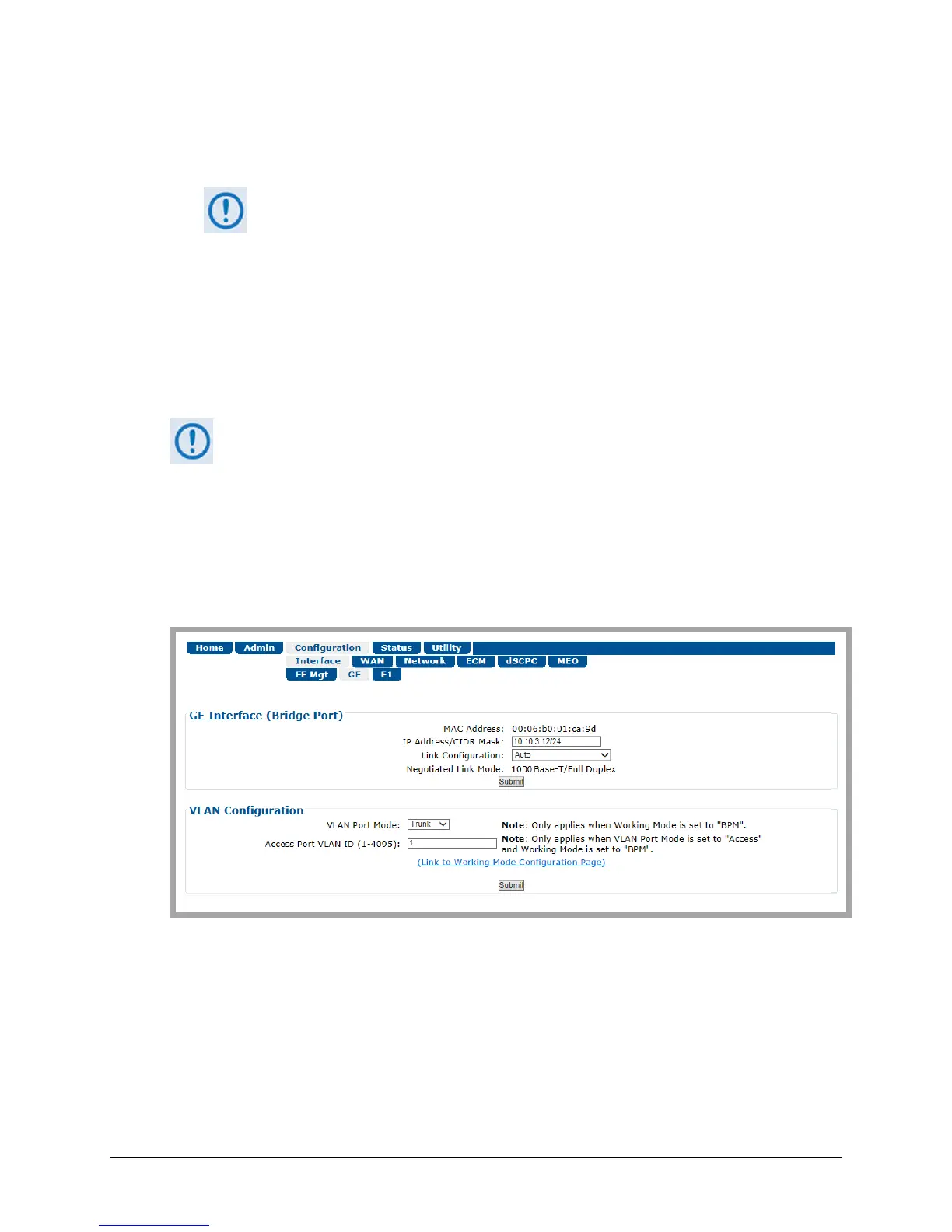
Use this page to configure the rear panel ‘ETHERNET | TRAFFIC | GE’ 10/100/1000 BaseT
Gigabit Ethernet port. This port should be connected to the user LAN network, and is used for
Ethernet data traffic.
Figure 6-13. Configuration | Interface | GE page
GE Interface (Bridge Port)
The read-only information and configuration options provided here are identical to those
featured on the Configuration | Interface | FE Mgt page. See Sect. 6.3.3.1.1 for information
about using these features.



 To Next Page