CDM-840 Remote Router MN-CDM840
Ethernet-based Remote Product Management Revision 3
6–12
6.3.2 Admin (Administration) Pages
Use these pages to set up user access, manage the firmware load preferences, and activate
CDM-840 FAST features.
The Admin pages are available only to users who have logged in using the
Administrator Name and Password.
Click the Access, SNMP, FAST, Firmware, Auto Logout, or VMS tab to continue.
6.3.2.1 Admin | Access
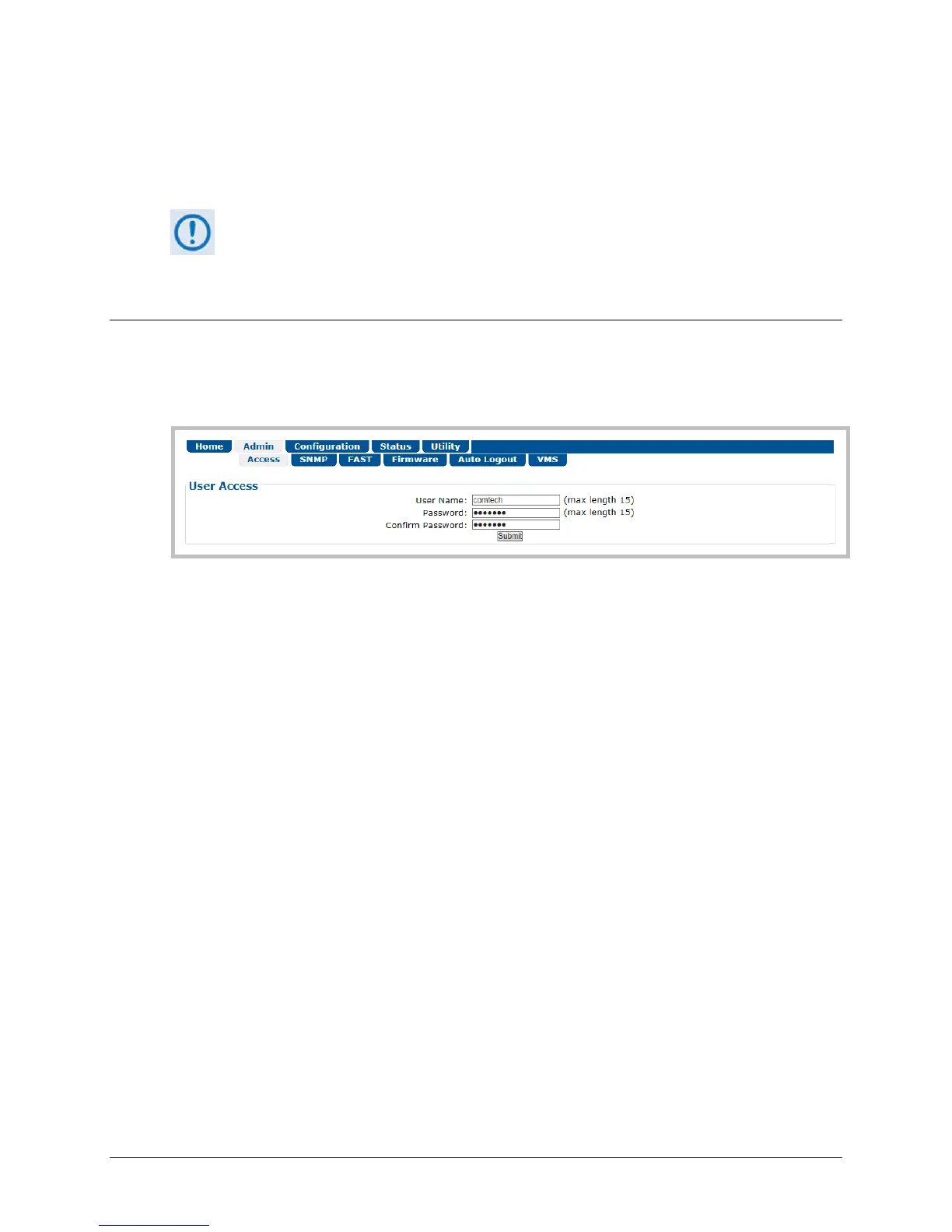
The Administrator must use this page to manage the CDM-840 HTTP Interface user access
settings.
Figure 6-6. Admin | Access Page
User Access
• Enter a User Name. The User Name can be any alphanumeric combination with a maximum
length of 15 characters. The factory default is comtech.
• Enter a Password. The Password can be any alphanumeric combination with a maximum
length of 15 characters. The factory default is comtech.
• Re-enter the new Password in the Confirm Password text box.
Click [Submit] to save.



 To Next Page