CDM-840 Remote Router MN-CDM840
Ethernet-based Remote Product Management Revision 3
6–52
6.3.3.2.7 Configuration | WAN | LNB (Low Noise Block Down Converter)
This page is operational only when an optional LOW-NOISE BLOCK DOWN
CONVERTER is installed.
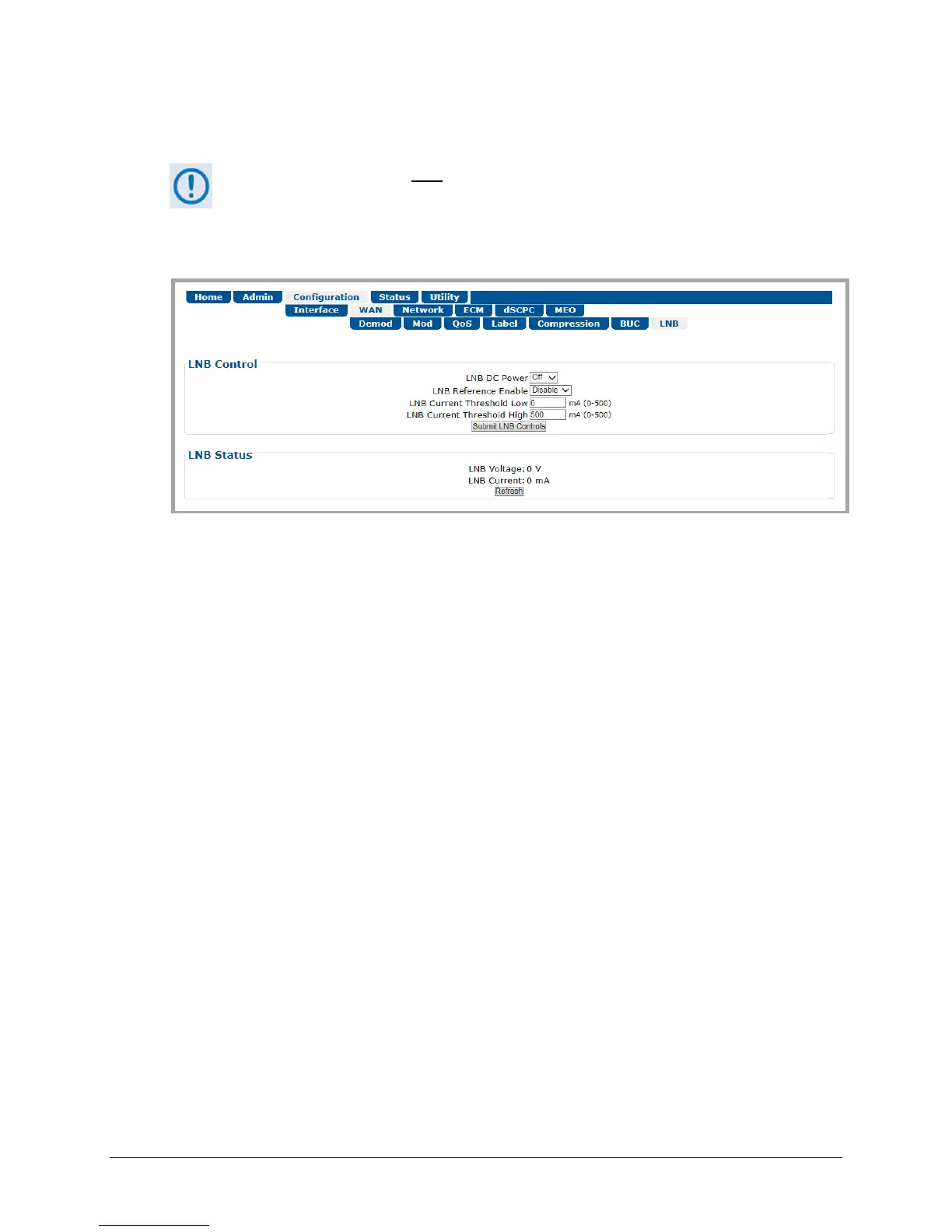
Use this page to configure LNB parameters, and to display the LNB status for L-Band operation.
Figure 6-25. Configuration | WAN | LNB Page
LNB Control
The valid operating range for each item in this section is noted in parentheses.
• LNB DC Power – Use the drop-down list to select the power as Off, 13V, 18V, or 24V.
• LNB Reference Enable – Use the drop-down list to Enable or Disable the LNB Reference.
• LNB Current Threshold (Low and High) (0 to 500) – Enter a value, in mA, for either function.
Click [Submit LNB Controls] to save.
LNB Status
This read-only section provides the LNB Current (mA) and LNB Voltage (V) information.
Click [Refresh] to update this section with its latest available statistics.



 To Next Page