CDM-840 Remote Router MN-CDM840
Ethernet-based Remote Product Management Revision 3
6–59
This is the read-only internal index number for the ARP entry. This number increments or
decrements automatically as you add or delete entries.
Entry IP Address, format XXX.XXX.XXX.XXX.
Entry MAC Address, format YY:YY:YY:YY:YY.
The read-only entry Type is listed here as Static or Dynamic and cannot be edited.
Click [Submit Changes] to save.
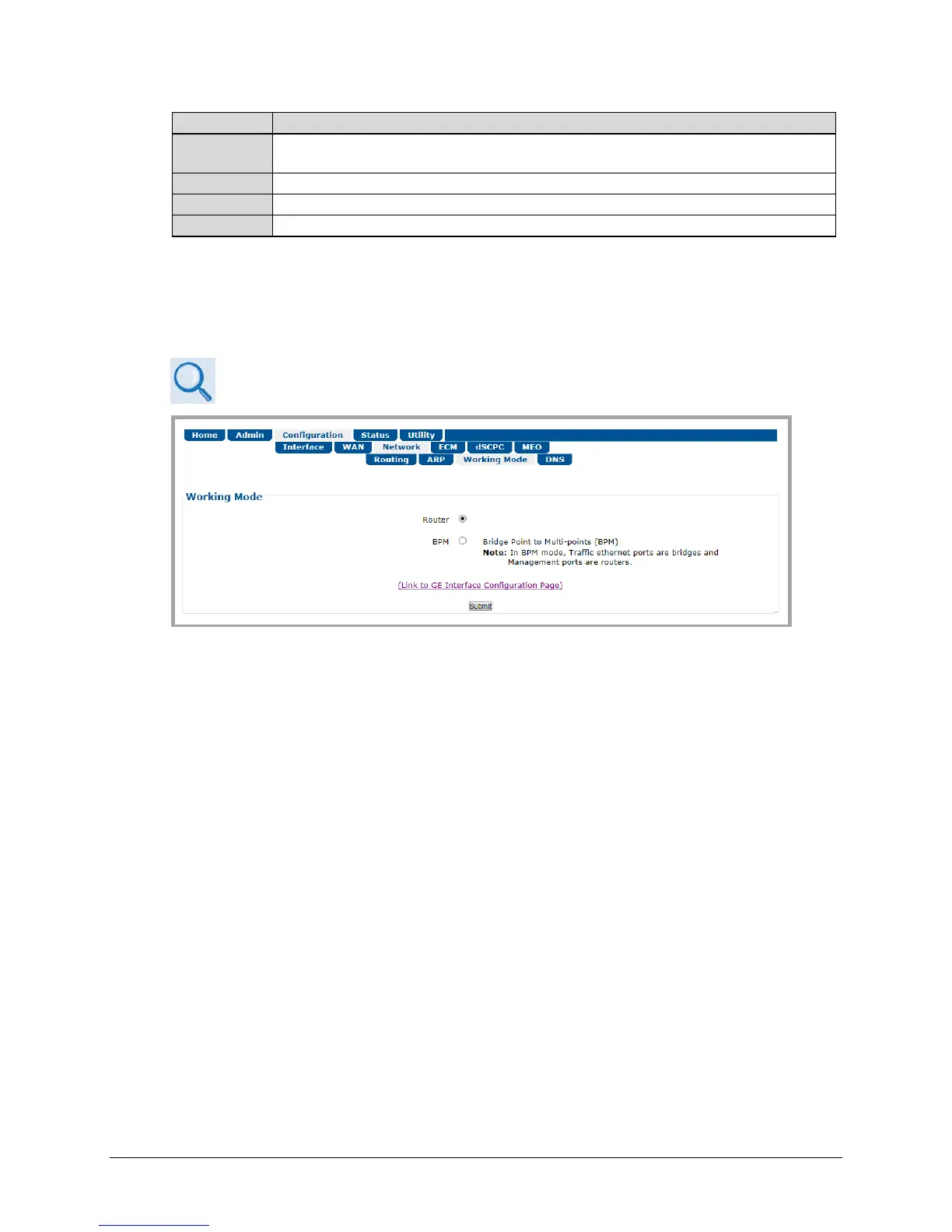
6.3.3.3.3 Configuration | Network | Working Mode
See Appendix E. BPM (BRIDGE POINT-TO-MULTIPOINT) OPERATION for more details
on operating a network in BPM Mode.
Figure 6-30. Configuration | Network | Working Mode Page
Working Mode
Select the desired working mode:
• In Router Mode, the traffic ports of the CTOG-250, CDD-880, and CDM-840 are configured
to function as a Router.
• In BPM Mode, all L2/L3/L4 protocols such as VLAN, MPLS, IPv6, OSPF, and BGP will flow
through the network as they would through an off-the-shelf Ethernet Switch. The Advanced
VSAT BPM feature makes the Advanced VSAT equipment appear as a “Sky Ethernet Switch”.
This will allow for a greatly simplified network deployment.
Click [Submit] to save.



 To Next Page