CDM-840 Remote Router MN-CDM840
Appendix L Revision 3
L–7
L.3.2.1 Create a Distribution List
Chapter 3. VMS Configuration “Define Distribution Lists” in VMS v3.x.x VIPERSAT
Management System User Guide (CEFD P/N MN/22156)
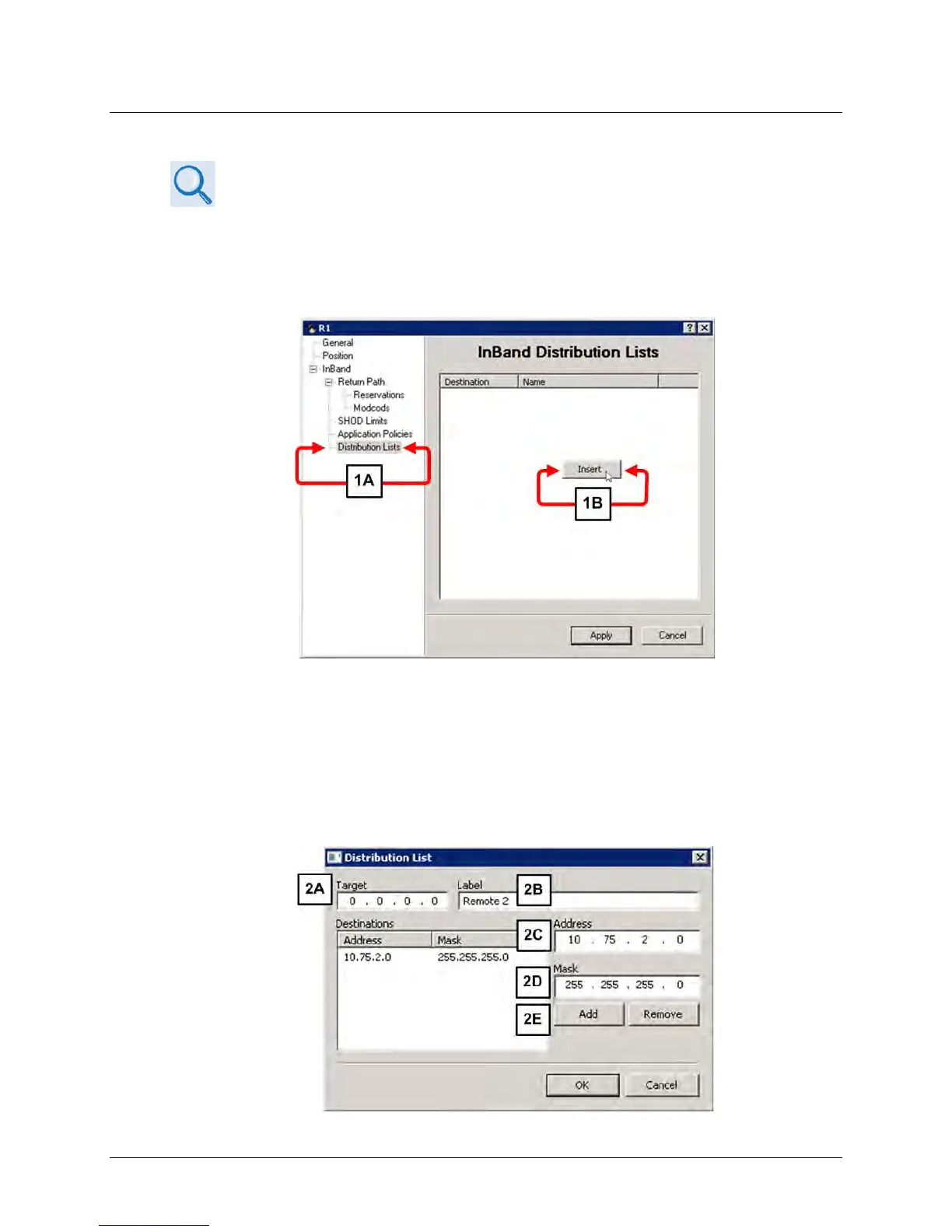
Use the VMS to set up a Distribution List. Do these steps:
1. From the VMS GUI, right click on a remote site icon to open the Properties page:
a) Highlight the Distribution Lists tag.
b) Right-click in the white space below the InBand Distribution Lists label. Click the [Insert]
button that appears. The Distribute List dialogue window appears.
2. If the distribution is intended for multiple remotes, you may use the Distribute List dialogue
window to enter them:



 To Next Page