CDM-840 Remote Router MN-CDM840
Ethernet-based Remote Product Management Revision 3
6–60
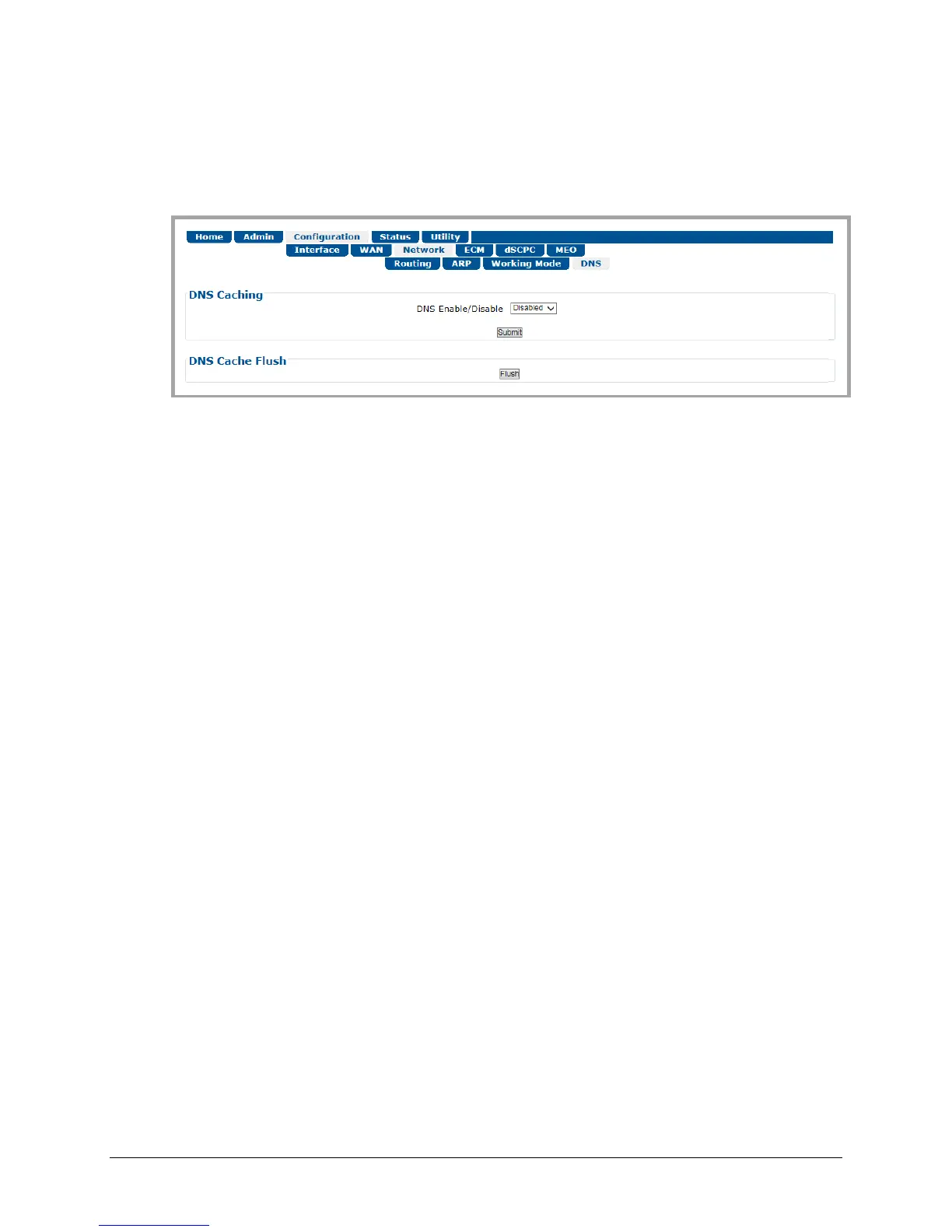
6.3.3.3.4 Configuration | Network | DNS
DNS (Domain Name System) caching speeds up Internet access by eliminating subsequent
queries over the satellite link. Use this page to manage DNS caching.
Figure 6-31. Configuration | Network | DNS Page
Note the following:
• When the CDM-840 receives a DNS query at one of its Ethernet ports, a DNS cache lookup is
performed in the local DNS cache. If the entry is found, a DNS response message is
immediately returned to the requesting entity with a time-to-live value of 10 seconds. If no
match is found, the request packet is forwarded to the Hub.
• When a DNS response packet is received from the Hub, a check is made to see if the entry
already exists in the cache. If it exists, the time-to-live for the entry is reset to 900 seconds
(15 minutes). If it is a new entry, it is added to the cache with time-to-live set to 900 seconds
(15 minutes).
• The local DNS cache is periodically cleaned by removing expired entries.
DNS Caching
Use the drop-down list to set DNS Caching as Disabled or Enabled.
Click [Submit] to save.
DNS Cache Flush
Click [Flush] to clear the DNS Cache of all data.



 To Next Page