CDM-840 Remote Router MN-CDM840
Ethernet-based Remote Product Management Revision 3
6–7
Off
The Unit is Off Line (standby) – forced by externally connected 1:1 or 1:N redundancy
TEST MODE
Amber A Test Mode is selected.
Off There is no Test Mode currently selected.
TRANSMITTER
ON
Green The Transmitter Carrier is On.
Red A Fault exists that causes the unit to turn off the carrier.
Off The Transmitter Carrier is Off.
Tx TRAFFIC
Green (solid) No Tx Traffic Faults, no packets.
Green (blinking)
No Tx Traffic Faults, blinks when a packet is being transmitted to the satellite link from
this unit.
Amber A Tx Traffic Alarm exists.
Red Tx Traffic has a Fault.
Off The Tx is turned off.
Rx TRAFFIC
Green (solid) No Rx Traffic Faults (demod and decoder are locked, everything is OK).
Green (blinking)
No Rx Traffic Faults, blinks when a packet is being received from the satellite link to this
Amber Rx Traffic has an Alarm.
GE
LINK/ACTIVITY
Green (solid) Traffic Ethernet is connected, but no traffic exists.
Green (blinking) Ethernet activity detected.
Off Traffic Ethernet is not connected.
6.2.3.2.2 Navigation
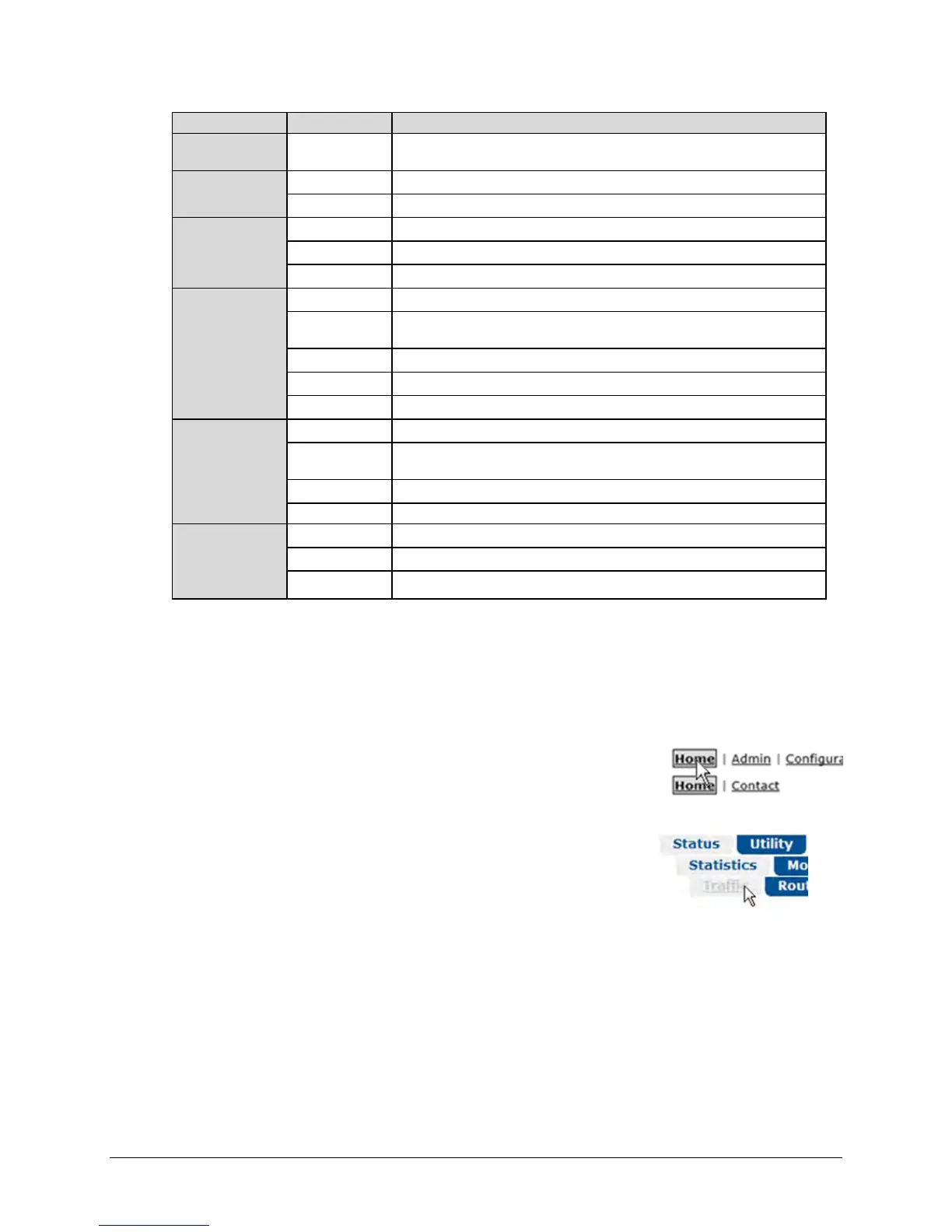
The CDM-840 HTTP Interface provides navigation aids at the top of each page, just below the
Virtual Front Panel:
• The Default viewing mode uses page hyperlinks. After you
click a navigation hyperlink, you may click an available primary
page hyperlink. In turn, any nested hyperlinks appear for
further selection.
• Enhanced Mode uses navigation tabs. After you click a
navigation tab, you may click an available primary page tab. In
turn, any nested tabs appear for further selection.
This manual uses a naming format for all web pages to indicate the depth of navigation needed
to view the subject page: “Top Level Select | Primary Page Select | Nested Page Select”.
For example, “Status | Statistics | Traffic” instructs you to “first click the top-level ‘Status’
navigation tab; then, click the ‘Statistics’ primary page tab; finally, click the nested ‘Traffic’ tab.”



 To Next Page