CDM-840 Remote Router MN-CDM840
Appendix G Revision 3
G–17
• Failures: – This is the number of
incomplete transmissions that were detected
by the hub.
• No Detect: – This is the number of transmissions that were
undetected
by the hub.
• Last Status: – This displays the status of the most recent transmission as Success, Failure, or
No Detect.
• Seconds since last xmit: – This is the number of seconds since the last transmission,
regardless of status
G.3.2.2 CDD-880 HTTP Operation – Hub Channel Controller (HCC)
.
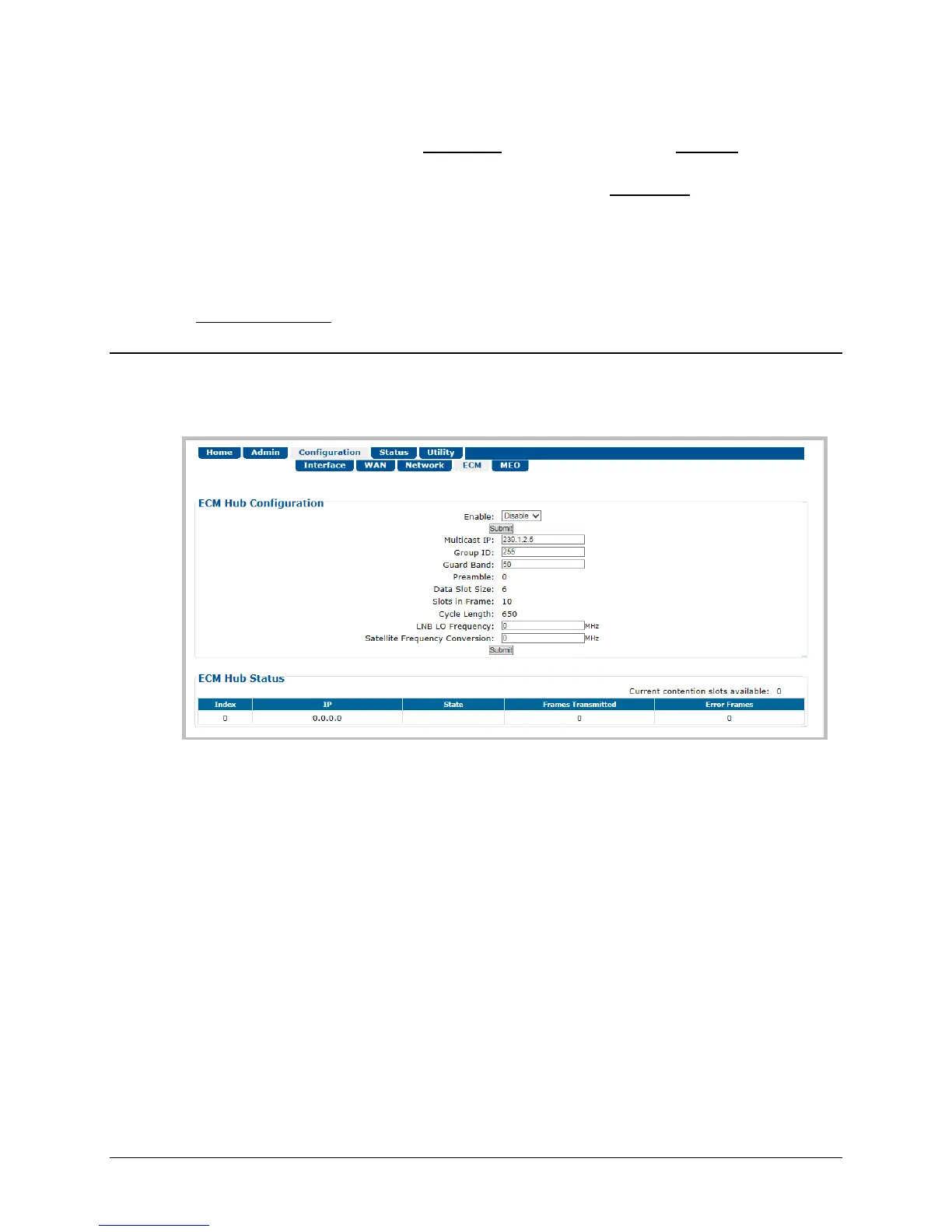
Click the Configuration tab, and then the ECM tab to open the page (Figure G-6).
Figure G-6. CDD-880 HTTP Interface – Configuration | ECM Page
ECM Hub Configuration
The acceptable/valid operating ranges for items in this section are provided in parentheses.
• Enable: – This feature activates Demod-1 (Rx TRAFFIC 1) on this unit to function as the ECM
Controller for a group of CDM-840s. Use the drop-down list to select operation as Enable or
Disable, and then click [Submit] to save.
• Multicast IP: – Enter the IP address for the Multicast of the TAP message that is sent out by
this CDD-880 to all of the associated CDM-840s in that group.
• Group ID: (0-255) – Assigning a unique Group ID number to this CDD-880 (i.e., the HCC) and
its associated CDM-840s defines the group of equipment that will respond to the output of
the controller. Enter the Group ID number for the CDD-880.



 To Next Page