CDM-840 Remote Router MN-CDM840
Ethernet-based Remote Product Management Revision 3
6–17
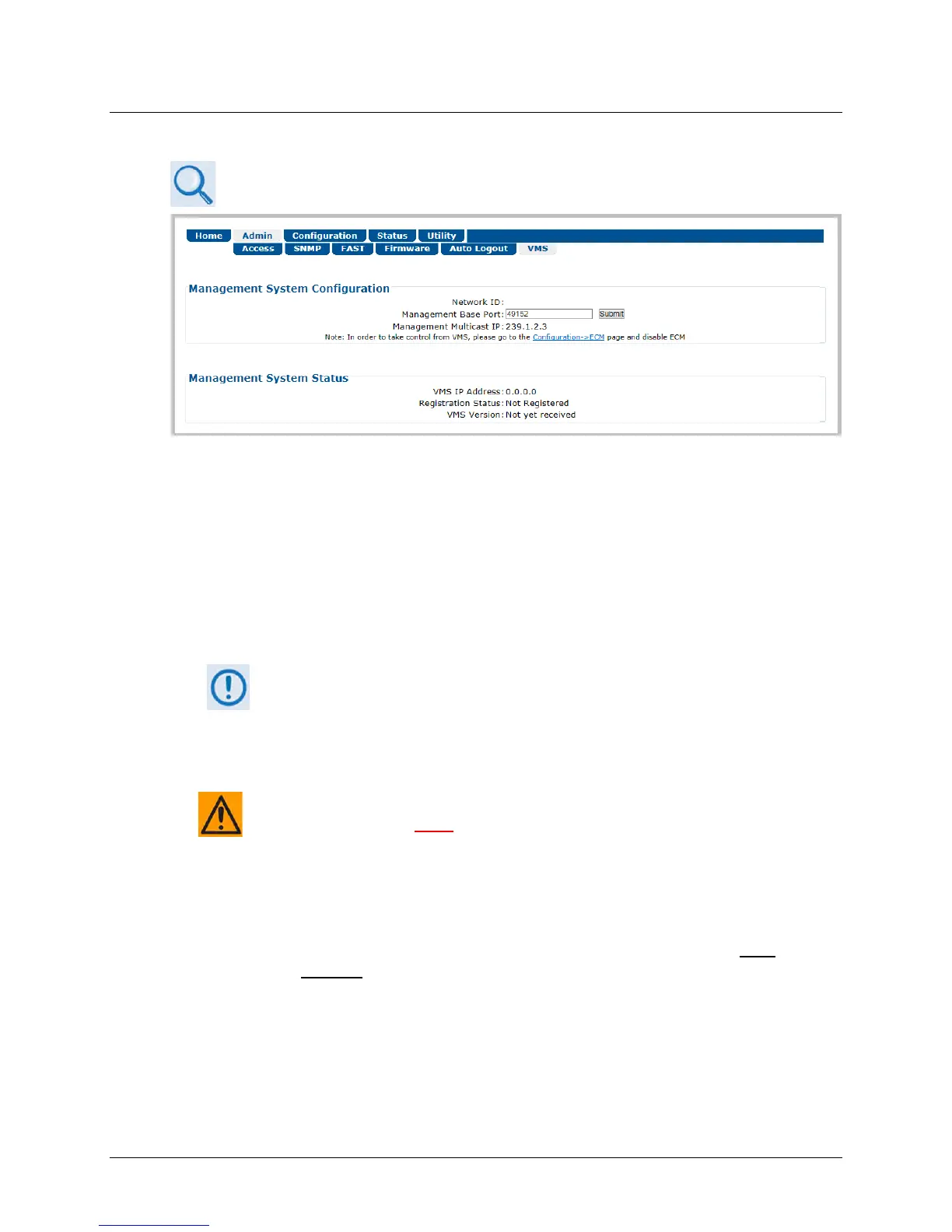
6.3.2.6 Admin | VMS
VMS v3.x.x VIPERSAT Management System User Guide (CEFD P/N MN/22156)
Figure 6-11. Admin | VMS Page
Management System Configuration
The valid operating ranges for items in this section are provided in parentheses.
• Network ID (1 to 254) – The Network ID designation defines to which network the Remote
Router belongs. All devices in a common network will have the same Network ID. VMS uses
the Network ID to identify Vipersat units within a network, and allows the VMS to manage
multiple networks, each with its own unique network ID number.
Starting with FW Ver. 1.6.2.X, the Network ID is configured in the CTOG-250
and automatically distributed to all CDM-840s that are locked and receiving
the Outbound Carrier from the CTOG-250.
• Management Base Port– The Management Base Port sets the starting IP port addressing
for all VMS and ACM messages.
CAUTION – MAKE NOTE OF THE FOLLOWING:
o Use this setting ONLY if network port addressing is in contention. You
should otherwise leave this setting at default (hex) C000 (dec) 49152 to
avoid unnecessary configuration changes.
o If you change this port number (i.e., enter a value and click [Submit] to
save), it will affect internal management operations across the entire
network. You will be required to make configuration changes to all
modems.
o While this page is operational only when the optional VIPERSAT
MANAGEMENT SYSTEM (VMS) is installed and operational, the
Management Base Port number is essential to proper operations with or
without the VMS feature.



 To Next Page