CDM-840 Remote Router MN-CDM840
Rear Panel Connections Revision 3
3–14
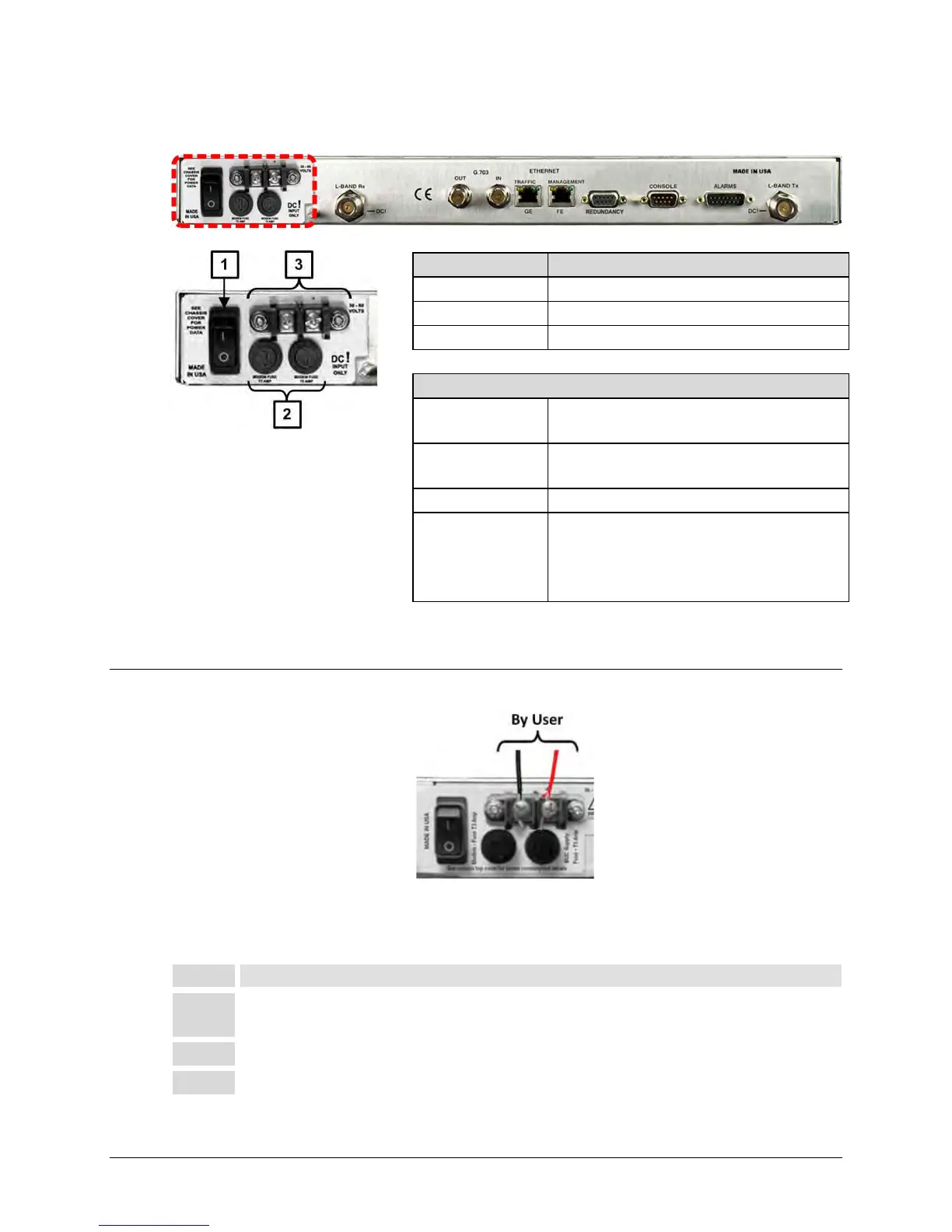
3.3.3 -48V Direct Current (DC) Power Interface (Optional)
Figure 3-8. DC Power Interface
3.3.3.1 DC Operation – Apply Power
Figure 3-9. Apply DC Power to the Unit
Do these steps to apply DC power to the unit (Figure 3-9):
Connect the user-supplied (+) and (–) DC power leads to their respective terminals.
Number 18 AWG minimum wires are recommended.
2 Connect the user-supplied DC power leads to the user power source.
Feature Description
2 Screw-in Fuse Holders / Receptacles
Input Power
25W (typical)
245W (maximum with BUC)
Input Voltage
48V DC, nominal
(36V to 60V)
Fuse Protection
(2X) 5mm x 20mm Slow-blow type
fuses:
• T3A (3.0A) Main
•
T5A (5.0A) (BUC)



 To Next Page