CDM-840 Remote Router MN-CDM840
Ethernet-based Remote Product Management Revision 3
6–72
• CIR Avail Last 15 Min
•
This is the Committed Information Rate (in kilobits per second) as averaged over
the specified timeframe.
This is the QoS Control Mode as configured for the group:
• Off
• DiffServ
• Max/Pri
• Min/Max
• Pri-Weighted
Click the radio button to make this group the active selected group.
6.3.4.1.4.2 Page Functionality Specific to Active QoS Control Mode
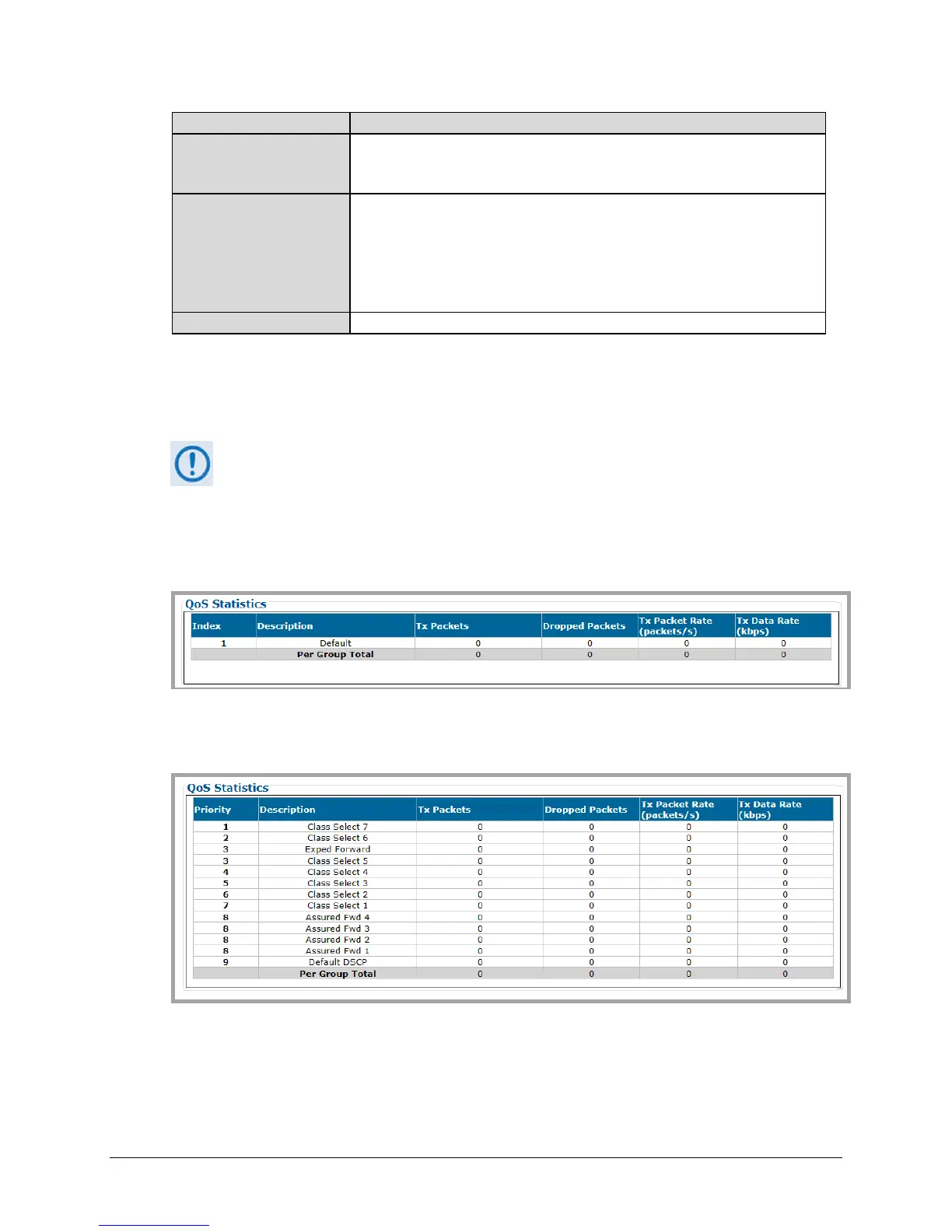
QoS Statistics
The page content that follows differs depending on the active QoS Control Mode.
The appearance of this table varies depending on your active QoS Control Mode. Examples are
as follows:
When QoS Control Mode = OFF, Max/Pri, Min/Max, or Pri-Weighted:
This table provides the statistics for all QoS Rules of a given QoS Group.
When QoS Control Mode = DiffServ:
This table provides the cumulative tally for each Code Point supported by Differentiated
Services.



 To Next Page