CDM-840 Remote Router MN-CDM840
Ethernet-based Remote Product Management Revision 3
6–41
6.3.3.2.3.1 Page Functionality Common for all QoS Control Modes
The page content that follows is available in all QoS Modes.
You may click the (to QoS Statistic page) hyperlink, located at the top of the page, to view
operational statistics on the Status | Statistics | QoS page (Sect.
6.3.4.1.4).
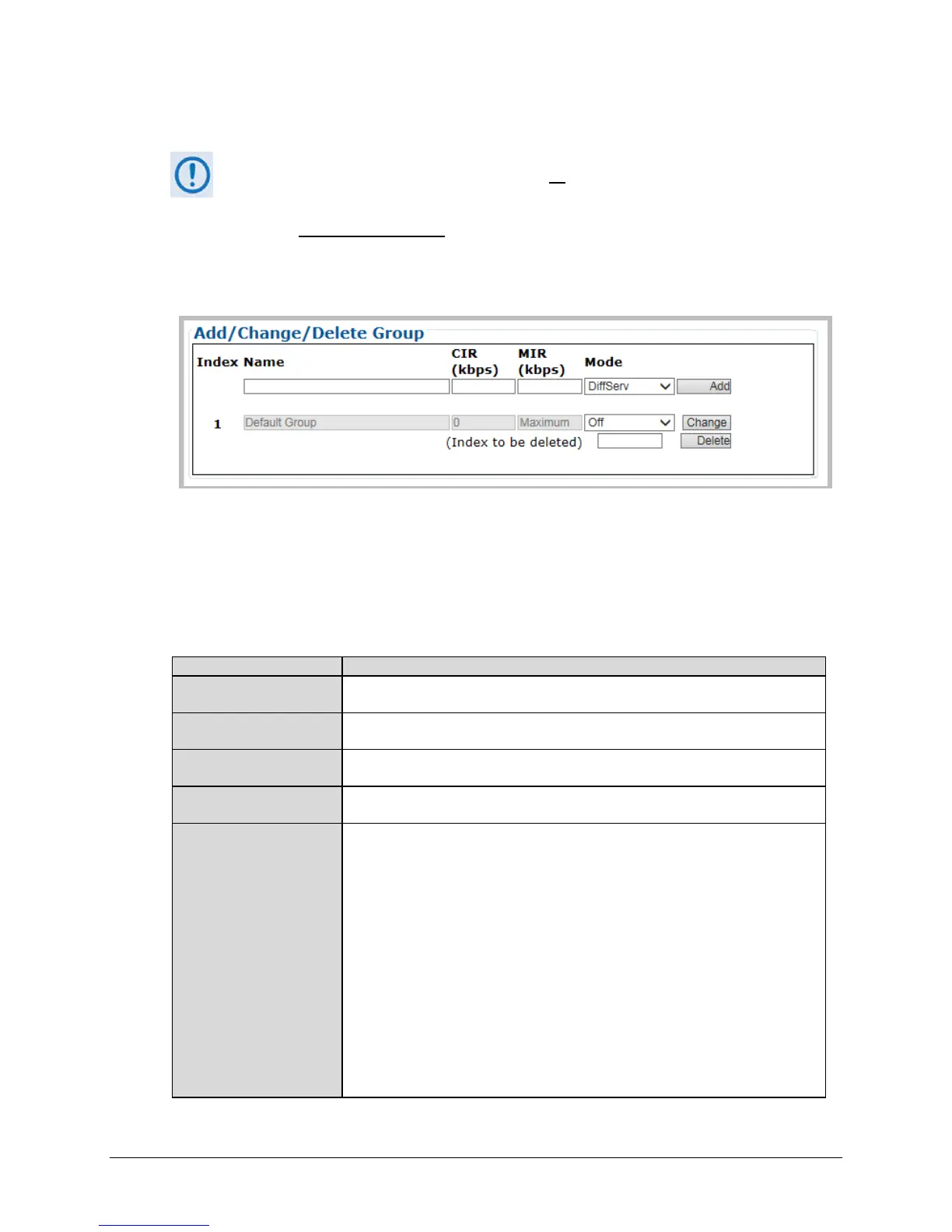
Add/Change/Delete Group
Use the top row text boxes, drop-down lists, and action button to Add (create) a QoS Group.
The middle row allows you to Change (edit) the currently selected group. The bottom row
allows you to Delete any available group other than the Default Group.
• Add a group – Use the top row text boxes to create and add a group. Click [Add] to create
the rule. From left to right (where applicable):
This is the internal index number for the group. This number increments or
decrements automatically as you add or delete groups.
This is the name assigned to the group. The name you create must be 20
characters or less, and it must be unique across all groups.
This is the Committed Information Rate for the group. The QoS Manager will try to
guarantee this date rate for all traffic that matches this group.
This is the Maximum Information Rate for the group. The QoS Manager will not
allow traffic that matches this group to send more than this data rate.
When adding a new group or modifying an existing group, use the drop-down list to
select a QoS Mode of operation:
• Off – This mode disables QoS. With QoS Control Mode = Off, the “Per Group”
add/deleted/edit tables sections of this page are replaced with the message
“QoS Mode is Off.”
• DiffServ – This mode allows the CDM-840 to operate in Differentiated Services
Mode to make it fully compliant to the Differentiated Services QoS RFC
(Request For Comments) standards.
• Max/Pri – This mode provides multi-level traffic prioritization with the ability to
limit maximum traffic per priority class.
• Min/Max – This mode provides a Committed Information Rate (CIR) to each
user-defined class of traffic with the ability to allow a higher burstable rate
depending on availability.
• Pri-Weighted – Weighting is used to drain traffic having the same Priority
Level.



 To Next Page