CDM-840 Remote Router MN-CDM840
Ethernet-based Remote Product Management Revision 3
6–36
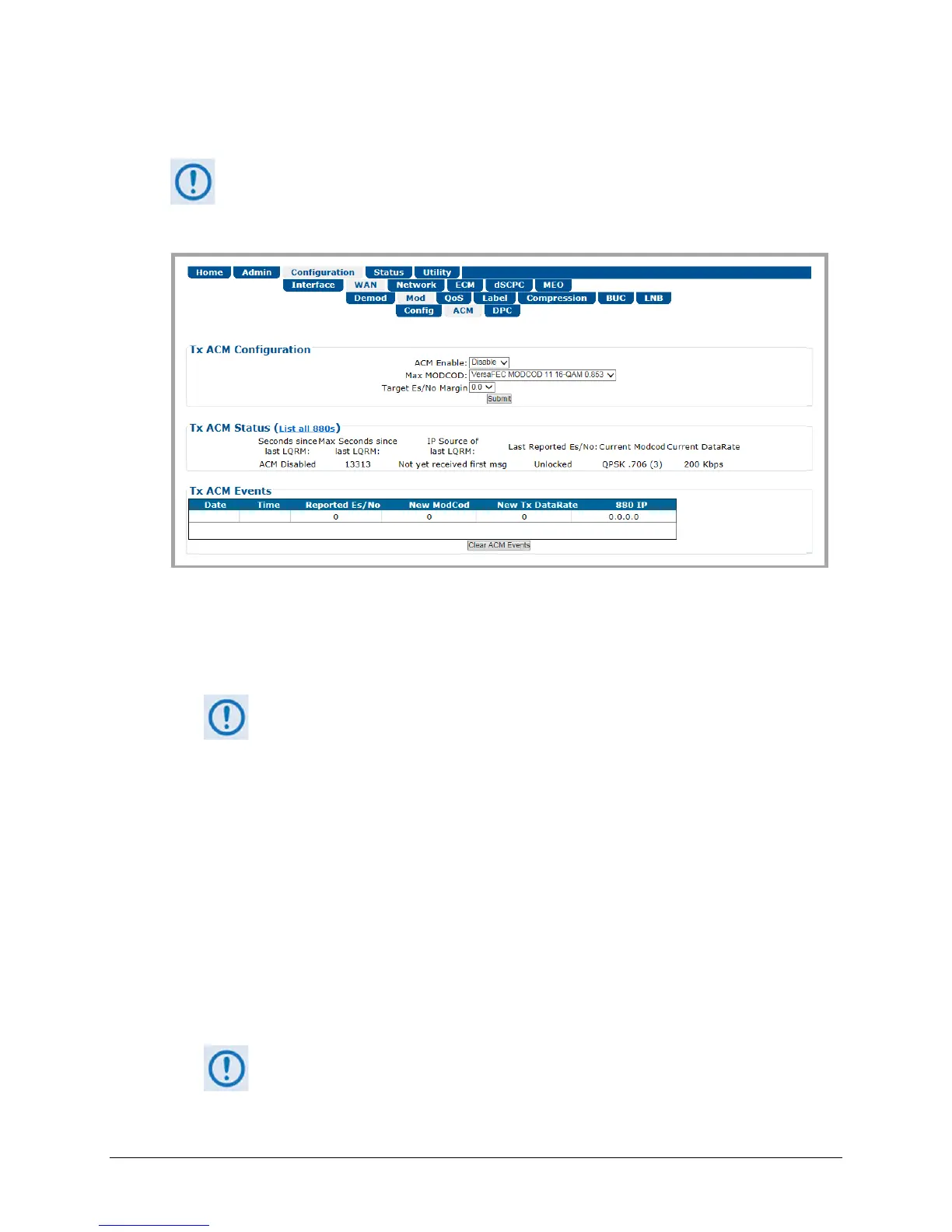
6.3.3.2.2.2 Configuration | WAN | Mod | ACM
VersaFEC ACM requires Version 1.3.2 (or higher) firmware, and the appropriate FAST
code for the maximum operating symbol rate.
Use this page to configure CDM-840 Tx ACM operations.
Figure 6-19. Configuration | WAN | Mod | ACM Page
Tx ACM Configuration
• ACM Enable – Use the drop-down list to Disable or Enable Tx ACM operation.
With ACM set to Enable, the Configuration | Mod | Config page updates to
disable manual configuration of the Max MODCOD (Data Rate) parameter.
• Max MODCOD – Use the drop-down list to select the maximum Modulation type and FEC
rate (MODCOD). The available selections are:
VersaFEC MODCOD 0 – BPSK 0.488
VersaFEC MODCOD 6 – 8-QAM 0.711
VersaFEC MODCOD 1 – QPSK 0.533
VersaFEC MODCOD 7 – 8-QAM 0.780
VersaFEC MODCOD 2 – QPSK 0.631
VersaFEC MODCOD 8 – 16-QAM 0.731
VersaFEC MODCOD 3 – QPSK 0.706
VersaFEC MODCOD 9 – 16-QAM 0.780
VersaFEC MODCOD 4 – QPSK 0.803
VersaFEC MODCOD 10 – 16-QAM 0.829
o VersaFEC MODCOD 5 – 8-QAM 0.642 o VersaFEC MODCOD 11 – 16-QAM 0.853
• Target Es/No Margin (0.0 to 4.5) – Use the drop-down list to select a margin value, in 0.5 dB
increments.
The ACM system is designed to switch based on thresholds that correspond
to a BER of 5 x 10
-8
for each MODCOD. However, in order to prevent oscillation
around two MODCODs at this exact value, 0.3 dB of hysteresis has been added.



 To Next Page